Printing
6-5
Printing Documents from a Computer
Printing Documents from a Computer
Printing Documents from a Computer
This section is the explanation of the basic procedure for printing from a computer (printer
driver). Make sure that the printer driver is installed on your computer. To check if the driver
is installed, see “Set Up Computers and Software” in the Starter Guide, or “Set Up
Computers and Software” in the e-Manual. For details on the printer driver settings, see
Online Help.
Printing methods may differ depending on the applications you are using. For details, see the instruction manuals
provided with the application software.
The display may differ according to the operating system or the model of the machine.
–
–
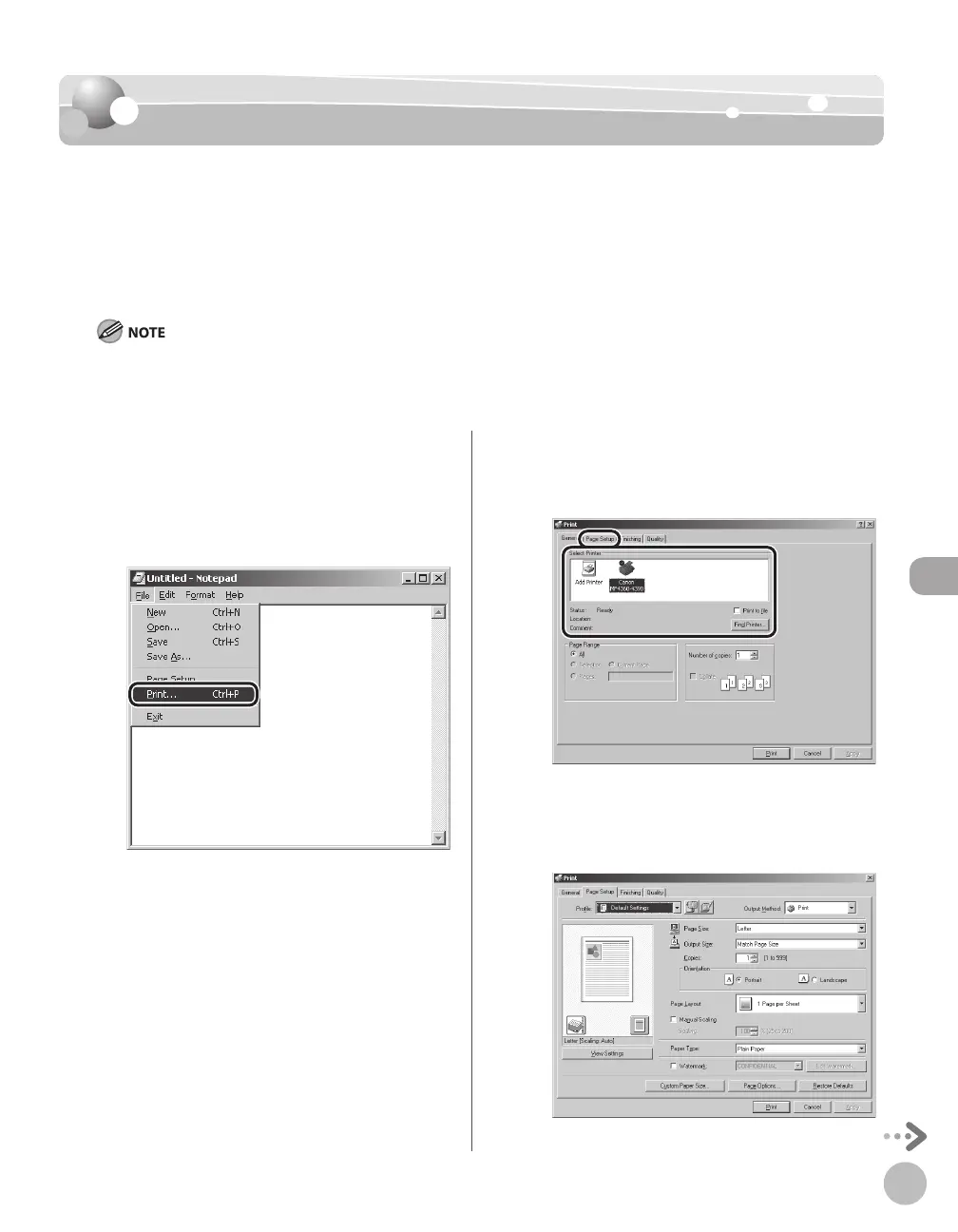
Open the document you want to print
from the application.
Select [Print] from the [File] menu.
The [Print] dialog box is displayed.
Select your printer from [Select Printer],
then click [Page Setup].
The printer driver screen is displayed.
Configure the required settings in the
printer driver screen.













 To Next Page