Documents and Print Media
2-8
Loading Paper
Loading Paper
This section describes how to load paper in the paper cassette and the multi-purpose tray.
The default paper size/type is set to <LTR> and <PLAIN PAPER> in the setting menu. When you load other size and/or type of
paper, change the paper size/type setting by pressing [Paper Settings]. (See “Setting Paper Size and Type,” on p. 2-14.)
In the Paper Cassette
Follow the procedure below to load paper in the
paper cassette.
For MF4380dn/MF4370dn
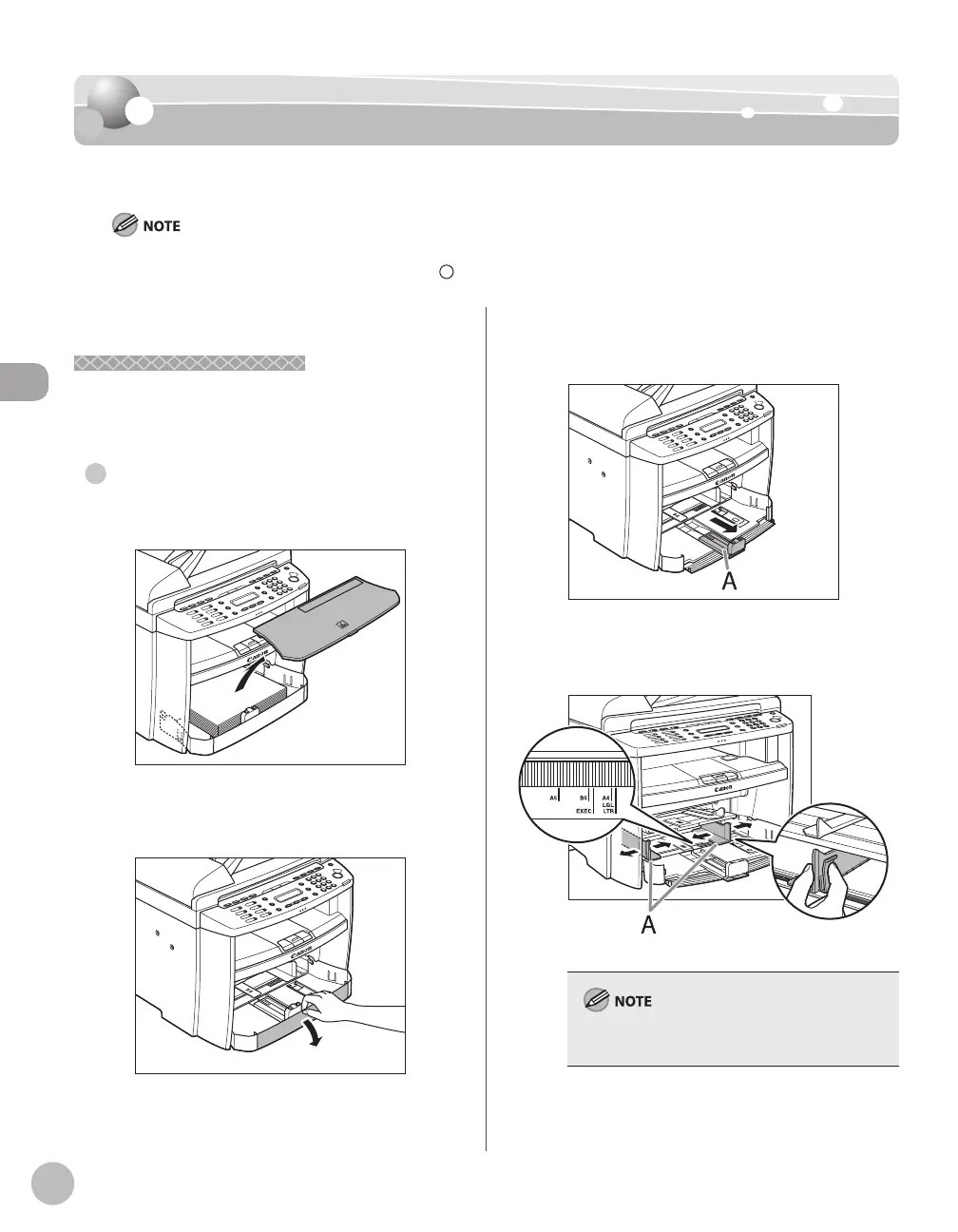
Take out the dust cover.
Open the front panel of the paper
cassette.
●
Slide out the paper guide rail (A).
Slide the side paper guides (A) to match
the size of paper.
If the paper guides do not fit the size of the paper,
the printout may be skewed.













 To Next Page