Copying
4-4
Basic Copying Method
Basic Copying Method
This section describes the basic procedure for copying.
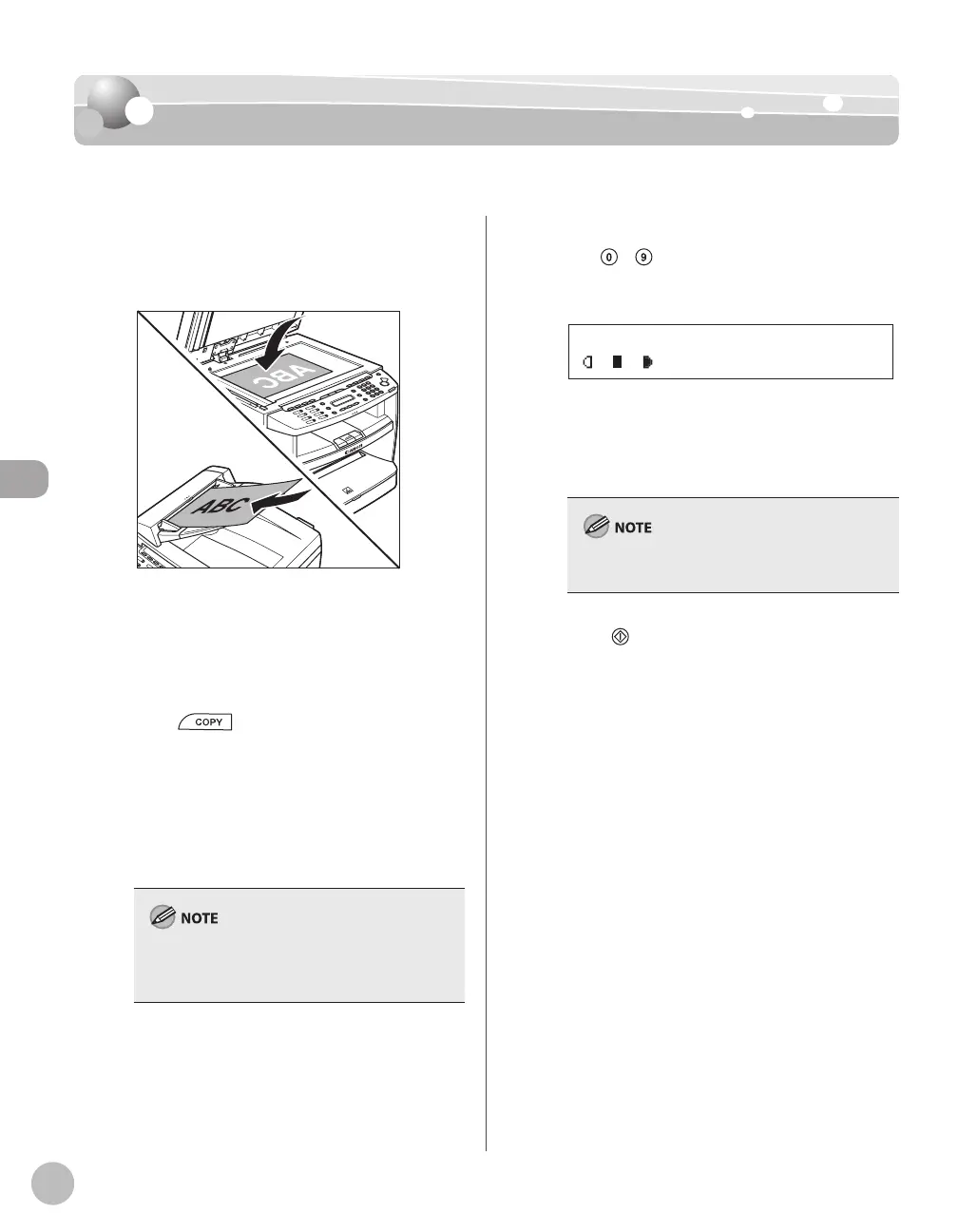
Place documents on the platen glass or
load them in the ADF.
For details, see “Placing Documents,” on p. 2-4.
Close the ADF/platen glass cover after placing
your documents.
For documents you can copy, see “Documents
Requirements,” on p. 2-2.
Press [COPY].
If you want to adjust the image quality, see
“Selecting Image Quality,” on p. 4-6.
If you want to adjust the density, see
“Adjusting Density” on p. 4-8.
If you want to adjust the zoom ratio, see
“Enlarge/Reduce Images” on p. 4-10.
If you press and hold [OK] in the copy mode, a
sample page will be printed. For details, see
“Printing a Sample Page” on p. 4-24.
–
–
–
–
–
–
Use
– [numeric keys] to enter the
desired copy quantity (1 to 99).
TEXT/PHOTO 1
100% LTR
Ex.
The copy quantity appears on the right side of
the display.
If you make a mistake when entering values,
press [Clear] and enter the correct values.
You cannot change the copy quantity while the
machine is copying.
Press [Start].
–
–













 To Next Page