Fax
5-10
Introduction to Using Fax Functions
Selecting the Receive Mode
Selecting the Receive Mode
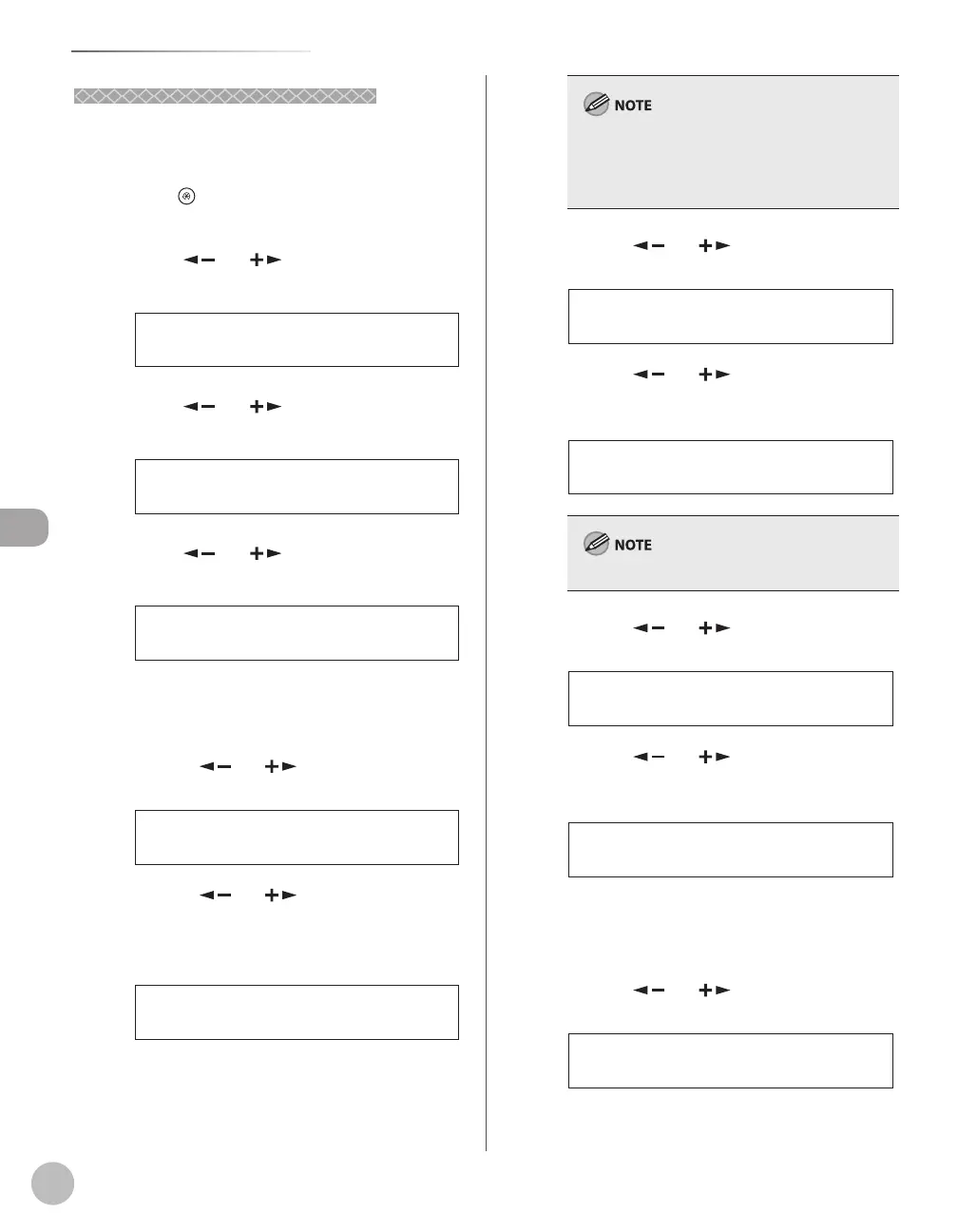
You can set the fax receive mode to suit your needs.
The default setting is <FaxOnly>.
Press [Menu].
Press [ ] or [ ] to select <FAX
SETTINGS>, then press [OK].
5 FAX SETTINGS
MENU
Press [ ] or [ ] to select <RX MODE>,
then press [OK].
1 RX MODE
FAX SETTINGS
Press [ ] or [ ] to select the desired
receive mode, then press [OK].
FaxOnly
RX MODE
For <FAX/TEL> and <DRPD>, you can specify
optional settings.
■ If you select <FAX/TEL>:
①Press[
]or[ ]toselect<RING
STARTTIME>,thenpress[OK].
1 RING START TIME
FAX/TEL OPT. SET
②Press[ ]or[ ]tospecifythe
duration(4to30seconds)forwhichthe
machineattemptstodetectthefaxtone
beforeitstartsringing,thenpress[OK].
6SEC
RING START TIME
If the machine receives a fax, the machine does
not ring and switches to the receive mode
automatically.
The default setting is <6SEC>.
–
–
③Press[ ]or[ ]toselect<F/TRING
TIME>,thenpress[OK].
2 F/T RING TIME
FAX/TEL OPT. SET
④Press[ ]or[ ]tospecifythe
duration(10to45seconds)ofringing,
thenpress[OK].
22SEC
F/T RING TIME
The default setting is <22SEC>.
⑤Press[ ]or[ ]toselect<F/T
SWITCHACTION>,thenpress[OK].
3 F/T SWITCH ACTION
FAX/TEL OPT. SET
⑥Press[ ]or[ ]toselecttheaction
themachinewilltakeaftertheringing
ends,thenpress[OK].
RECEIVE
F/T SWITCH ACTION
<RECEIVE>: Receives a fax.
<DISCONNECT>: Disconnects the call.
■ If you select <DRPD>:
①Press[
]or[ ]toselectaring
pattern,thenpress[OK].
NORMAL RING
DRPD:SELECT FAX
–
–













 To Next Page