10-3
Maintenance
Cleaning the Machine
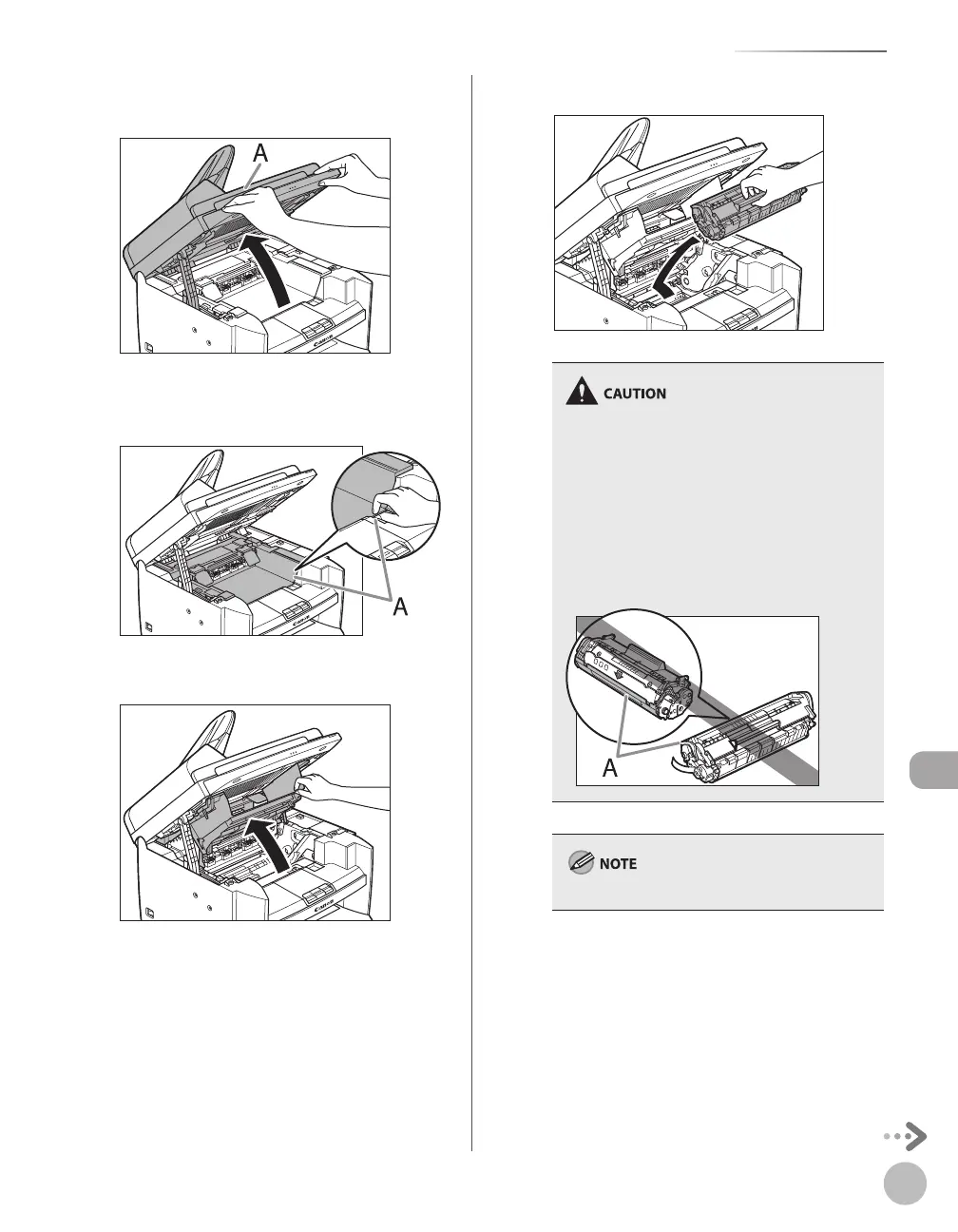
Lift the scanning platform (A) until it is
locked. (You will hear an audible “click.”)
Hold the grip (A) on the right front side of
the toner cover.
Open the toner cover.
Remove the toner cartridge.
Do not touch the rollers and parts which have
labels “CAUTION! Hot surface avoid contact” on.
They become very hot during use.
To avoid exposing the toner cartridge to light,
place it in its protective bag or wrap it in a thick
cloth.
Do not open the drum protective shutter (A) on
the toner cartridge. Print quality may
deteriorate if the drum surface is exposed to
light or is damaged.
–
–
–
Always hold the toner cartridge by its handle.













 To Next Page