Documents and Print Media
2-10
Loading Paper
For MF4350d
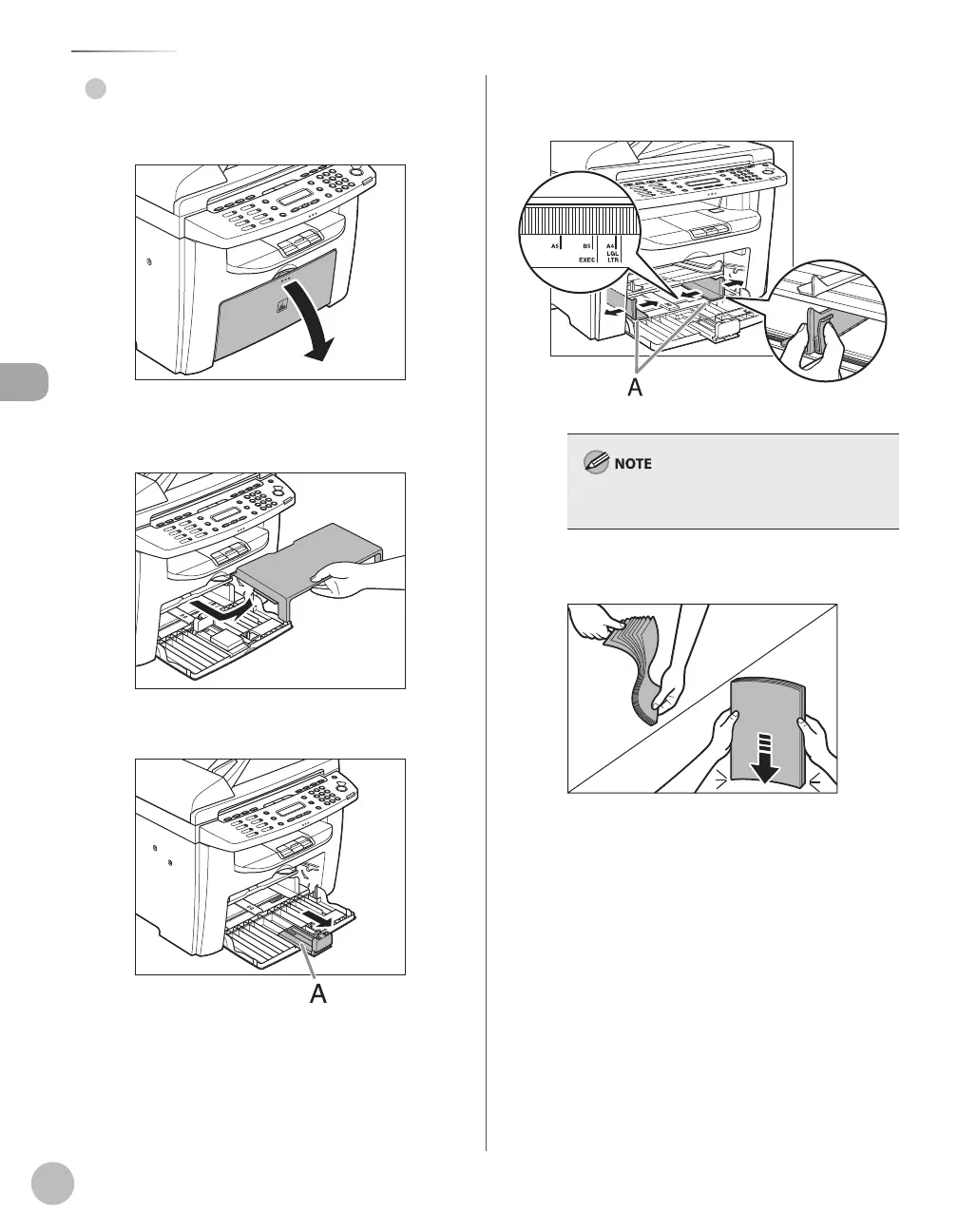
Open the paper feeding tray.
Take out the dust cover from inside the
machine.
Slide out the paper guide rail (A).
●
Slide the side paper guides (A) to match
the size of paper.
If the paper guides do not fit the size of the paper,
the printout may be skewed.
Fan the paper stack and even the edges.













 To Next Page