Chapter 4
4-27
Precautions about Reinstallation of Purge Unit
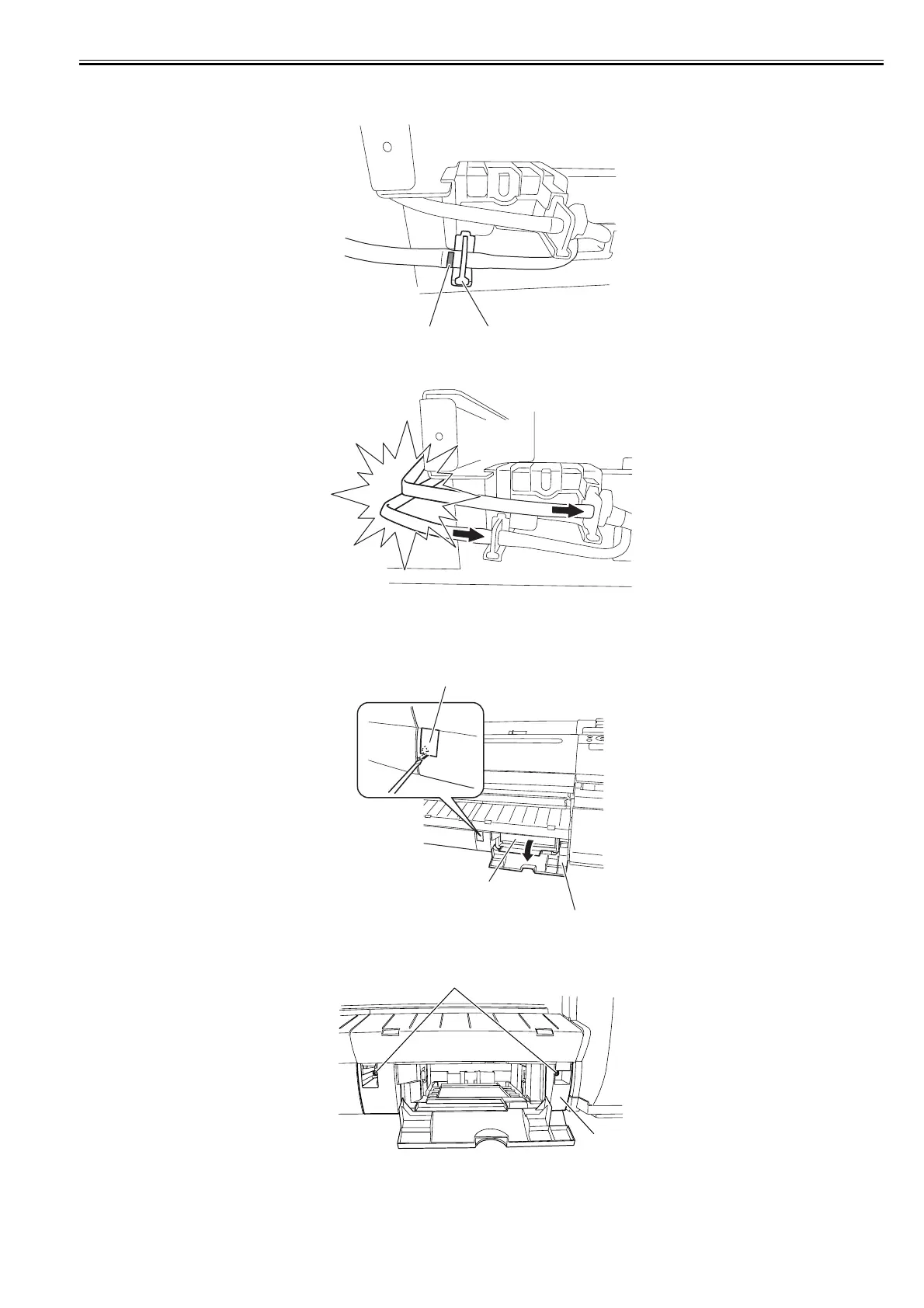
- When installing the waste ink tubes, attach the tube that painted the white mark [1] to the near edge (i.e.; the length of the tube is the shorter) to the left joint [2].
F-4-58
- When installing the waste ink tubes, attach the tubes surely until end of the joint. And check that the tubes are not buckled.
F-4-59
b) Drain ink tube joint (CL)
Removing the drain ink tube joint (CL)
1) Open the maintenance cartridge cover [1] to remove the maintenance cartridge [2], and then remove the face cover [3] by inserting a flat head screwdriver in the
slit.
F-4-60
2) Remove two screws [1], and then remove the output guide (right) [2].
F-4-61
[1]
[2]
[3]
[2]
[1]
[2]
[1]














 To Next Page