Chapter 4
4-42
c) Platen Suction Fan
Removing the Platen Suction Fan
1) Remove the output guide (right)/(middle).
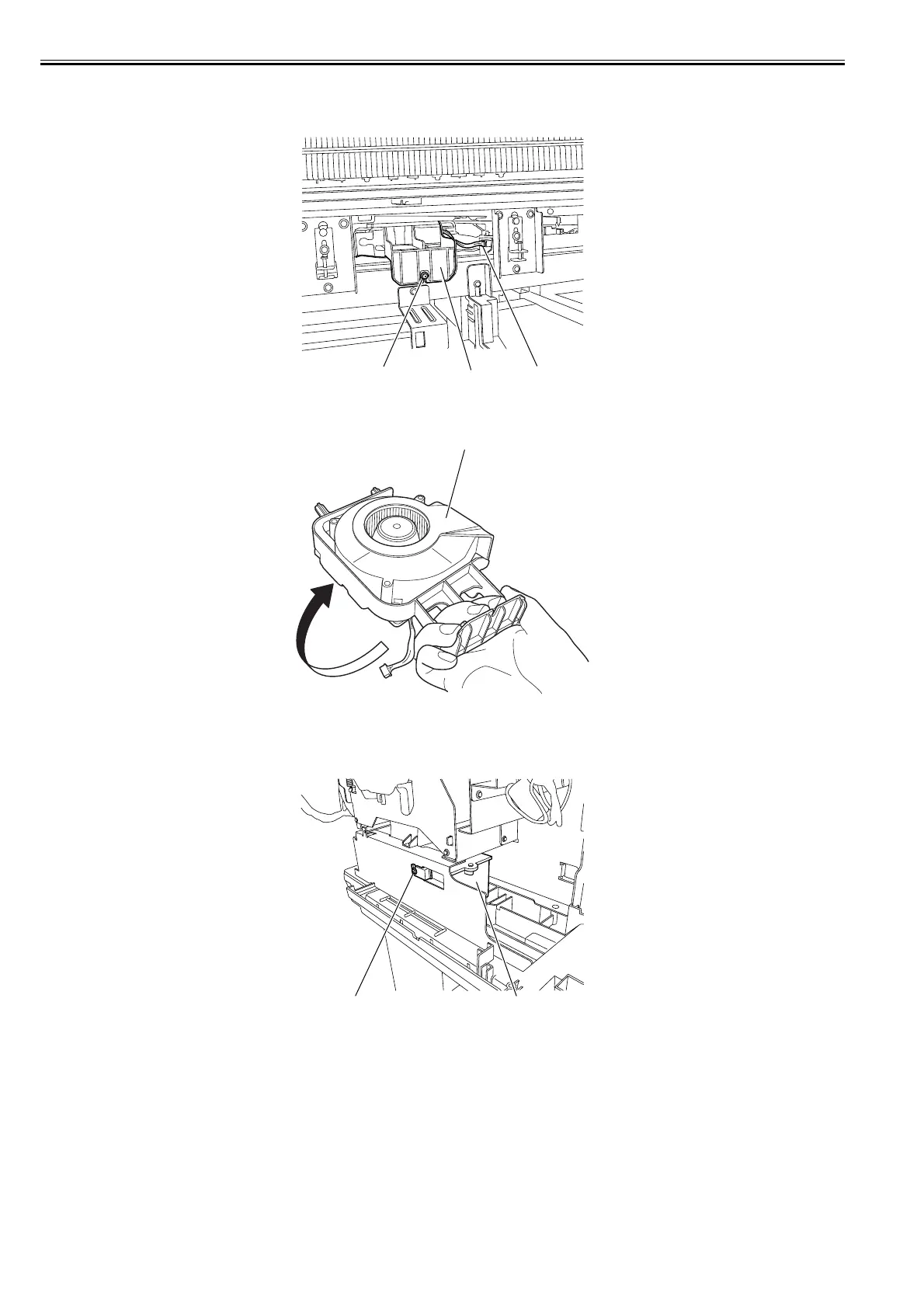
2) Remove one screw [1] and disconnect one connector [2] to remove the platen suction fan [3].
F-4-97
3) After drawing out the platen suction fan [1], turn it up side down immediately so that ink does not drip off.
F-4-98
d) Platen Exhaust Duct
Removing the Platen Exhaust Duct
1) Remove the mist exhaust duct and left ink tank unit.
2) Remove one screw [1], and then the platen exhaust duct [2].
F-4-99
[2]
[1]
[3]
[1]
[1] [2]














 To Next Page