89
Contents
Preparation/
Setup
Print Using a
Computer
Appendix
IndexPrint/SaveInput/Edit
Names of
Components
Maintenance/
Printer Settings
Trouble-
shooting
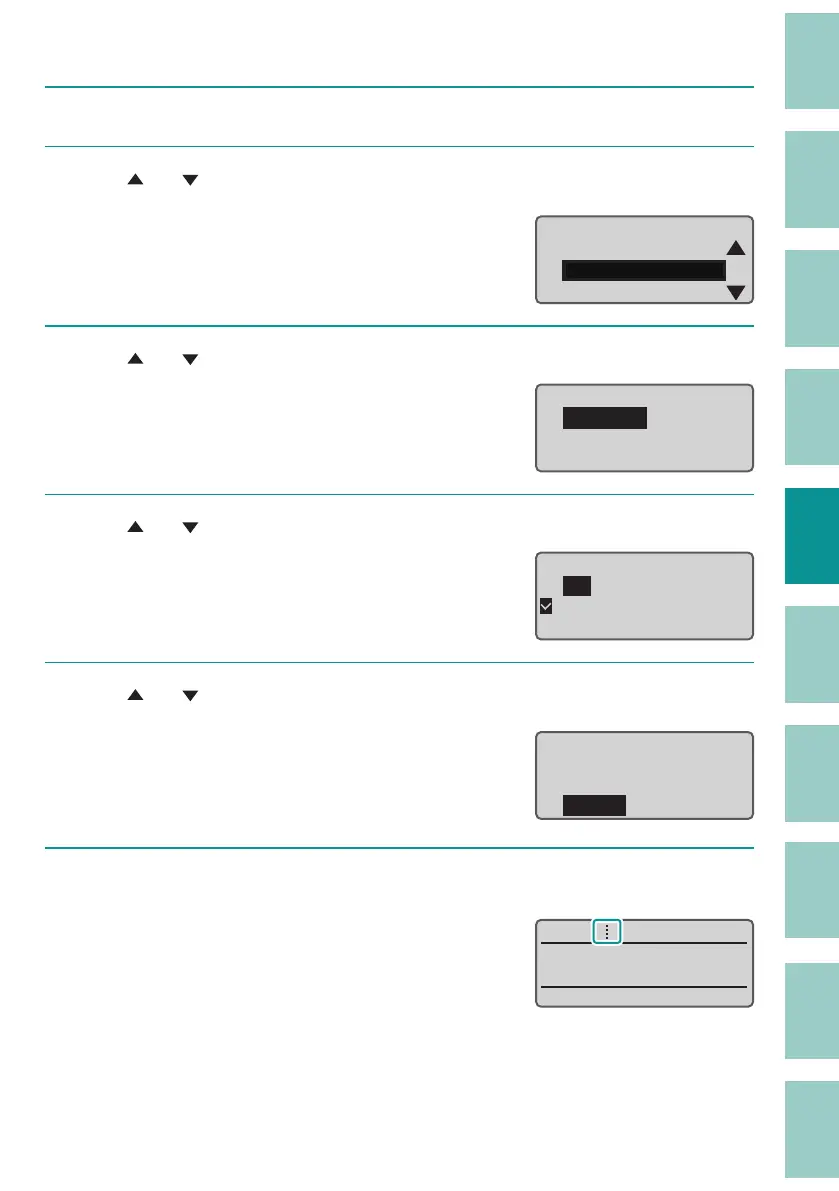
[Example] Printing a cut line (Dotted) without a half cut.
1
Press the [Option] key.
2
Use [ ] or [ ] to select "Print Settings" and press the [Enter] key.
Page Settings
Print Settings
Delete All
Option
3
Use [ ] or [ ] to select "Half Cut" and press the [Enter] key.
Print Settings
Half cut
Full
cut
Underline 6 , 9
4
Use [ ] or [ ] to select "O ," and pres s the [Ente r] k ey.
O
On
Half cut
5
Use [ ] or [ ] to select "Dotted" and press the [Enter] key.
The display returns to the character input
display.
Cut Line
None
Line
Dotted
6
Press the [Shift]+[Cancel] keys.
The display returns to the character input
display.
You can check the half cut setting on the display.
˛



 To Next Page