4-32 Sending Faxes With the MultiPASS C3500 Chapter 4
Using the Cover Page Designer
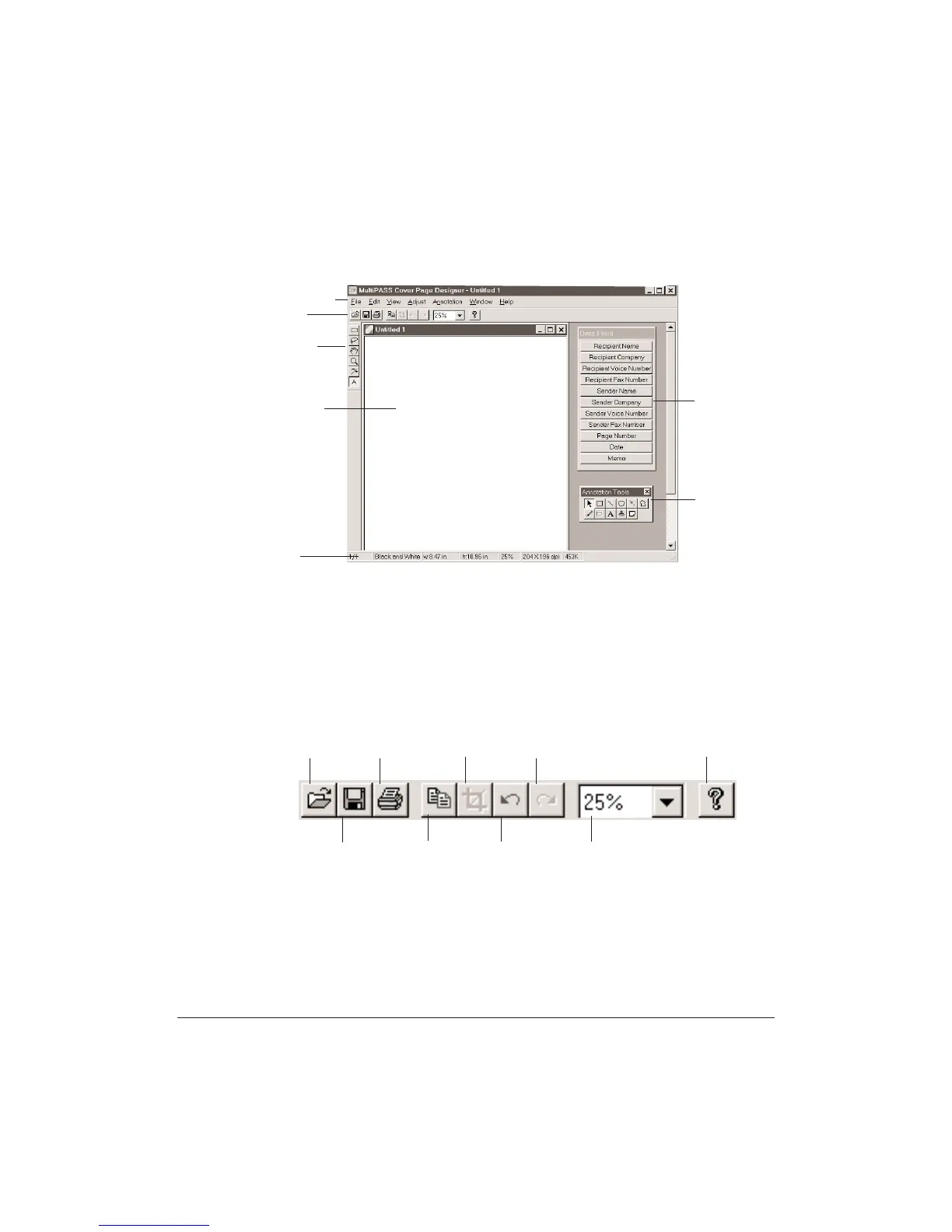
The Cover Page Designer window looks similar to this.
Menu Bar
The menu bar contains commands that allow you to create, edit, and
print your fax cover page. Many commands can also be accessed by
corresponding buttons on the toolbars.
File Toolbar
The File toolbar provides quick access to commands you use to open,
save, print, edit and zoom a fax cover page.
MENU BAR
FILE
TOOLBAR
LAYOUT
AREA
STATUS
BAR
IMAGE
TOOLBAR
DATA
FIELDS
(VARIABLES)
ANNOTATION
TOOLBOX
OPEN PRINT
COPY UNDO ZOOMSAVE
CROP REDO HELP












 To Next Page