Appendix A Specifications A-9
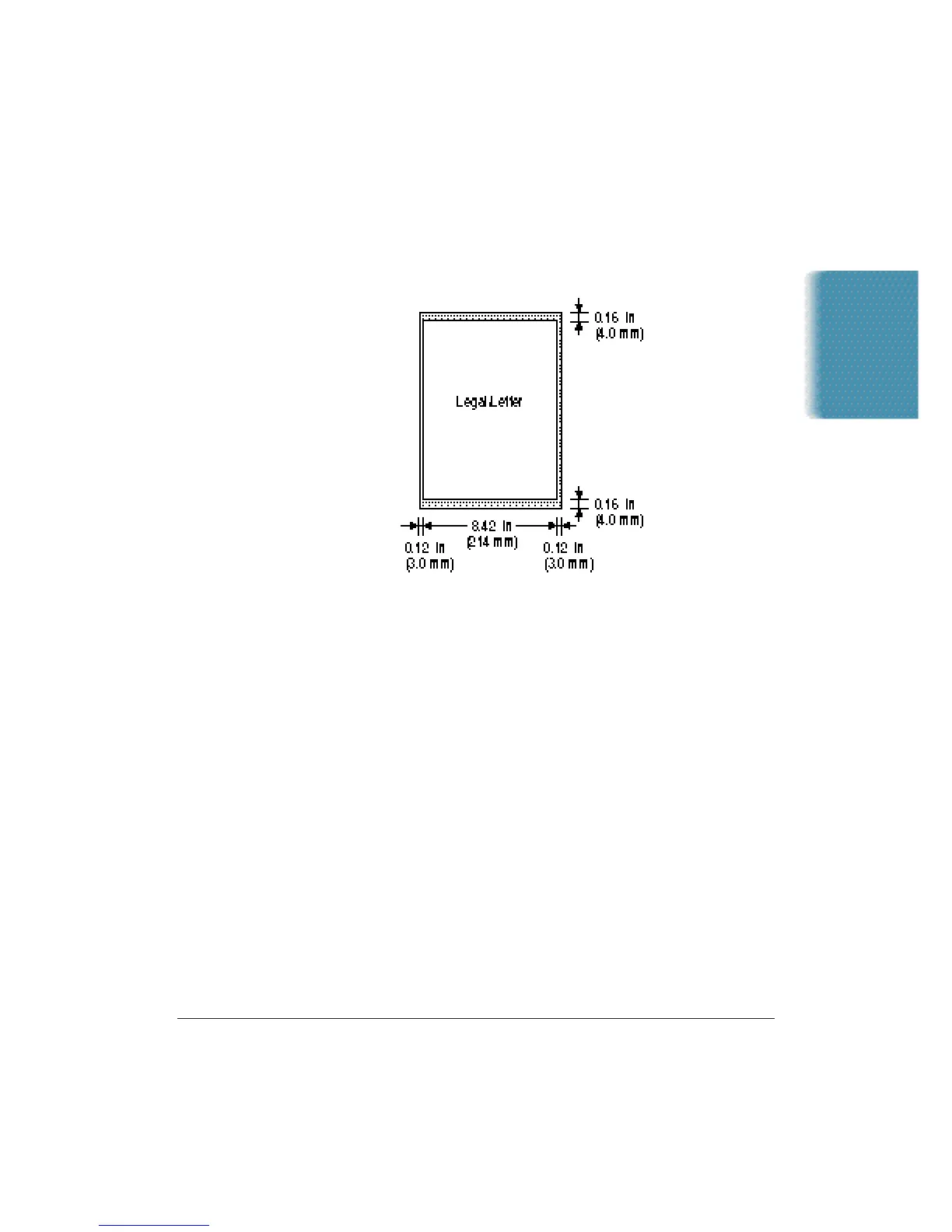
Scanned image
The actual scanned image size for the MultiPASS C3500 is shown below.
This information applies to documents that will be scanned for faxing
or copying.
There is a 0.12 in (3.0 mm) margin on either side of the sheet and a
0.16 in (4.0 mm) margin on the top and bottom that are not picked
up by the scanner.
MultiPASS Desktop Manager for Windows
System Requirements
IBM
®
PC or compatible computer with a 486DX2 66 MHz or
higher processor (Pentium
®
recommended)
16 MB of memory (32 MB recommended)
50 MB of free hard disk space
Microsoft Windows 98 or Windows 95
Bi-directional Centronics-compatible parallel cable (IEEE 1284-compliant)
CD ROM drive (2× or better)
PC Fax
Canon proprietary MultiPASS Desktop Manager for Windows
Fax/Telephone address book
Fax Viewer
Fax Log
Fax distribution lists
Real-time MultiPASS C3500 hardware status available through computer
Specifications












 To Next Page