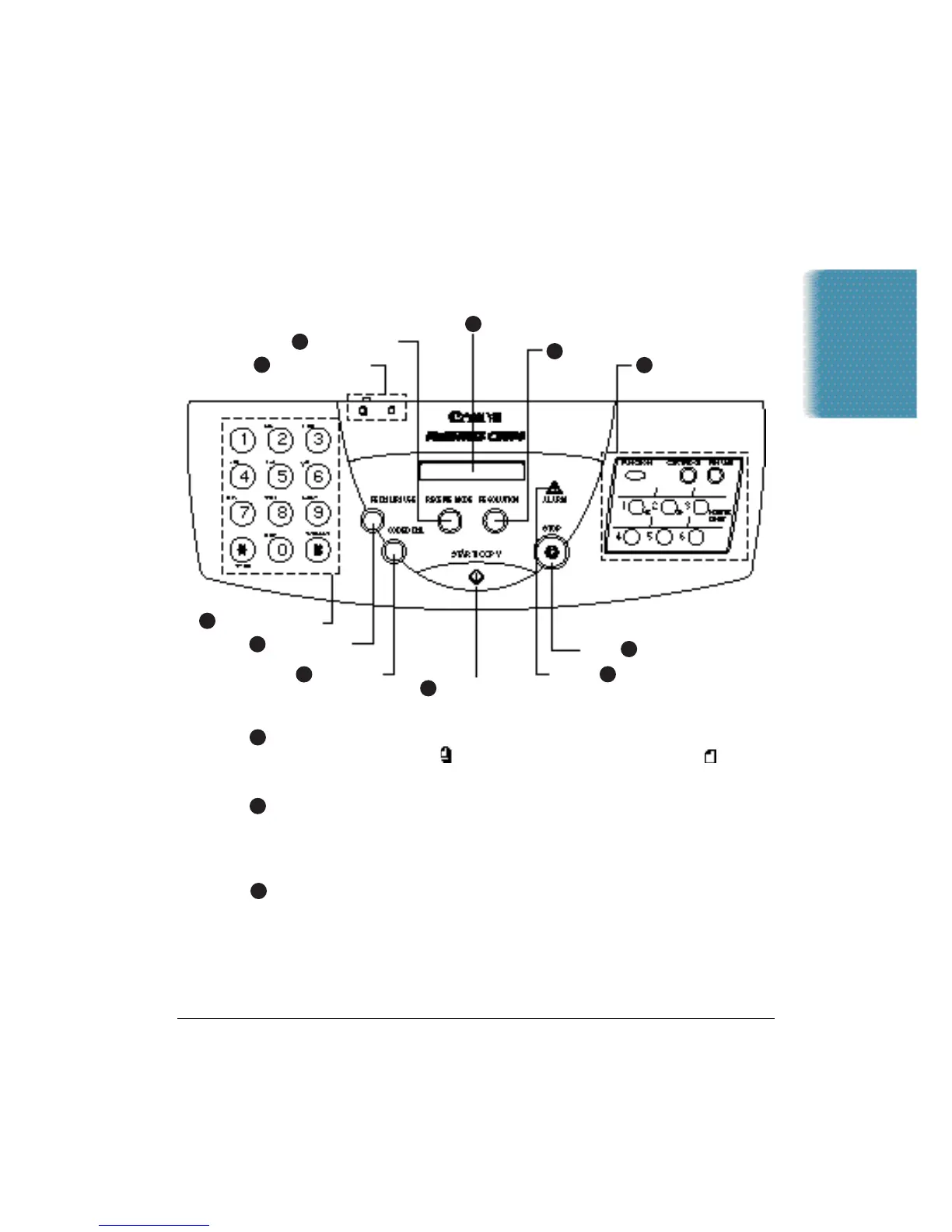
Using the Operator Panel
This section presents a brief description of the operator panel on the
MultiPASS C3500.
Document feed lever
Set this lever to the left ( ) for automatic feed or to the right ( ) for
manual document feed.
RECEIVE MODE button
Press to change the Receive Mode: Manual mode,Fax Only mode,
Answer Machine mode, or Fax/Tel mode. The Receive Mode set during
installation overrides this setting.
LCD display
Displays messages and prompts during operation. Displays selections,
text,numbers, and names when registering information.
Chapter 1 Introduction 1-9
Introduction
9
11
3
4
5
6
7
8
1
2
3
ONE-TOUCH SPEED
DIAL/FUNCTION
BUTTONS
RESOLUTION
LCD DISPLAY
ALARM
STOP
START/COPY
CODED DIAL
10
REDIAL/PAUSE
DOCUMENT FEED
LEVER
NUMBER BUTTONS
RECEIVE MODE
1
2












 To Next Page