3-18 Using the MultiPASS Desktop Manager Chapter 3
Importing an Address Book
If you have an existing address book created in another application,you
can import it into the Desktop Manager.You can also specify which
fields you want to include.
Any ASCII text file containing information that is separated by a comma
or tab can be imported into the Desktop Manager Address Book.
❍ If the address information in the text file is separated by a comma,
the text file extension must be .CSV.
❍ If the address information in the text file is separated by a tab, the
text file extension must be .TXT.
You must save your text file as a comma or tab separated text file before
you import it into the Desktop Manager. If you attempt to import
information from an improperly formatted text file,an error message
displays alerting you to a problem and the import process stops.
For procedures on saving a text file in the correct format, refer to the
applicable application’s user documentation.
Importing Addresses From a Text File
1. With the Address Book open,click Import.
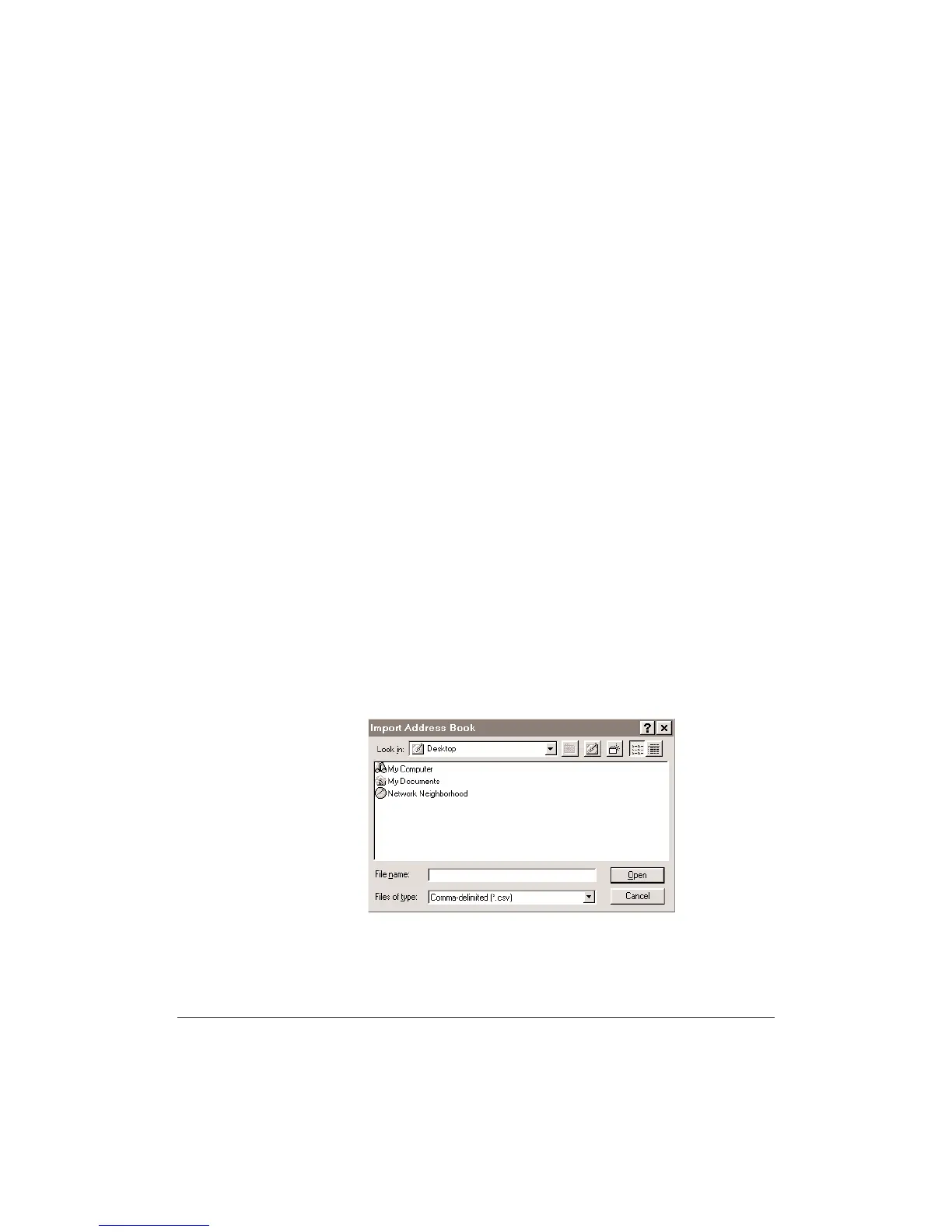
2. Select the file type.
•
In the Import Address Book dialog box, select whether you are
importing a .CSV file or a .TXT file from the Files of Type list.
•
Highlight the file you want to import, then click Open.












 To Next Page