6-6 Scanning With the MultiPASS C3500 Chapter 6
Setting the Scan Resolution
You can set the resolution of a scanned image based on the selected
output device. This resolution becomes the base on which changes to
image size and scale are calculated.You can choose a preset resolution,
or create a custom resolution.
1. Click the Main tab.
2. In the Scan Resolution list, select the desired option.
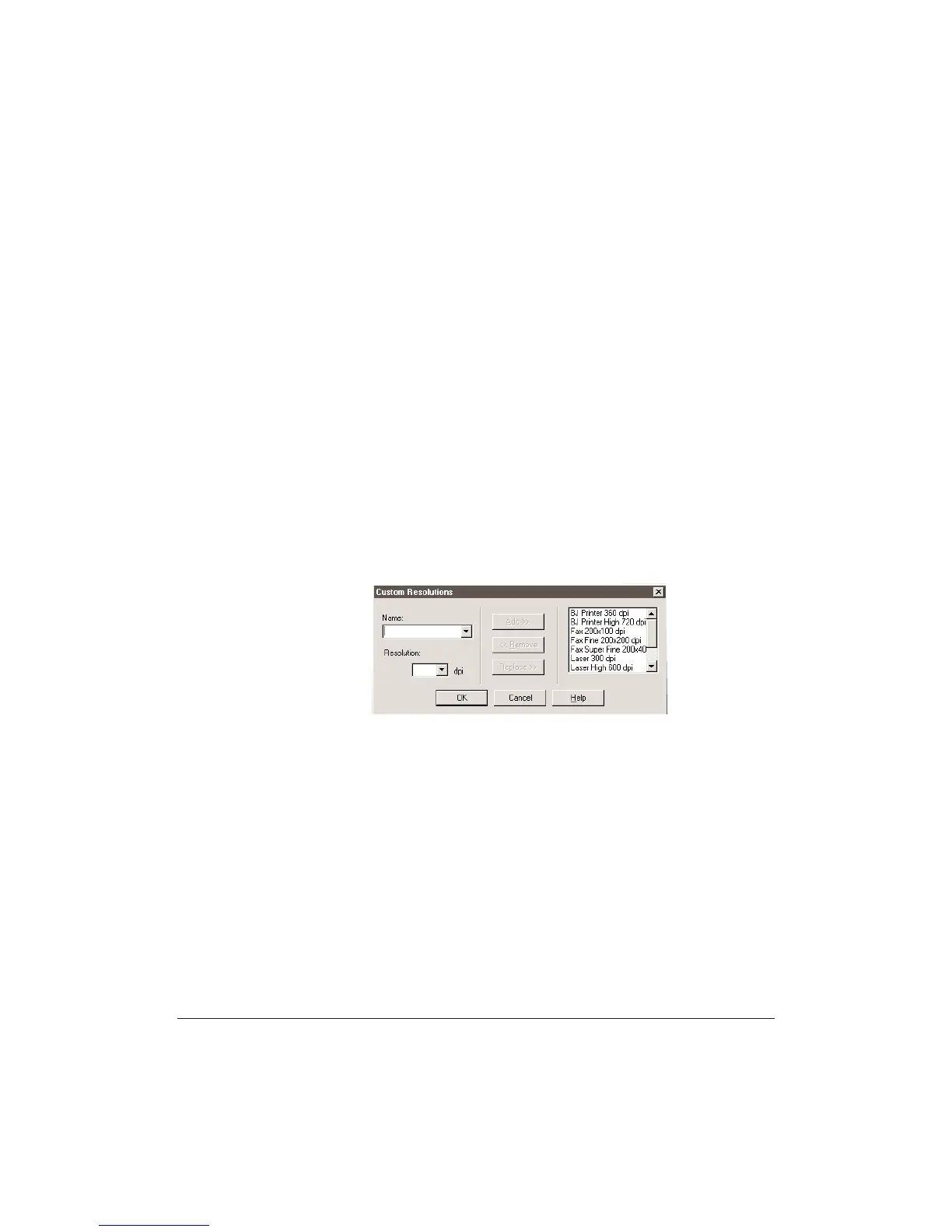
Creating a Custom Resolution
You can define a custom resolution,change an existing custom
resolution, or delete a previously defined custom resolution.
1. From the Scan Resolution list, select Custom.
2. In the Custom Resolutions dialog box, type a name for your custom
resolution setting.
3. In the Resolution box, enter the preferred dpi setting.
4. Click Add. The new resolution name displays in the Resolution List.
5. Click OK to add the resolution setting.
•
Click Cancel to close the dialog box without adding the custom
resolution.
You can delete (Remove) or change (Replace) a custom resolution
setting at anytime.












 To Next Page