Chapter 9 Maintaining the MultiPASS C3500 9-19
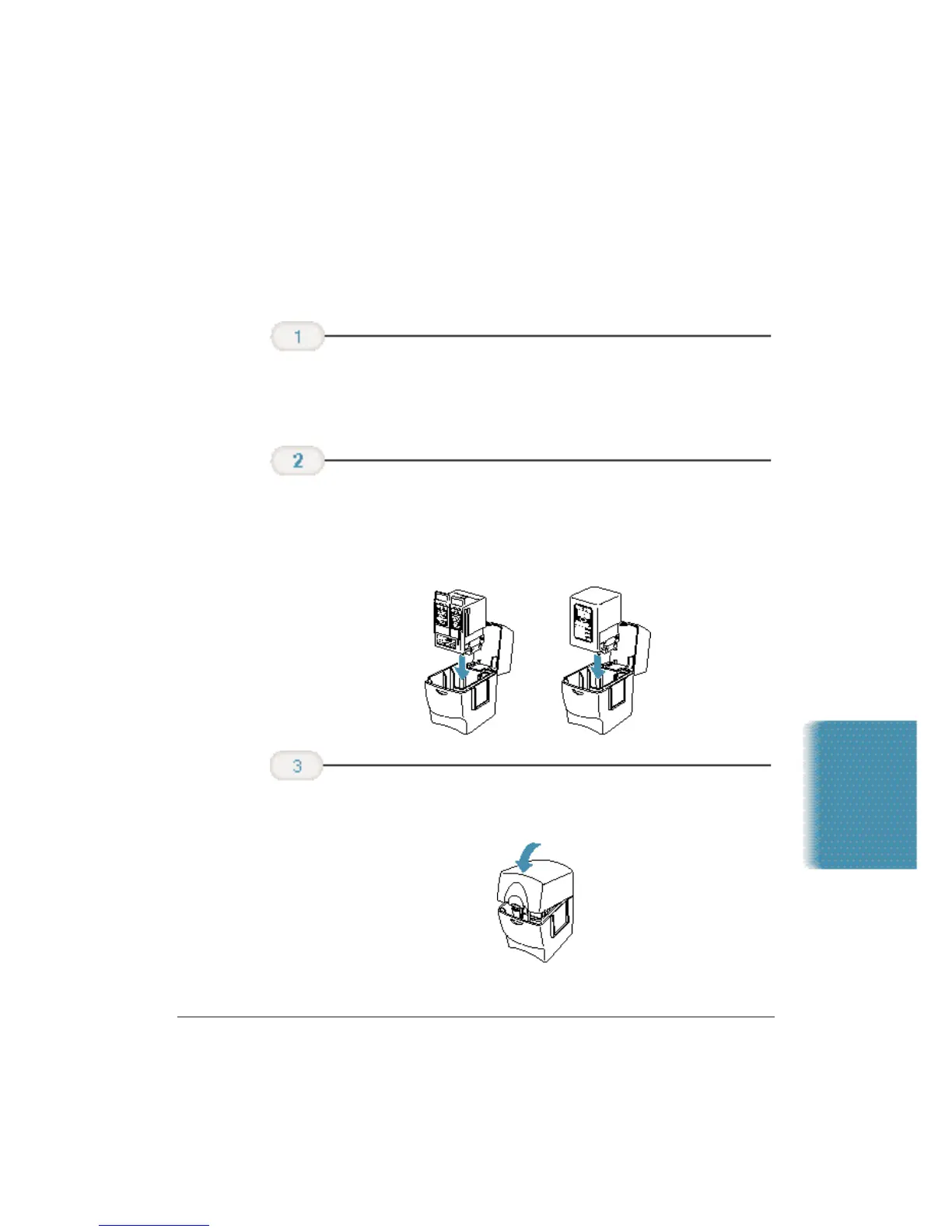
Storing a BJ Cartridge
Whenever you unwrap a BJ cartridge, you must either install it in the
MultiPASS or store it in the Ink Cartridge Storage Box to prevent the
print head from drying and clogging.
❍ When opening the Ink Cartridge Storage Box, press in on
the release tab that locks the cover in place.
❍ You must insert the cartridge correctly or the storage box
will not close.
❍ The protective cap must be removed from the cartridge
before you set it in the storage box.
❍ Be sure the lid snaps closed.
Close the
storage box.
Carefully set
the cartridge in
the storage box.
Open the
Ink Cartridge
Storage Box.
Maintaining the
MultiPASS C3500












 To Next Page