18
Adjusting the LCD Screen
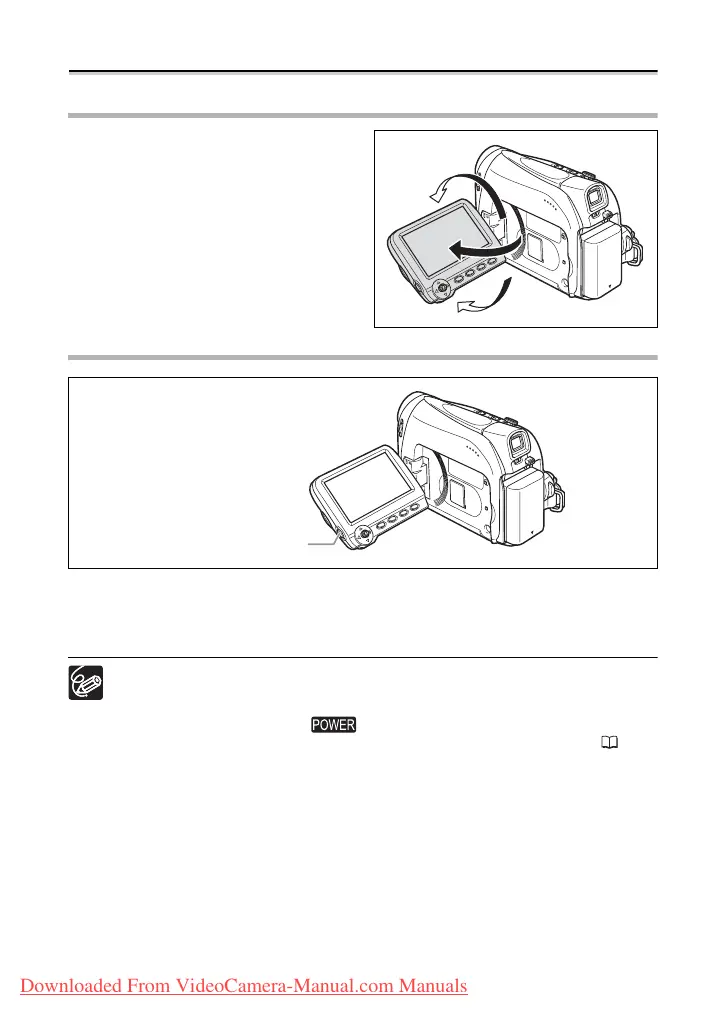
Rotating the LCD Screen
Open the LCD panel 90 degrees.
• You can rotate the panel by 90 degrees
outward.
• You can rotate the panel by 180 degrees
inward.
LCD Backlight
You can switch the brightness of the LCD screen between normal and bright by pressing
the LCD BACKLIGHT button. This is useful for outdoor recordings.
Press the LCD BACKLIGHT button.
This setting does not affect the brightness of the recording or the viewfinder
screen.
When using a battery pack, the camcorder retains the setting even if you
change the position of the switch.
The battery usage time shortens when the LCD screen is set brighter ( 14).
LCD BACKLIGHT button
Downloaded From VideoCamera-Manual.com Manuals



 To Next Page