67
Advanced Functions
Other Functions
E
Other Camcorder Settings
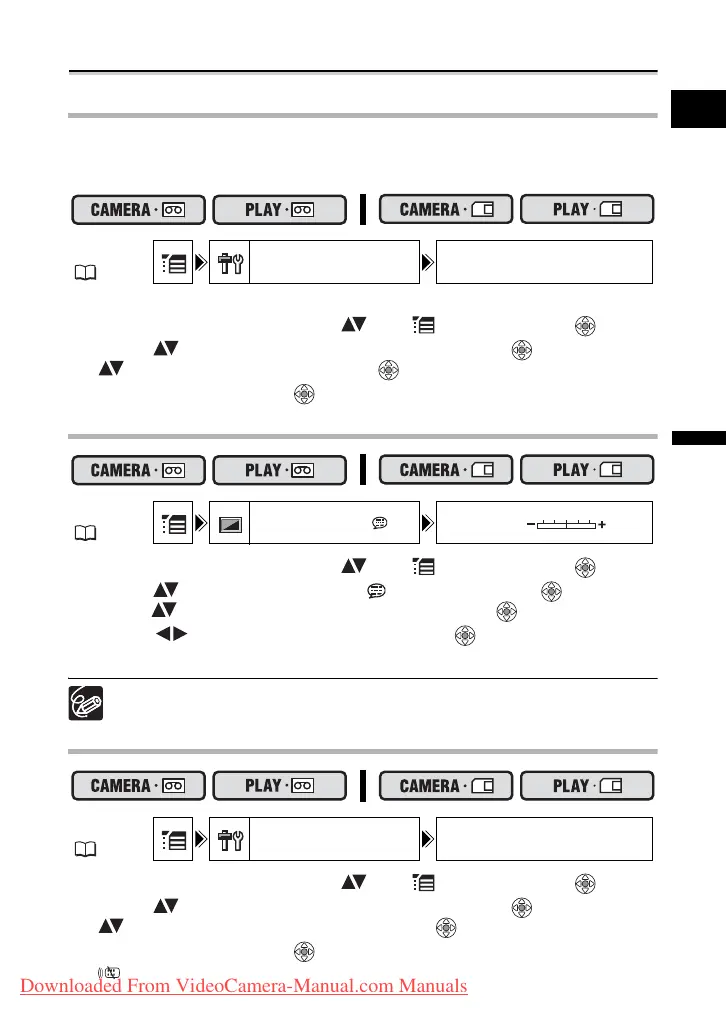
Beep
You will hear a beep upon camcorder operations such as power on/off, start/stop, self-
timer countdown, and unusual conditions of the camcorder. If you turn off the beep, all
camcorder sounds will be turned off.
To turn off the beep:
1. Open the FUNC. menu, select ( ) the icon and press ( ).
2. Select ( ) the [SYSTEM SETUP] menu and press ( ). Then, select
( ) the [BEEP] option and press ( ).
3. Set it to [OFF] and press ( ) to save the changes, then close the menu.
Adjusting the Brightness of the LCD Screen
1. Open the FUNC. menu, select ( ) the icon and press ( ).
2. Select ( ) the [DISPLAY SETUP/ ] menu and press ( ). Then,
select ( ) the [BRIGHTNESS] option and press ( ).
3. Adjust ( ) the brightness level and press ( ) to save the changes,
then close the menu.
Changing the brightness of the LCD screen does not affect that of the viewfinder
or the recordings.
Turning the Remote Sensor Off
1. Open the FUNC. menu, select ( ) the icon and press ( ).
2. Select ( ) the [SYSTEM SETUP] menu and press ( ). Then, select
( ) the [WL.REMOTE] option and press ( ).
3. Set it to [OFF] and press ( ) to save the changes, then close the menu.
“ ” appears.
MENU
( 36)
SYSTEM SETUP BEEP HIGH VOLUME
MENU
( 36)
DISPLAY SETUP/ BRIGHTNESS
MENU
( 36)
SYSTEM SETUP WL.REMOTE ON
Downloaded From VideoCamera-Manual.com Manuals



 To Next Page