30
Special Playback Modes
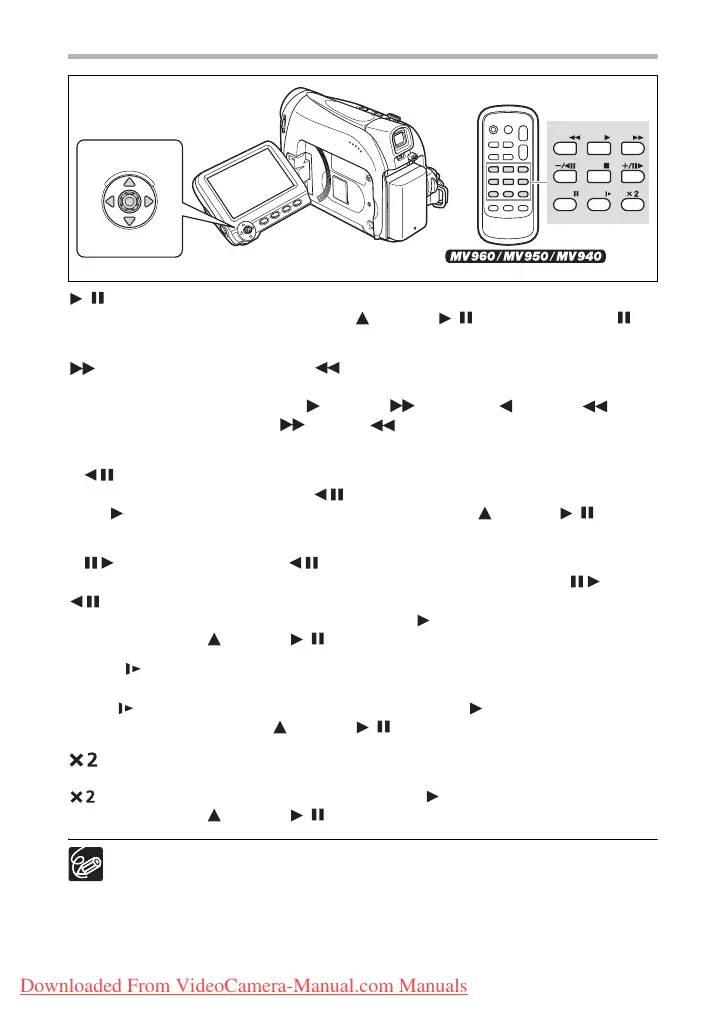
/ (Playback Pause)
During normal playback, push the joystick ( ) towards / or press the PAUSE
button on the wireless controller.
(Fast Forward Playback) / (Rewind Playback)
Plays back the tape at 11.5 times normal speed (forward or reverse). During normal
playback, hold the joystick pushed ( ) towards or pushed ( ) towards . You
can also press and hold the FF or REW button on the wireless controller
instead. Release the joystick or wireless controller button to return to normal playback.
–/ (Reverse Playback)
During normal playback, press the –/ button on the wireless controller. Press the
PLAY button on the wireless controller or push the joystick ( ) towards / to return
to normal playback.
+/ (Frame Advance) / –/ (Frame Reverse)
Plays back frame-by-frame. During playback pause, repeatedly press the +/ or –/
button on the wireless controller. Hold the button pressed down to play back in
continuous frame advance/reverse. Press the PLAY button on the wireless controller
or push the joystick ( ) towards / to return to normal playback.
SLOW (Slow Forward)/(Slow Reverse)
Plays back at about 1/3 normal speed. During normal or reverse playback, press the
SLOW button on the wireless controller. Press the PLAY button on the wireless
controller or push the joystick ( ) towards / to return to normal playback.
(Forward x2 Playback)/(Reverse x2 Playback)
Plays back at 2 times the normal speed. During normal or reverse playback, press the
button on the wireless controller. Press the PLAY button on the wireless controller
or push the joystick ( ) towards / to return to normal playback.
There is no sound during special playback.
The picture may become distorted during some special playback modes.
The camcorder stops the tape automatically after 5 minutes in playback pause
to protect the tape and video heads.
REW
PLAY
FF
STOP
PAUSE
SLOW
Joystick
Wireless controller
Downloaded From VideoCamera-Manual.com Manuals



 To Next Page