31
Basic Functions
Playback
E
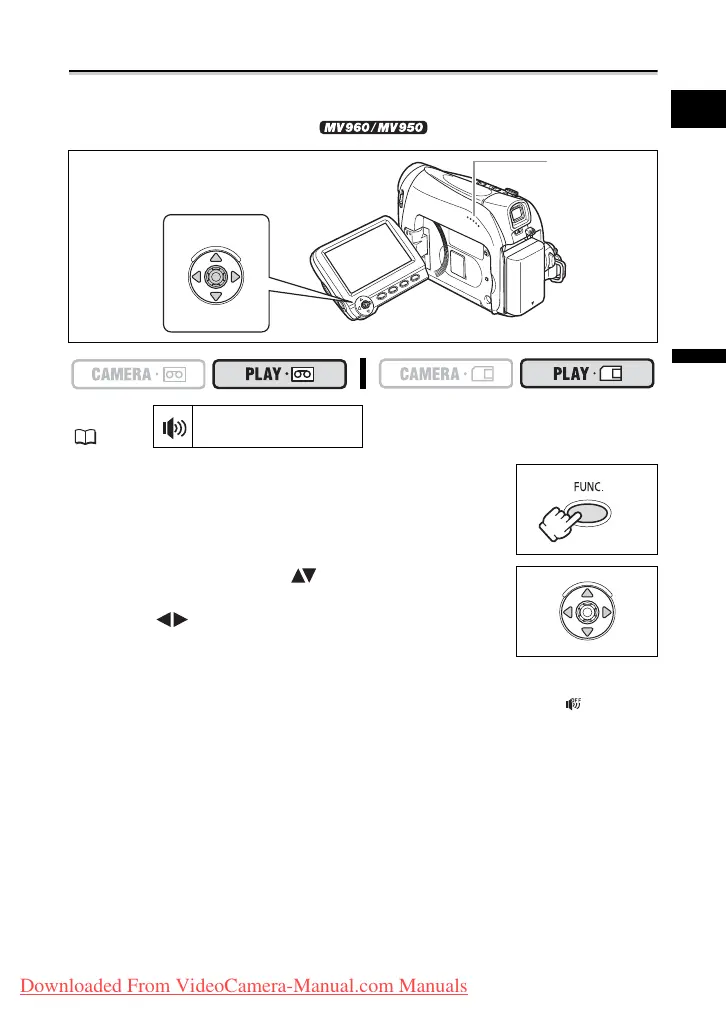
Adjusting the Volume
When you use the LCD screen for playback, the camcorder plays back the sound using
the built-in speaker. The sound will be muted when the LCD panel is closed or when there
is a video input from the AV terminal ( only).
1. Press the FUNC. button to open the FUNC. menu.
2. With the joystick select ( ) the speaker volume
icon.
3. Adjust ( ) the volume as required.
4. Press the FUNC. button to save the setting and close
the menu.
If you turn off the volume completely the volume display will change to “ ”.
MENU
( 36)
SPEAKER VOLUME
Speaker
Joystick
Downloaded From VideoCamera-Manual.com Manuals



 To Next Page