64
Returning to a Pre-marked Position
If you wish to return to a particular scene
later, mark the point with the zero set memory
and the tape will stop at that point when you
rewind/fast forward the tape.
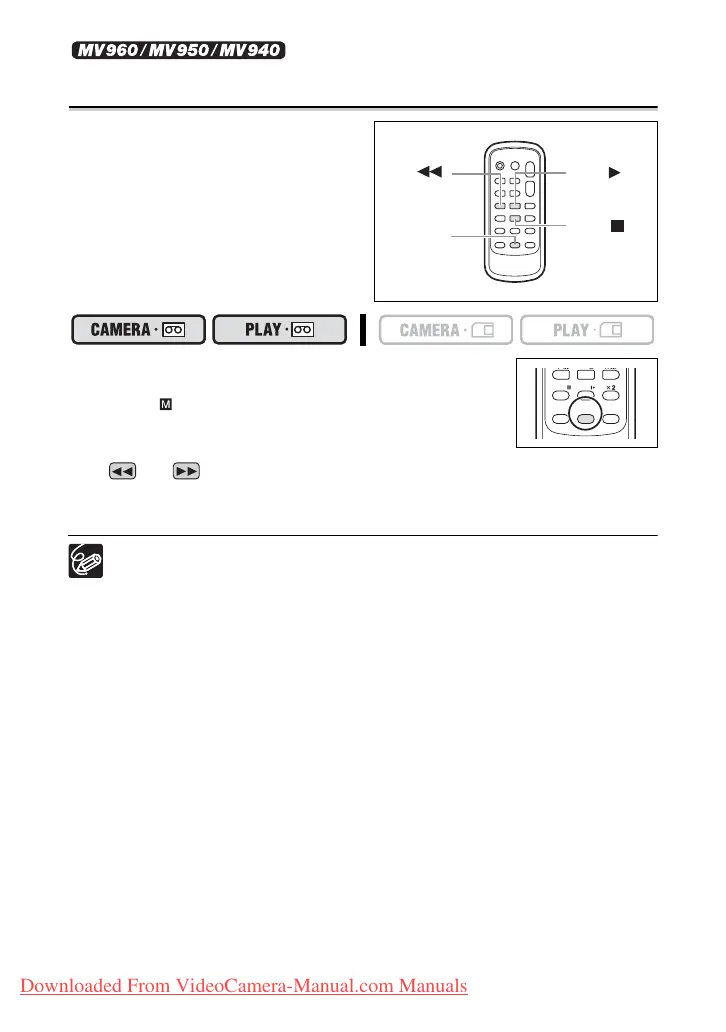
This function is operated with the wireless
controller.
1. Press the ZERO SET MEMORY button at the point
you wish to return to later.
• “0:00:00 ” appears.
• To cancel, press the ZERO SET MEMORY button again.
2. When you have finished playback, rewind the tape.
• “ ” or “ ” is displayed with a blue background.
• The tape stops automatically at “0:00:00”.
• The tape counter changes to time code.
The zero set memory may not function correctly when the time code has not been
recorded consecutively.
REW
button
PLAY
button
STOP
button
ZERO SET
MEMORY
button
PAU SE
SLOW
AUDIO DUB.
ZERO SET
MEMORY
TV SCREEN
Downloaded From VideoCamera-Manual.com Manuals



 To Next Page