70
Editing
Recording to a VCR or Digital Video
Device
You can copy your recordings by connecting the camcorder to a VCR or a digital video
device. If you connect a digital video device, you can copy recordings with virtually no
generation loss in image and sound quality.
Connecting the Devices
Connecting a VCR
See
Playing Back on a TV Screen
( 32).
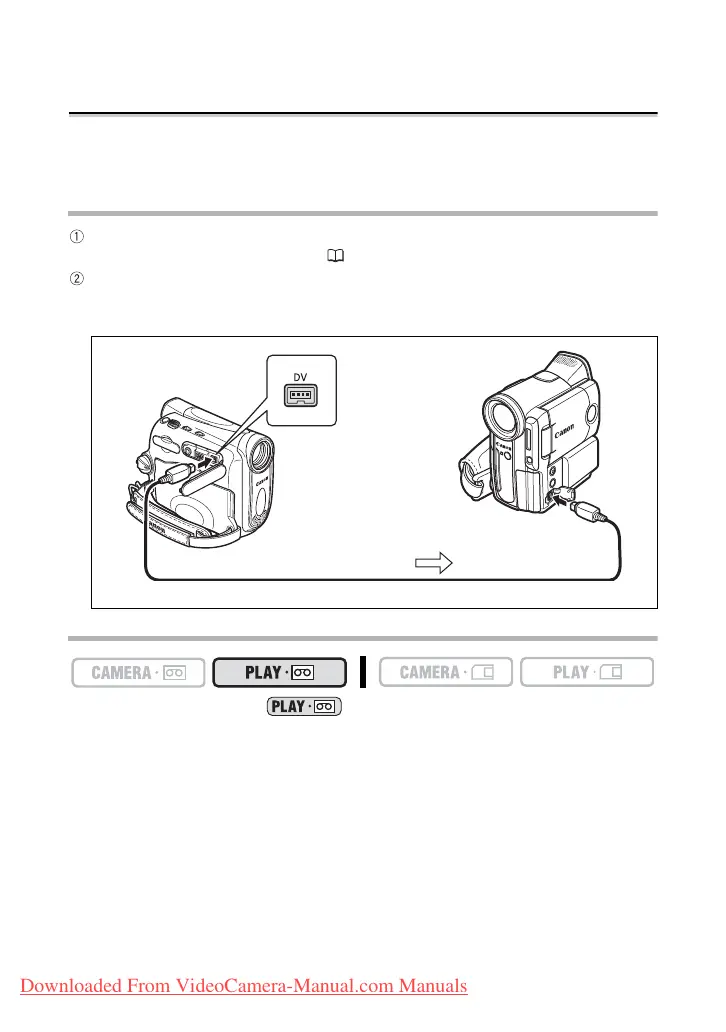
Connecting a Digital Video Device
Use the optional CV-150F (4 pin-4 pin) or CV-250F (4 pin-6 pin) DV Cable.
Refer also to the instruction manual of the digital video device.
Recording
1. Set the camcorder to mode and load a recorded cassette.
2. Connected device: Load a blank cassette and set the device to record
pause mode.
3. Locate the scene you wish to copy and pause playback shortly before
the scene.
4. Play back the tape.
5. Connected device: Begin recording when the scene you wish to copy
appears. Stop recording when copying is complete.
6. Stop playback.
Signal flow
DV cable (optional)
Downloaded From VideoCamera-Manual.com Manuals



 To Next Page