43
Advanced Functions
Recording
E
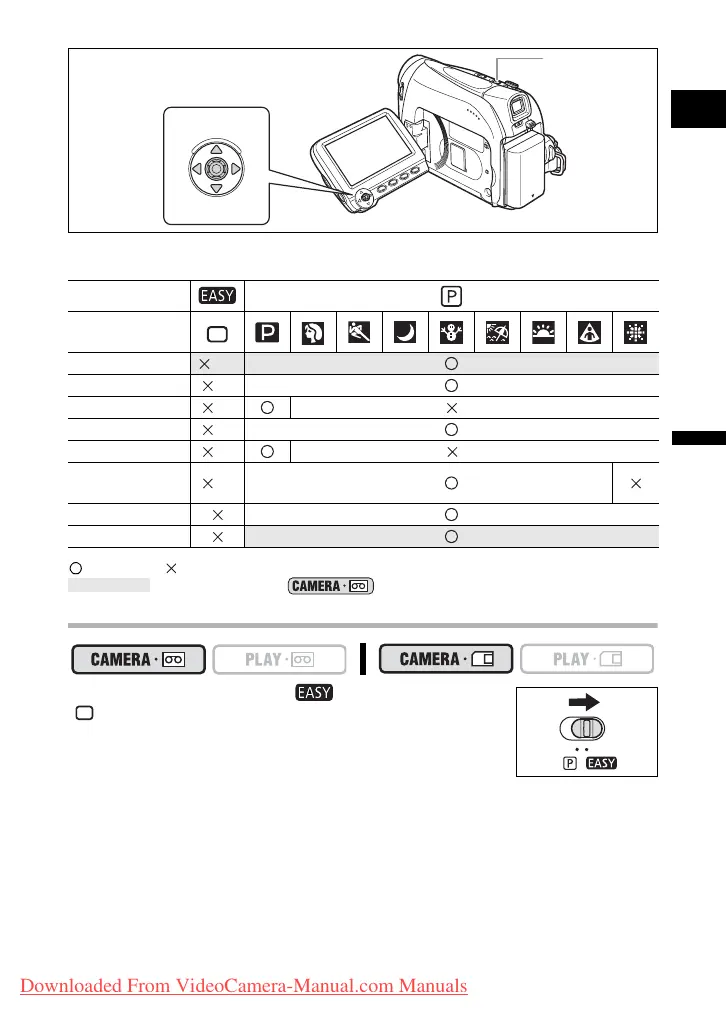
Availability of Functions in Each Mode:
: Available : Not available A: Auto setting
: Can be used only in mode.
Selecting the Easy Recording Program
Set the program selector to .
“ ” appears.
Program Selector
Recording
Program
Image Stabilizer
(on)
Focus (A)
White Balance (A)
Wind Screen (A)
Shutter Speed (A) (A)
Exposure
Adjustment
(A)
Digital Effects
Card Mix
Joystick
Program selector
Shaded area
Downloaded From VideoCamera-Manual.com Manuals



 To Next Page