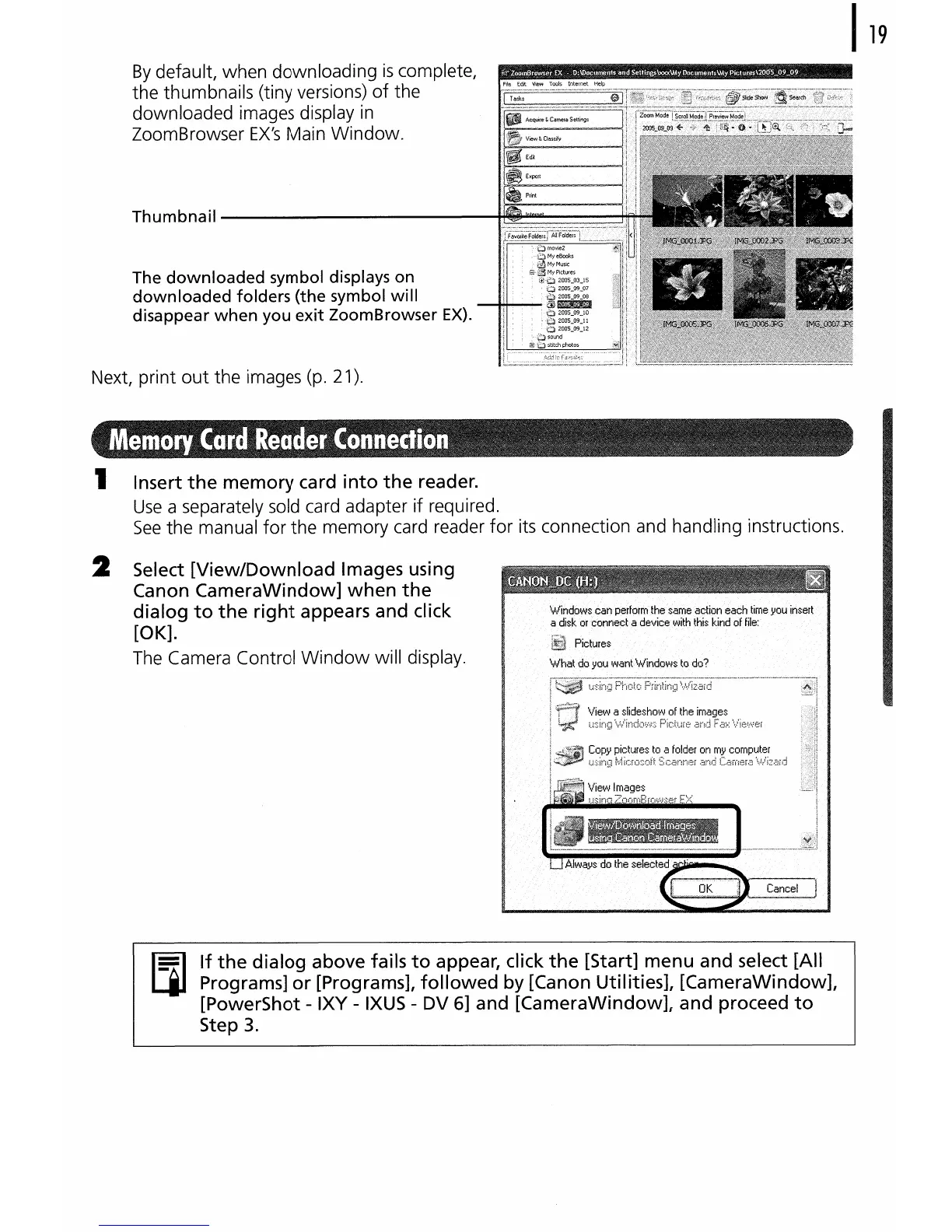
By
default, when downloading
is
complete,
the thumbnails (tiny versions)
of
the
downloaded images display
in
ZoomBrowser
EX's
Main Window.
Thumbnail------------~~~~~i
The
downloaded
symbol displays on
downloaded
folders (the symbol
will
disappear
when
you
exit
ZoomBrowser
EX).
Next, print
out
the images (p. 21).
1 Insert
the
memory
card
into
the
reader.
Use
a separately sold card adapter if required.
See
the manual
for
the memory card reader
for
its connection and handling instructions.
2 Select
[View/Download
Images using
Canon
CameraWindow]
when
the
dialog
to
the
right
appears and click
[OK].
The
Camera Control
Window
will display.
If
the
dialog
above fails
to
appear, click
the
[Start]
menu
and select [All
Programs]
or
[Programs],
followed
by
[Canon Utilities],
[CameraWindow],
[PowerShot - IXY -
IXUS
- DV 6] and
[CameraWindow],
and proceed
to
Step
3.















 To Next Page