Lets
you
select
and
download
images
20
IUsing
the
Software
on
the
Windows
Platform - The
Basics
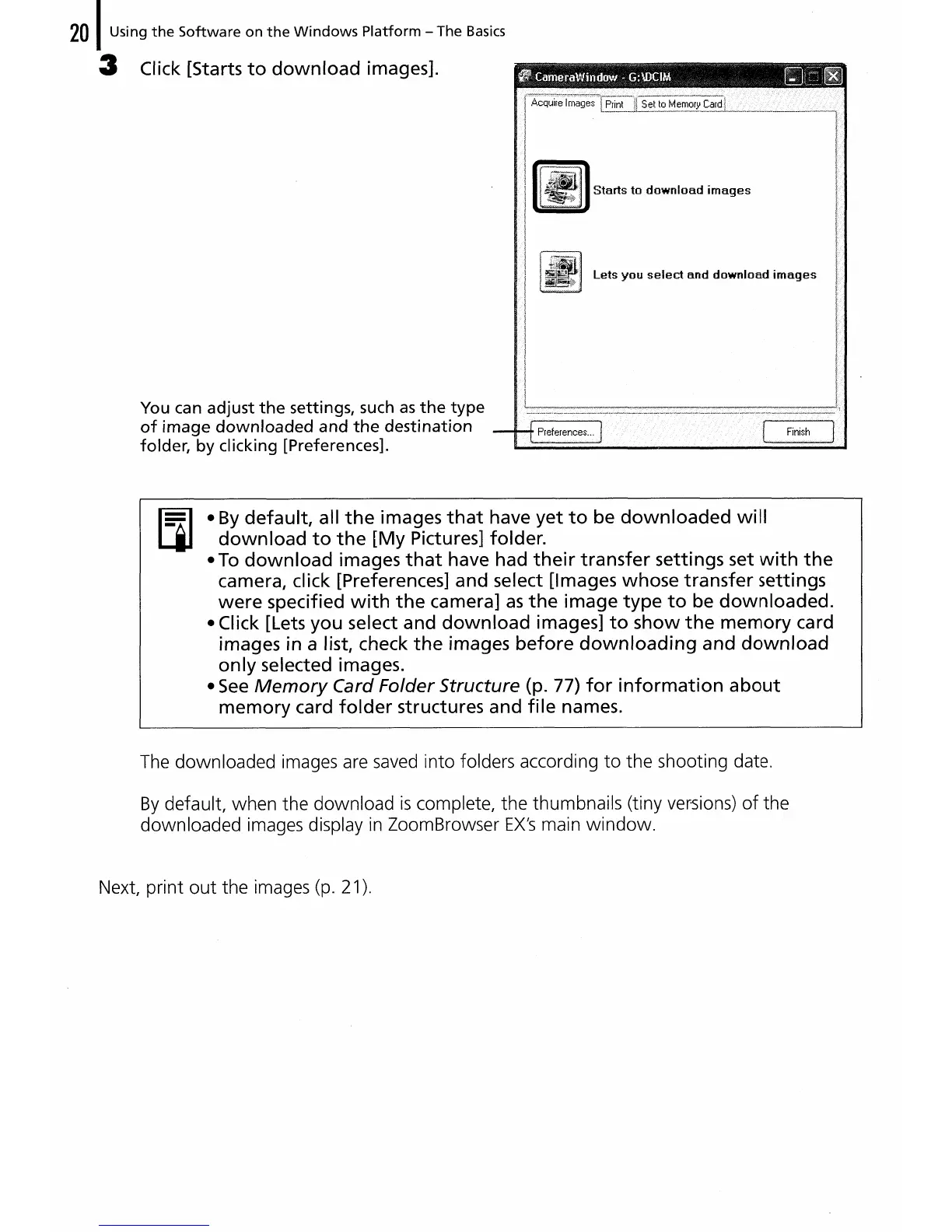
3 Click [Starts
to
download
images].
You can adjust
the
settings, such
as
the
type
of
image
downloaded
and
the
destination
folder, by clicking [Preferences].
•
By
default,
all
the
images
that
have
yet
to
be
downloaded
will
download
to
the
[My
Pictures] folder.
•
To
download
images
that
have had
their
transfer
settings set
with
the
camera, click [Preferences] and select [Images
whose
transfer
settings
were
specified
with
the
camera]
as
the
image
type
to
be
downloaded.
• Click [Lets
you
select and
download
images]
to
show
the
memory
card
images in a list, check
the
images
before
downloading
and
download
only
selected images.
•
See
Memory
Card Folder Structure (p. 77)
for
information
about
memory
card
folder
structures and
file
names.
The
downloaded images are
saved
into folders according
to
the shooting date.
By
default, when the download
is
complete, the thumbnails (tiny versions)
of
the
downloaded images display
in
ZoomBrowser
EX's
main
window.
Next, print
out
the images (p. 21).















 To Next Page