•
First
Time
Settings
•
Setting
the
Date/Time
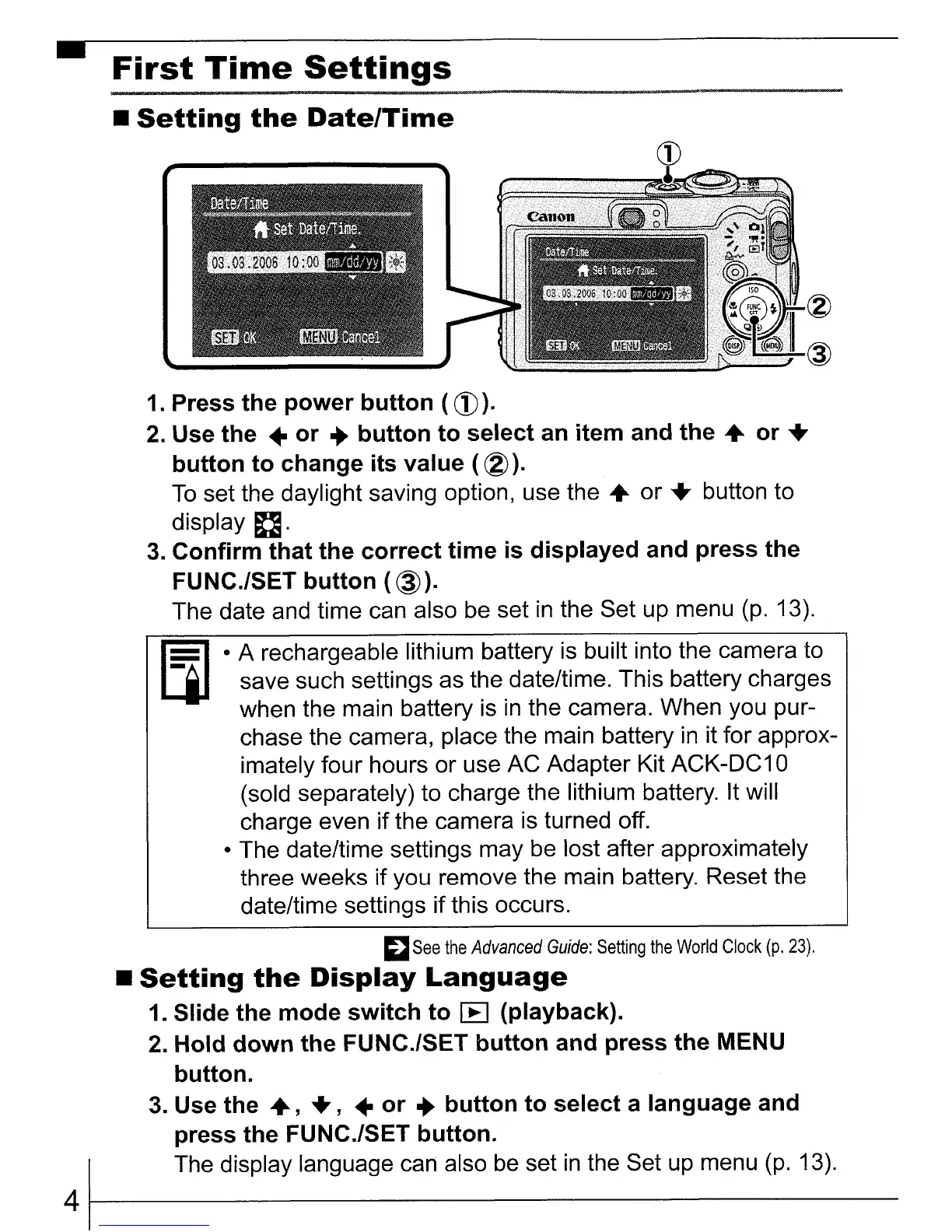
1. Press
the
power
button
(
CD
).
2.
Use
the
..
or
..
button
to
select
an
item
and
the
..
or
..
button
to
change
its
value
( ®).
To
set the daylight saving option, use
the"
or
..
button to
display
D.
3.
Confirm
that
the
correct
time
is
displayed
and
press
the
FUNC./SET
button
(
@).
The date and time can also be set
in
the Set up menu
(p.
13).
Ii¥) · A rechargeable lithium battery
is
built into the camera to
LjJ
save such settings as the date/time. This battery charges
when the main battery is
in
the camera. When you pur-
chase the camera, place the main battery
in
it for approx-
imately four hours or use AC Adapter Kit ACK-DC1 0
(sold separately) to charge the lithium battery. It will
charge even if the camera
is
turned off.
• The date/time settings may be lost after approximately
three weeks if you remove the main battery. Reset the
date/time settings if this occurs.
;:J
See
the
Advanced
Guide:
Setting
the
World
Clock
(p.
23)
.
•
Setting
the
Display
Language
1. Slide the
mode
switch
to
I:B
(playback).
2.
Hold
down
the
FUNC./SET
button
and
press
the
MENU
button.
3.
Use
the
..
,
..
,
..
or
..
button
to
select
a
language
and
press
the FUNC.lSET
button.
The display language can also
be
set
in
the Set
up
menu
(p.
13).
41-----------------------------















 To Next Page