EasyManua.ls Logo

Canon PowerShot SD600 - Page 60

Canon PowerShot SD600
347 pages
Print Icon
To Next Page IconTo Next Page
To Previous Page IconTo Previous Page
Loading...
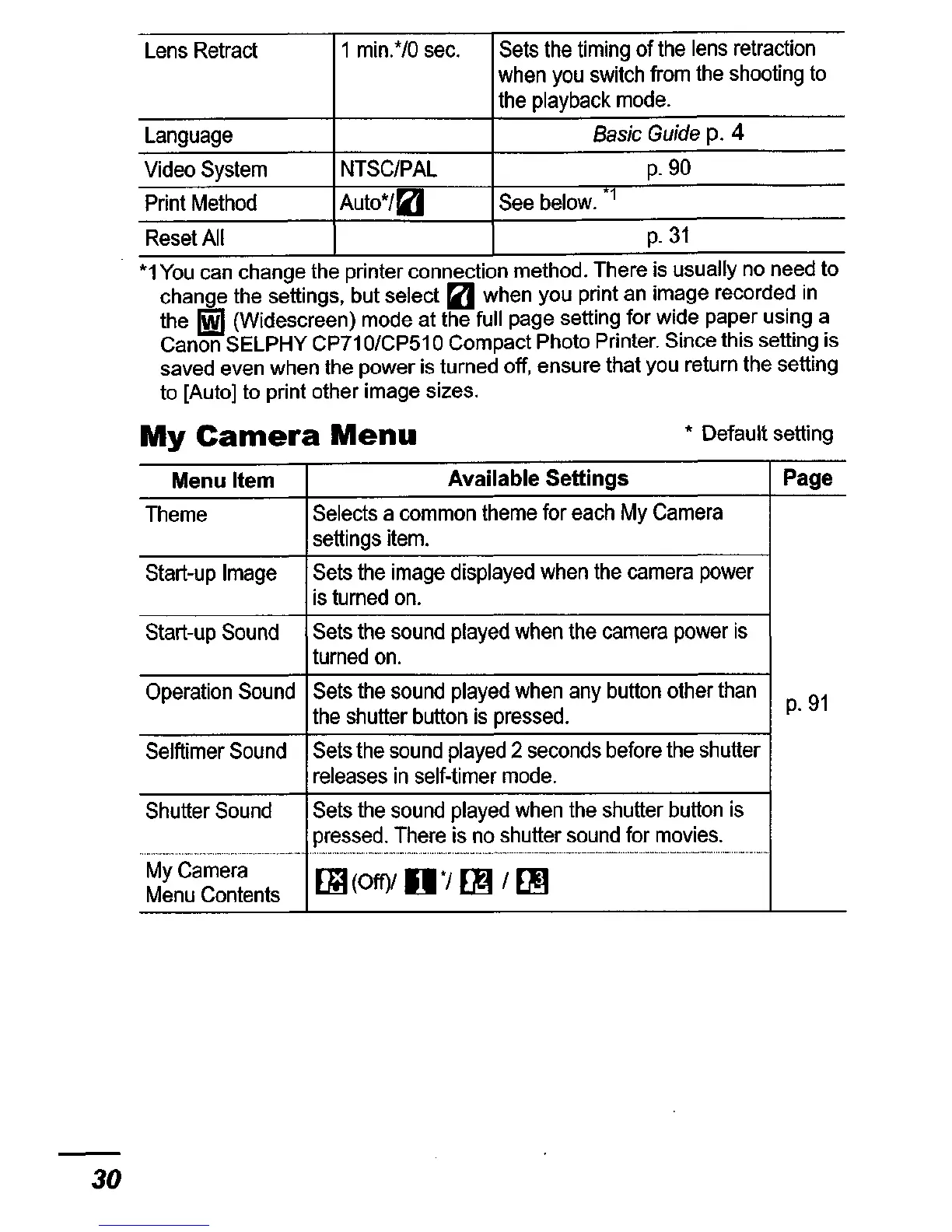
Lens
Retract
1
min.*/O
sec.
Sets
the
timing
of
the
lens
retraction
when
you
switch
from
the
shooting
to
the
playback
mode.
Language
Basic
Guide
p.
4
Video
System
NTSC/PAL
p.9O
Print
Method
Auto*/(lJ
See
below.
"1
Reset
All
p.31
*1
You
can
change
the printer connection
method.
There
IS usually
no
need
to
change
the
settings,
but
select
(lJ
when
you
print
an
image
recorded
in
the
~
(Widescreen)
mode
at
the
full
page
setting
for
wide
paper
using
a
Canon
SELPHY
CP71
O/CP51
0
Compact
Photo
Printer.
Since
this
setting
is
saved
even
when
the
power
is
turned
off,
ensure that
you
return
the
setting
to
[Auto]
to
print
other
image
sizes.
My
Camera
Menu
* Default setting
30
Menu
Item
Available
Settings
Page
Theme
Selects
a
common
theme
for
each
My
Camera
settings
item.
Start-up
Image
Sets
the
image
displayed
when
the
camera
power
is
turned
on.
Start-up
Sound
Sets
the
sound
played
when
the
camera
power
is
turned
on.
Operation
Sound
Sets
the
sound
played
when
any
button
other
than
p.91
the
shutter
button
is
pressed.
Selftimer
Sound
Sets
the
sound
played
2
seconds
before
the
shutter
releases
in
self-timer
mode.
Shutter
Sound
Sets
the
sound
played
when
the
shutter
button
is
pressed.
There
is
no
shutter
sound
for
movies
.
.,
"-"
...
_"
...
_"~.~"-,_
..
_,_
...
,,-,,.,,_
..
_,_
..
_,-,,...
.
____
n~
___
._
~
.~u
~_~_~_.~~._._.~._._,
....
_,.""_"",.~,
••
My
Camera
EiJ
(Off)1
0
*/
m/
~
Menu
Contents

Table of Contents

Related product manuals