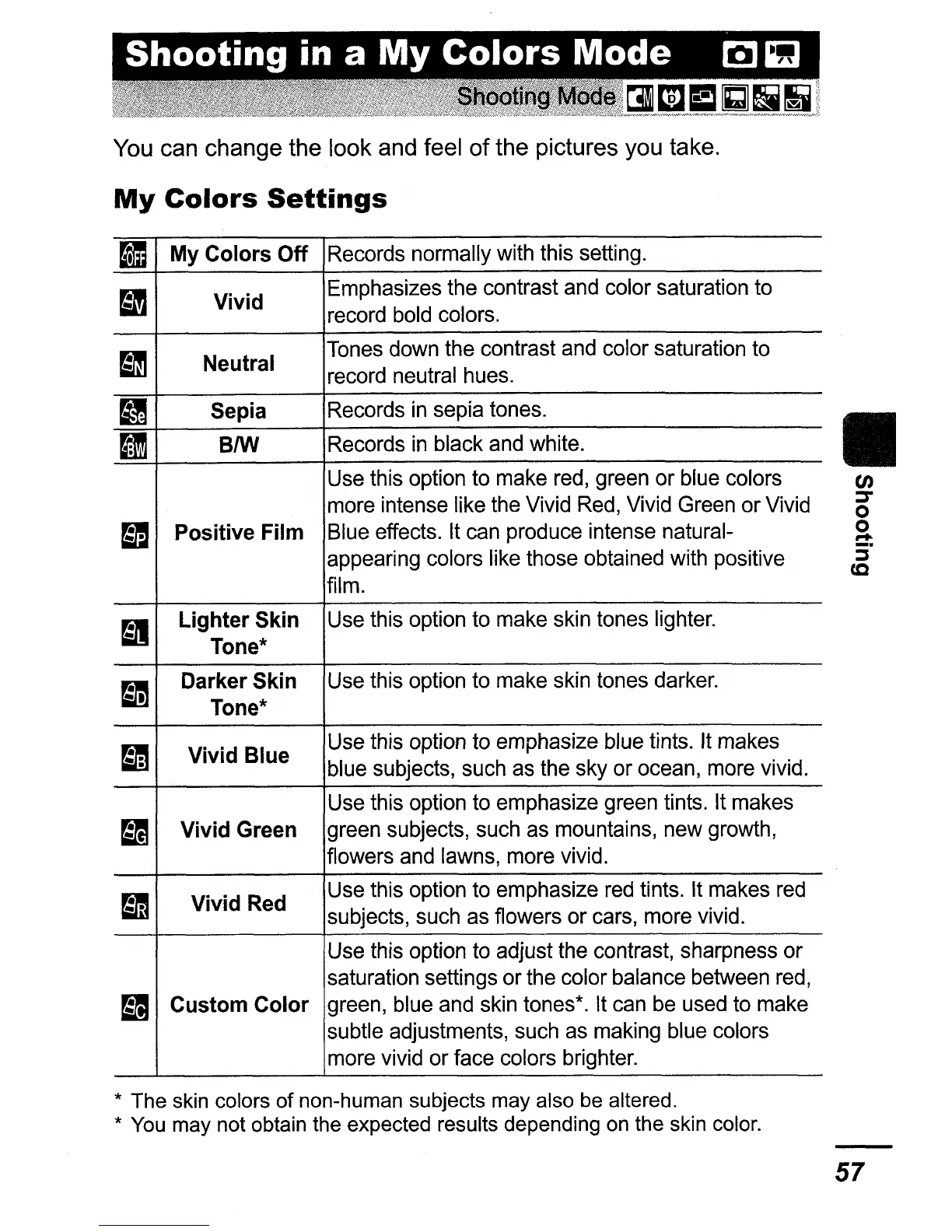
You can change the look and feel
of
the pictures you take.
My
Colors
Settings
II
My
Colors
Off
Records normally with this setting.
I'J
Vivid
Emphasizes the contrast and color saturation to
record bold colors.
~
Neutral
Tones down the contrast and color saturation to
record neutral hues.
II
Sepia
Records
in
sepia tones.
m
BIW
Records
in
black and white.
Use this option to make red, green
or
blue colors
more intense like the Vivid Red, Vivid Green
or
Vivid
~
Positive
Film
Blue effects. It can produce intense natural-
appearing colors like those obtained with positive
film.
~
Lighter
Skin
Use this option to make skin tones lighter.
Tone*
~
Darker
Skin
Use this option to make skin tones darker.
Tone*
~
Vivid
Blue
Use this option to emphasize blue tints. It makes
blue subjects, such as the sky or ocean, more vivid.
Use this option to emphasize green tints. It makes
~
Vivid
Green
green subjects, such as mountains, new growth,
flowers and lawns, more vivid.
B1§
Vivid
Red
Use this option to emphasize red tints. It makes red
subjects, such as flowers
or
cars, more vivid.
Use this option to adjust the contrast, sharpness
or
saturation settings or the color balance between red,
~
Custom
Color green, blue and skin tones*. It can be used to make
subtle adjustments, such as making blue colors
more vivid
or
face colors brighter.
* The skin colors
of
non-human subjects may also be altered.
*
You
may not obtain the expected results depending on the skin color.
II
en
::r
o
2-
:i"
cc
57















 To Next Page