EasyManua.ls Logo

Canon UC10 - BT-U1 Battery Case.21

Canon UC10
104 pages
Print Icon
To Next Page IconTo Next Page
To Previous Page IconTo Previous Page
Loading...
BT-U1
Battery
Case
(option)
The
optional
BT-U1
Battery
Case
allows
you
to
use
alkaline
batteries
for
the
power
source.
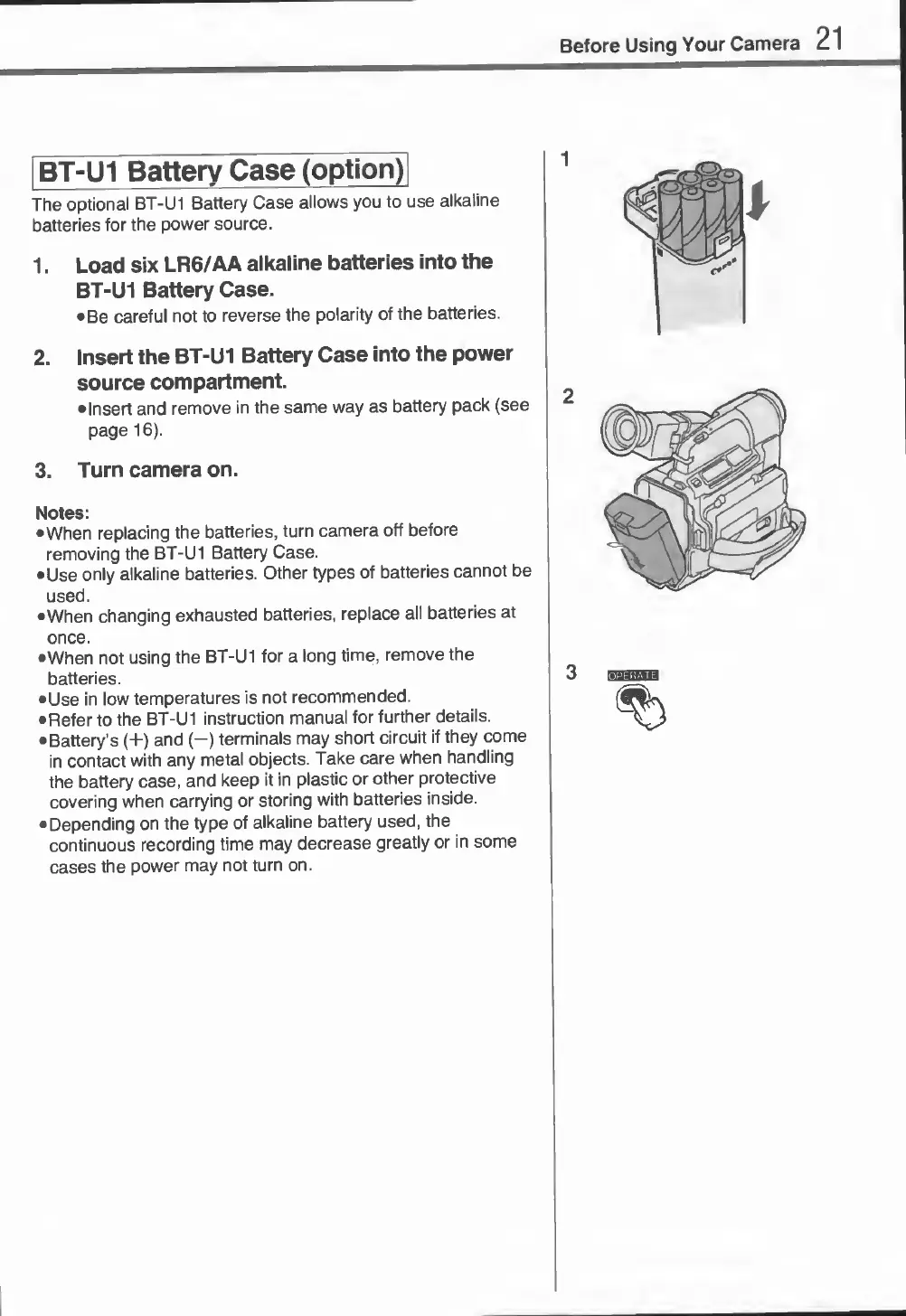
1.
Load
six
LR6/AA
alkaline
batteries
into
the
BT-U1
Battery
Case.
Be
careful
not
to
reverse
the
polarity
of
the
batteries.
2.
Insert
the
BT-U1
Battery
Case
into
the
power
source
compartment.
•Insert
and
remove
in
the
same
way
as
battery
pack
(see
page
16).
3.
Turn
camera
on.
Notes:
•When
replacing
the
batteries,
turn
camera
off
before
removing
the
BT-U1
Battery
Case.
Use
only
alkaline
batteries.
Other
types
of
batteries
cannot
be
used.
•When
changing
exhausted
batteries,
replace
all
batteries
at
once.
•When
not
using
the
BT-U1
for
a
long
time,
remove
the
batteries.
Use
in
low
temperatures
is
not
recommended.
Refer
to
the
BT-U1
instruction
manual
for
further
details.
Battery’s
(+)
and
(—)
terminals
may
short
circuit
if
they
come
in
contact
with
any
metal
objects.
Take
care
when
handling
the
battery
case,
and
keep
it
in
plastic
or
other
protective
covering
when
carrying
or
storing
with
batteries
inside.
Depending
on
the
type
of
alkaline
battery
used,
the
continuous
recording
time
may
decrease
greatly
or
in
some
cases
the
power
may
not
turn
on.

Related product manuals