EasyManua.ls Logo

Canon UC10 - Power Sources.16; Battery Pack

Canon UC10
104 pages
Print Icon
To Next Page IconTo Next Page
To Previous Page IconTo Previous Page
Loading...
16
Power
Sources
Battery
Pack
The
battery
pack
is
a
rechargeable
power
source.
Make
sure
it
is
fully
charged
before
use.
This
camera
can
also
be
operated
from
AC
power
or
from
a
car
battery
(see
page
20).
•The
power
consumption
of
the
video
camera
varies
according
to
the
operating
conditions.
Consequently,
the
actual
recording
time
may
be
shorter
than
the
time
shown
on
p.
17.
Using
the
battery
pack
in
low
temperatures
will
shorten
the
recording
time.
When
recording
under
these
conditions,
it
is
recommended
to
prepare
enough
battery
packs
to
cover
two
or
three
times
the
scheduled
length
of
time.
Make
sure
the
power
is
turned
off
when
not
using
the
camera.
The
camera
will
continue
to
consume
power
when
the
power
is
on.
(The
camera
also
continues
to
consume
power
even
when
the
power
is
turned
off.
See
page
19.)
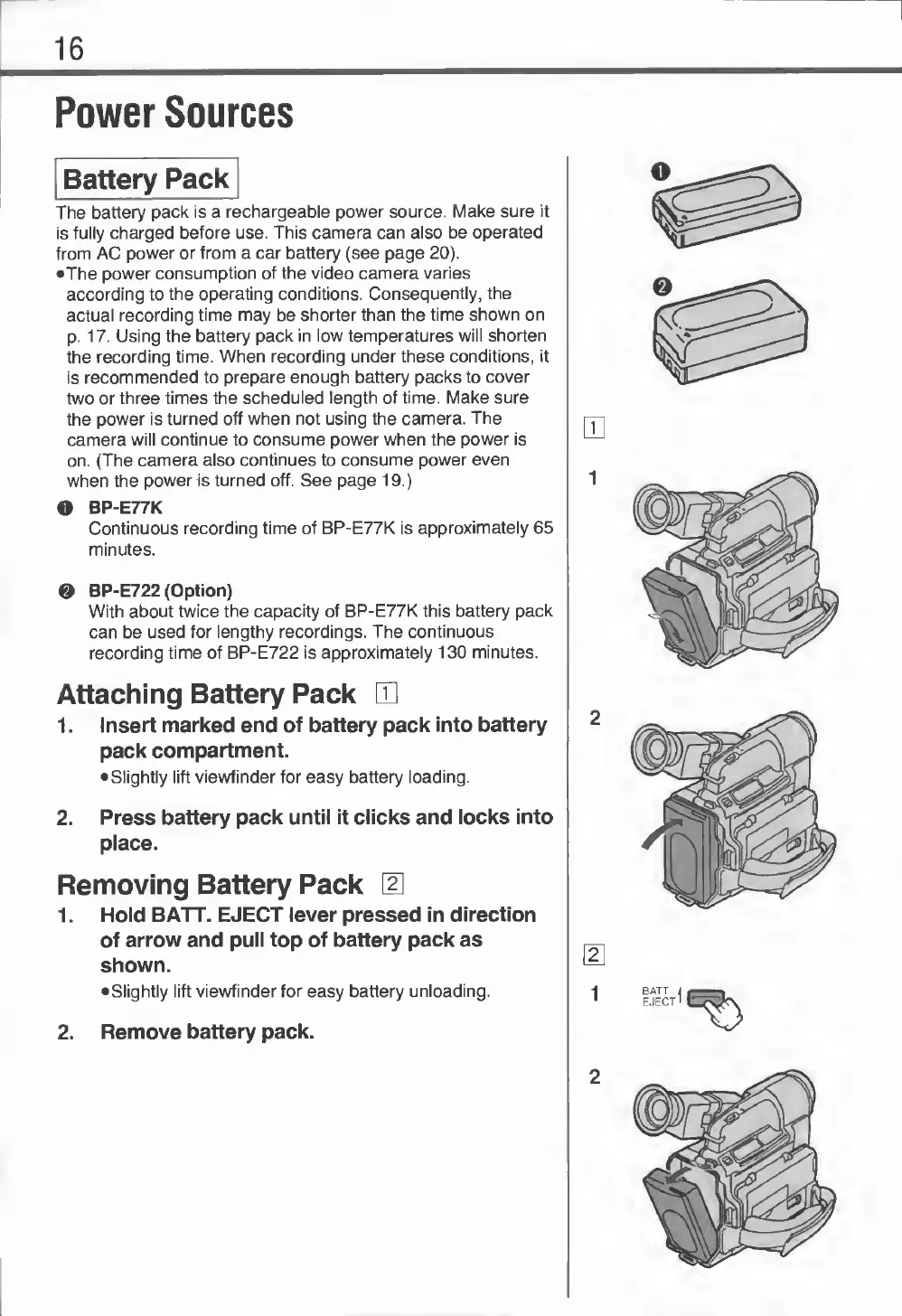
O
BP-E77K
Continuous
recording
time
of
BP-E77K
is
approximately
65
minutes.
0
BP-E722
(Option)
With
about
twice
the
capacity
of
BP-E77K
this
battery
pack
can
be
used
for
lengthy
recordings.
The
continuous
recording
time
of
BP-E722
is
approximately
130
minutes.
Attaching
Battery
Pack
1.
Insert
marked
end
of
battery
pack
into
battery
pack
compartment.
Slightly
lift
viewfinder
for
easy
battery
loading.
2.
Press
battery
pack
until
it
clicks
and
locks
into
place.
Removing
Battery
Pack
1.
Hold
BATT.
EJECT
lever
pressed
in
direction
of
arrow
and
pull
top
of
battery
pack
as
shown.
Slightly
lift
viewfinder
for
easy
battery
unloading.
2.
Remove
battery
pack.

Related product manuals