EasyManua.ls Logo

Canon UC10 - Zooming

Canon UC10
104 pages
Print Icon
To Next Page IconTo Next Page
To Previous Page IconTo Previous Page
Loading...
Advanced
Operations
53
Zooming
(CAMERA
Mode)
The
camera
is
equipped
with
an
8X
zoom
lens.
The
zoom
function
enables
the
picture
angle
to
be
changed
freely
from
wide
angle
to
telephoto.
Power
Zoom
Q]
O
Power
Zoom
Buttons
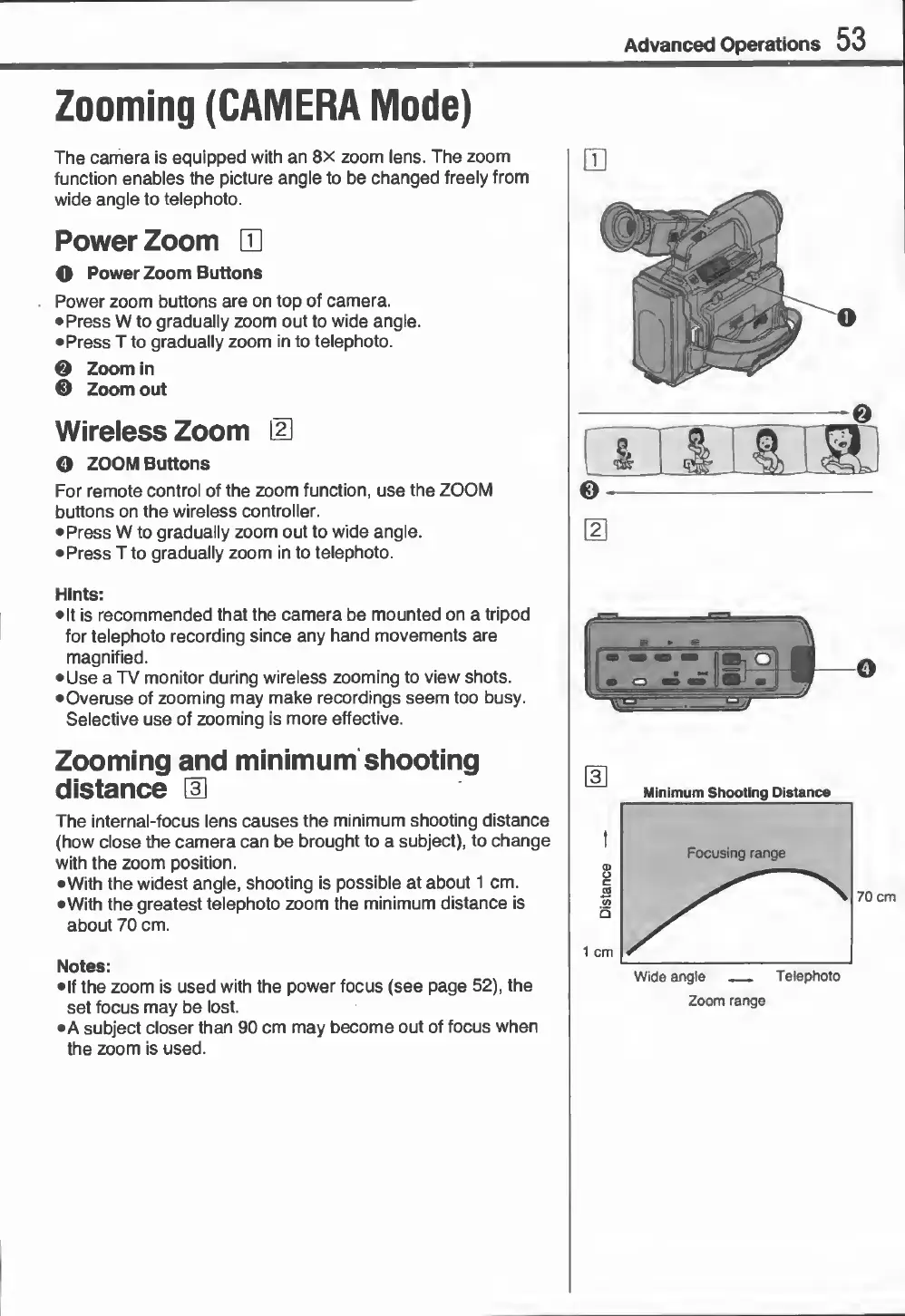
Power
zoom
buttons
are
on
top
of
camera.
Press
W
to
gradually
zoom
out
to
wide
angle.
Press
T
to
gradually
zoom
in
to
telephoto.
0
Zoom
in
0
Zoom
out
Wireless
Zoom
IU
o
ZOOM
Buttons
For
remote
control
of
the
zoom
function,
use
the
ZOOM
buttons
on
the
wireless
controller.
Press
W
to
gradually
zoom
out
to
wide
angle.
Press
T
to
gradually
zoom
in
to
telephoto.
Hints:
It
is
recommended
that
the
camera
be
mounted
on
a
tripod
for
telephoto
recording
since
any
hand
movements
are
magnified.
Use
a
TV
monitor
during
wireless
zooming
to
view
shots.
•Overuse
of
zooming
may
make
recordings
seem
too
busy.
Selective
use
of
zooming
is
more
effective.
Zooming
and
minimum
shooting
distance
\E
The
internal-focus
lens
causes
the
minimum
shooting
distance
(how
close
the
camera
can
be
brought
to
a
subject),
to
change
with
the
zoom
position.
•With
the
widest
angle,
shooting
is
possible
at
about
1
cm.
•With
the
greatest
telephoto
zoom
the
minimum
distance
is
about
70
cm.
Notes:
•If
the
zoom
is
used
with
the
power
focus
(see
page
52),
the
set
focus
may
be
lost.
•A
subject
closer
than
90
cm
may
become
out
of
focus
when
the
zoom
is
used.
Wide
angle
_
Telephoto
Zoom
range

Related product manuals