EasyManua.ls Logo

Canon UC10 - Editing to Another VTR.82

Canon UC10
104 pages
Print Icon
To Next Page IconTo Next Page
To Previous Page IconTo Previous Page
Loading...
82
Editing
to
Another
VTR
(PLAY
Mode)
With
the
help
of
a
second
VTR,
your
camera
can
also
be
used
as
a
playback
VTR
to
edit
your
recording.
Connection
Procedure
You
need
the
DC-100
DC
Coupler,
CA-100
Compact
Power
Adapter
(or
CB-110
Car
Battery
Adapter)
and
C-150
AV
Cable
(option).
Using
VTR
with
Audio/Video
Input
Terminals
[D
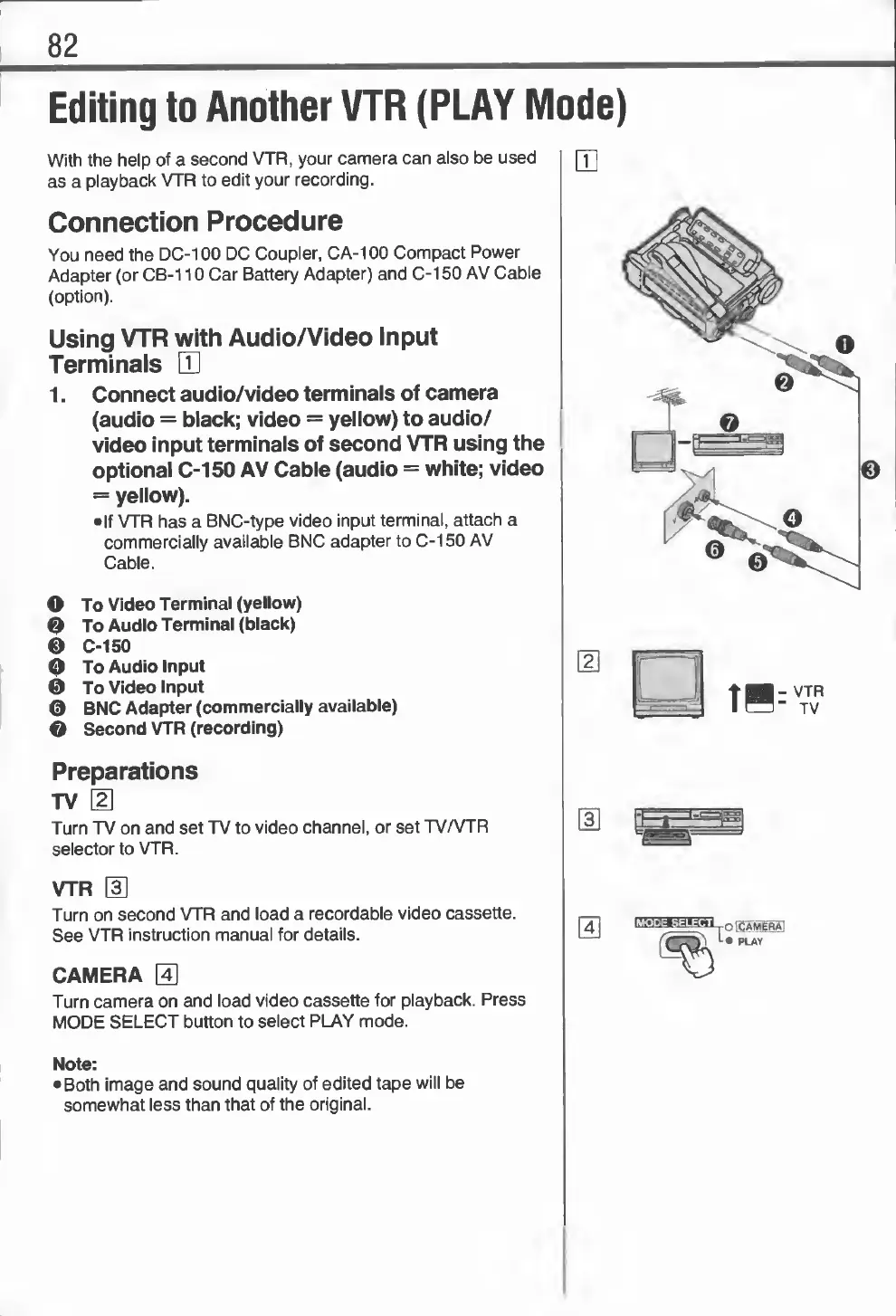
1.
Connect
audio/video
terminals
of
camera
(audio
=
black;
video
=
yellow)
to
audio/
video
input
terminals
of
second
VTR
using
the
optional
C-150
AV
Cable
(audio
=
white;
video
=
yellow).
If
VTR
has
a
BNC-type
video
input
terminal,
attach
a
commercially
available
BNC
adapter
to
C-150
AV
Cable.
O
To
Video
Terminal
(yellow)
©
To
Audio
Terminal
(black)
©
C-150
©
To
Audio
Input
©
To
Video
Input
©
BNC
Adapter
(commercially
available)
O
Second
VTR
(recording)
Preparations
TV
\
2
\
Turn
TV
on
and
set
TV
to
video
channel,
or
set
TV/VTR
selector
to
VTR.
VTR
[3]
Turn
on
second
VTR
and
load
a
recordable
video
cassette.
See
VTR
instruction
manual
for
details.
CAMERA
;41
Turn
camera
on
and
load
video
cassette
for
playback.
Press
MODE
SELECT
button
to
select
PLAY
mode.
s
,
CAMERA
PLAY
Note:
Both
image
and
sound
quality
of
edited
tape
will
be
somewhat
less
than
that
of
the
original.

Related product manuals