EasyManua.ls Logo

Canon UC10 - Basic Operations

Canon UC10
104 pages
Print Icon
To Next Page IconTo Next Page
To Previous Page IconTo Previous Page
Loading...
Basic
Operations
31
CAMERA
and
PLAY
Indicators
CAMERA
indicator
(during
CAMERA
mode)
or
PLAY
indicator
(during
PLAY
mode)
lights
up
during
normal
operation,
and
flashes
to
warn
that
there
is
internal
condensation
or
a
malfunction,
or
to
indicate
that
battery
pack
needs
to
be
recharged.
Mode
Selection
(H
MODE
SELECT
button
can
be
used
to
switch
between
CAMERA
mode
and
PLAY
mode.
The
wireless
controller
can
also
be
used
to
switch
modes:
If
STOP
button
is
pressed
during
CAMERA
mode,
the
camera
switches
automatically
to
PLAY
mode.
•If
REC
button
is
pressed
while
the
camera
is
in
PLAY
mode
and
the
tape
is
either
stopped
or
paused,
the
camera
automatically
switches
to
CAMERA
mode.
It
is
impossible
to
change
modes
during
the
following
operations:
1.
recording
2.
playback
(except
still
playback)
3.
fast
forward
4.
rewind
Dual-mode
Buttons
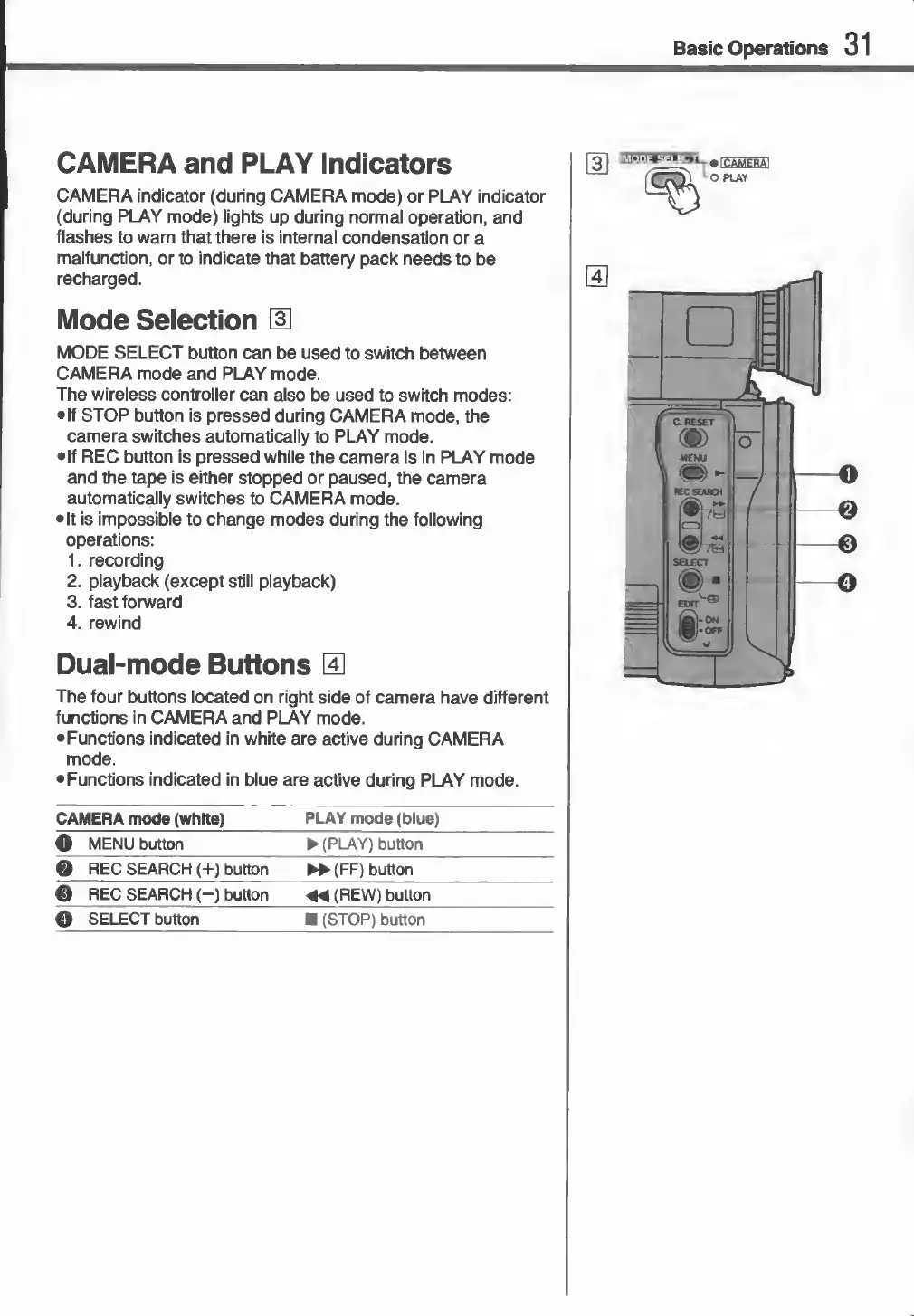
0
The
four
buttons
located
on
right
side
of
camera
have
different
functions
in
CAMERA
and
PLAY
mode.
•Functions
indicated
in
white
are
active
during
CAMERA
mode.
•Functions
indicated
in
blue
are
active
during
PLAY
mode.
CAMERA
mode
(white)
PLAY
mode
(blue)
3
MENU
button
(PLAY)
button
REC
SEARCH
(+)
button
►►
(
FF)
button
3
REC
SEARCH
(-)
button
44
(REW)
button
©
SELECT
button
(STOP)
button
«
©
©

Related product manuals