EasyManua.ls Logo

Canon UC10 - Tape Return.48

Canon UC10
104 pages
Print Icon
To Next Page IconTo Next Page
To Previous Page IconTo Previous Page
Loading...
48
Tape
Return
(PLAY
Mode)
The
tape
return
function
allows
you
to
quickly
return
to
a
desired
scene.
•The
camera
does
not
have
a
TAPE
RETURN
button.
Use
the
WL-1
Wireless
Controller
to
operate
tape
return.
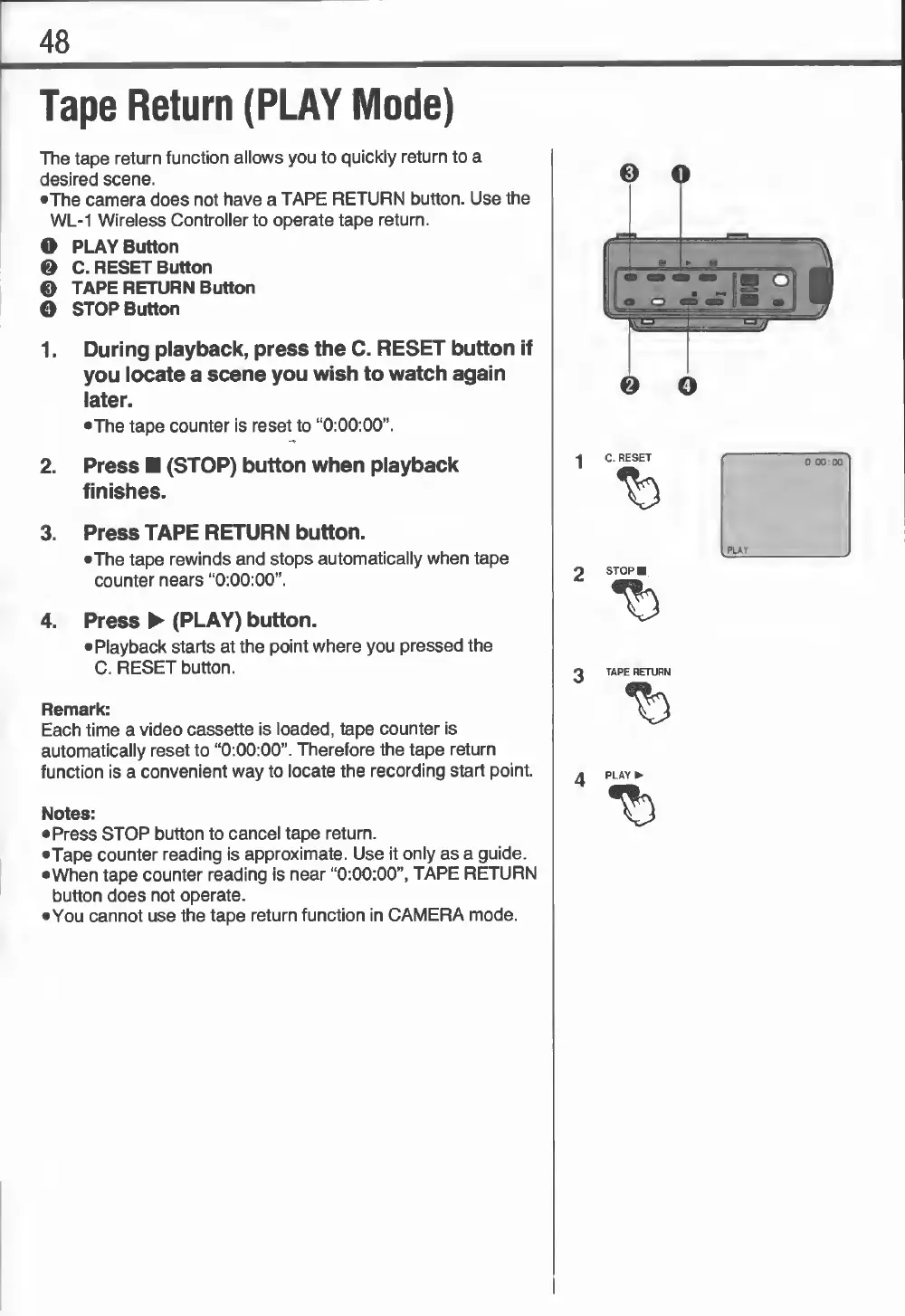
O
PLAY
Button
©
C.
RESET
Button
0
TAPE
RETURN
Button
O
STOP
Button
1.
During
playback,
press
the
C.
RESET
button
if
you
locate
a
scene
you
wish
to
watch
again
later.
•The
tape
counter
is
reset
to
“0:00:00”.
2.
Press
(STOP)
button
when
playback
finishes.
3.
Press
TAPE
RETURN
button.
•The
tape
rewinds
and
stops
automatically
when
tape
counter
nears
“0:00:00”.
4.
Press
(PLAY)
button.
•Playback
starts
at
the
point
where
you
pressed
the
C.
RESET
button.
Remark:
Each
time
a
video
cassette
is
loaded,
tape
counter
is
automatically
reset
to
“0:00:00”.
Therefore
the
tape
return
function
is
a
convenient
way
to
locate
the
recording
start
point.
Notes:
•Press
STOP
button
to
cancel
tape
return.
•Tape
counter
reading
is
approximate.
Use
it
only
as
a
guide.
•When
tape
counter
reading
is
near
“0:00:00”,
TAPE
RETURN
button
does
not
operate.
•You
cannot
use
the
tape
return
function
in
CAMERA
mode.
©
Q
p-
1
»
5
i-
°
«
m—
lj/;
0
O
•I
C.
RESET
%
A
PLAY
0
00:00
PLAY

Related product manuals