EasyManua.ls Logo

Canon UC10 - Camera Preparations.22

Canon UC10
104 pages
Print Icon
To Next Page IconTo Next Page
To Previous Page IconTo Previous Page
Loading...
22
Camera
Preparations
m
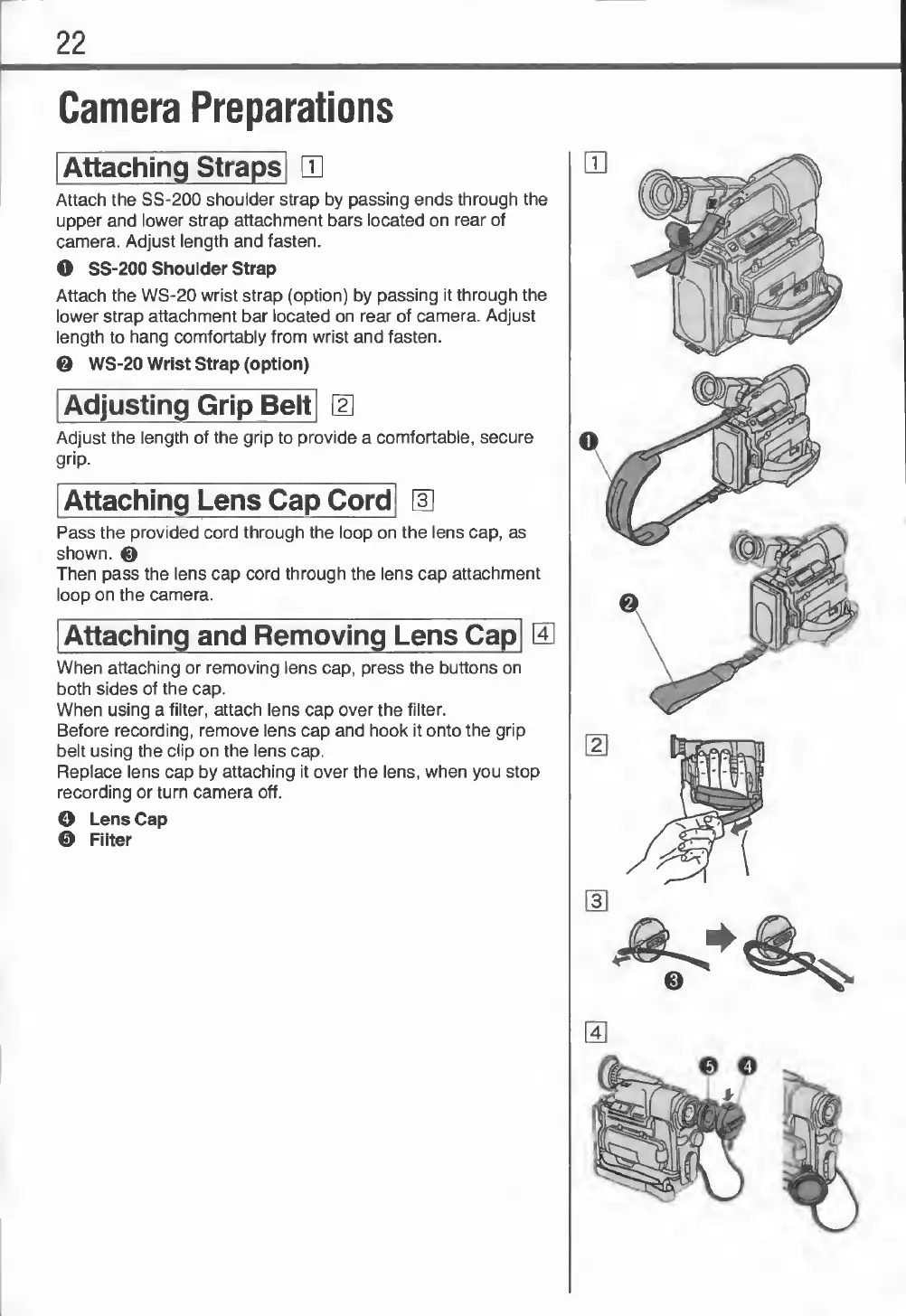
Attach
the
SS-200
shoulder
strap
by
passing
ends
through
the
upper
and
lower
strap
attachment
bars
located
on
rear
of
camera.
Adjust
length
and
fasten.
O
SS-200
Shoulder
Strap
Attach
the
WS-20
wrist
strap
(option)
by
passing
it
through
the
lower
strap
attachment
bar
located
on
rear
of
camera.
Adjust
length
to
hang
comfortably
from
wrist
and
fasten.
0
WS-20
Wrist
Strap
(option)
2
Adjust
the
length
of
the
grip
to
provide
a
comfortable,
secure
grip-
m
Pass
the
provided
cord
through
the
loop
on
the
lens
cap,
as
shown.
0
Then
pass
the
lens
cap
cord
through
the
lens
cap
attachment
loop
on
the
camera.
When
attaching
or
removing
lens
cap,
press
the
buttons
on
both
sides
of
the
cap.
When
using
a
filter,
attach
lens
cap
over
the
filter.
Before
recording,
remove
lens
cap
and
hook
it
onto
the
grip
belt
using
the
clip
on
the
lens
cap.
Replace
lens
cap
by
attaching
it
over
the
lens,
when
you
stop
recording
or
turn
camera
off.
O
Lens
Cap
©
Filter