EasyManua.ls Logo

Canon UC10 - Adjusting Viewfinder Angle.23; Removing and Attaching Finder.23

Canon UC10
104 pages
Print Icon
To Next Page IconTo Next Page
To Previous Page IconTo Previous Page
Loading...
Before
Using
Your
Camera
23
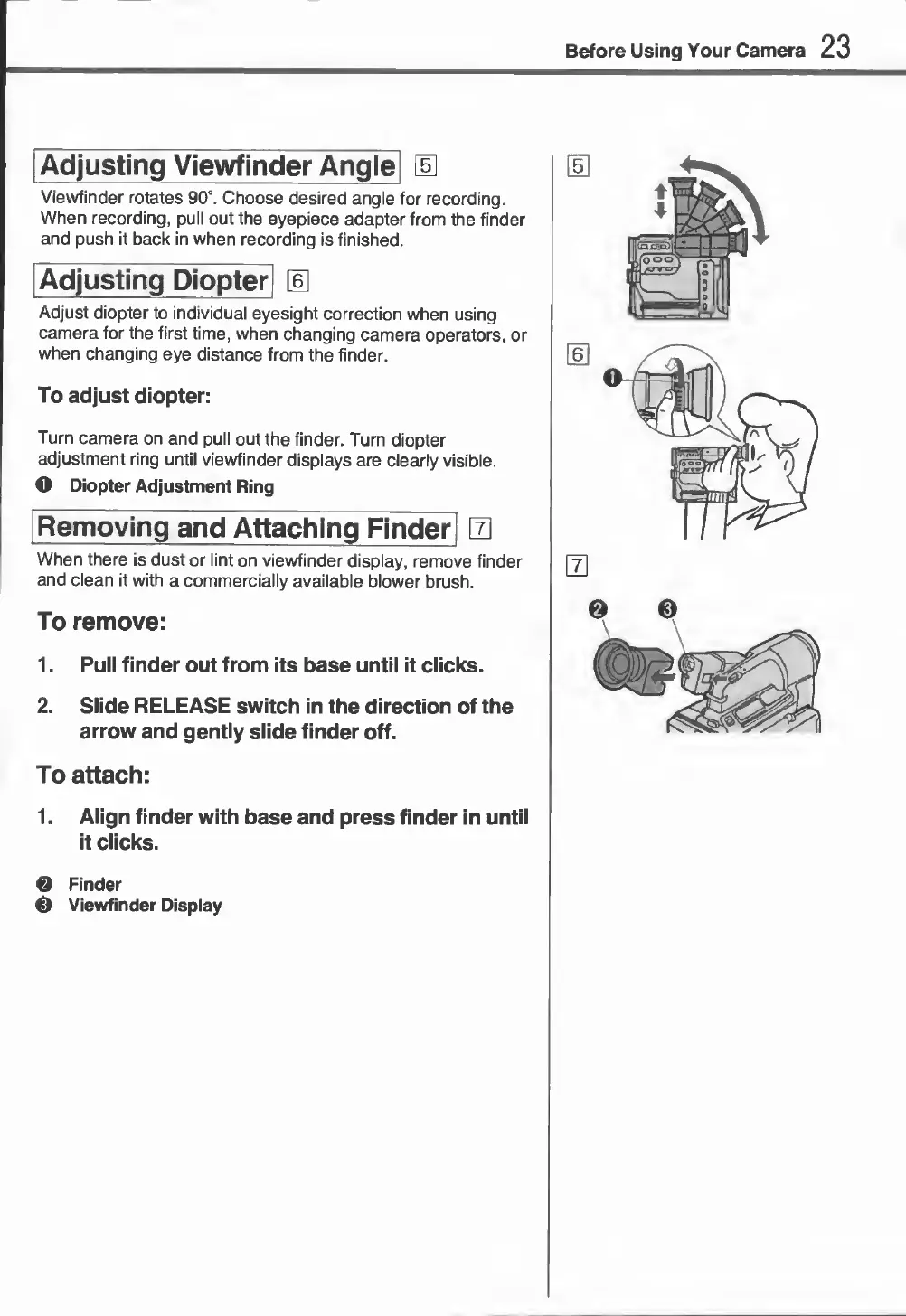
Adjusting
Viewfinder
Angle|
\E
Viewfinder
rotates
90°.
Choose
desired
angle
for
recording.
When
recording,
pull
out
the
eyepiece
adapter
from
the
finder
and
push
it
back
in
when
recording
is
finished.
Adjust
diopter
to
individual
eyesight
correction
when
using
camera
for
the
first
time,
when
changing
camera
operators,
or
when
changing
eye
distance
from
the
finder.
To
adjust
diopter:
Turn
camera
on
and
pull
out
the
finder.
Turn
diopter
adjustment
ring
until
viewfinder
displays
are
clearly
visible.
O
Diopter
Adjustment
Ring
R
emoving
and
Attaching
Finder]
0
When
there
is
dust
or
lint
on
viewfinder
display,
remove
finder
and
clean
it
with
a
commercially
available
blower
brush.
To
remove:
1.
Pull
finder
out
from
its
base
until
it
clicks.
2.
Slide
RELEASE
switch
in
the
direction
of
the
arrow
and
gently
slide
finder
off.
To
attach:
1.
Align
finder
with
base
and
press
finder
in
until
it
clicks.
0
Finder
0
Viewfinder
Display