EasyManua.ls Logo

Canon UC10 - Playback Connection.38

Canon UC10
104 pages
Print Icon
To Next Page IconTo Next Page
To Previous Page IconTo Previous Page
Loading...
38
Playback
Connection
(PLAY
Mode)
To
play
back
a
recorded
video
cassette
on
a
TV,
use
either
the
DC-100
DC
Coupler
and
CA-100
Compact
Power
Adapter
(or
CB-110
Car
Battery
Adapter)
or
the
BP-E77K
Battery
Pack
as
a
power
source.
For
details
on
how
to
connect
the
CA-100
(or
CB-110)
and
DC-100
to
the
camera,
see
page
20.
The
procedure
for
connecting
the
video
camera
to
your
TV
varies
depending
on
the
type
of
TV.
Follow
the
appropriate
connection
procedure
described
on
pages
38-43.
Using
TV
with
Audio/Video
Input
Terminals
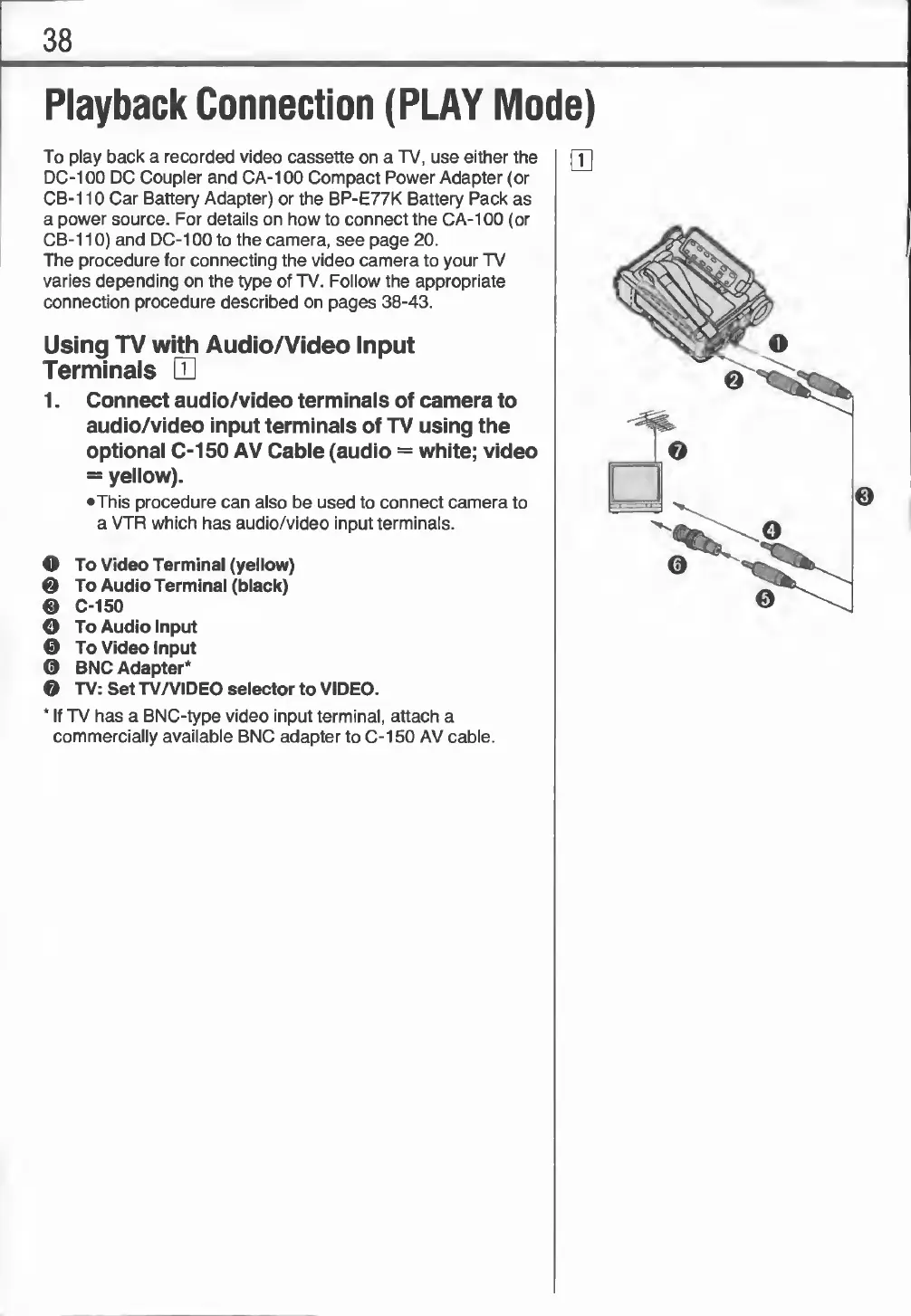
H
1.
Connect
audio/video
terminals
of
camera
to
audio/video
input
terminals
of
TV
using
the
optional
C-150
AV
Cable
(audio
=
white;
video
=
yellow).
•This
procedure
can
also
be
used
to
connect
camera
to
a
VTR
which
has
audio/video
input
terminals.
O
To
Video
Terminal
(yellow)
Q
To
Audio
Terminal
(black)
0
C-150
O
To
Audio
Input
e
To
Video
Input
©
BNC
Adapter*
©
TV:
Set
TV/VIDEO
selector
to
VIDEO.
*
If
TV
has
a
BNC-type
video
input
terminal,
attach
a
commercially
available
BNC
adapter
to
C-150
AV
cable.

Related product manuals