EasyManua.ls Logo

Canon UC10 - About Backlighting.62

Canon UC10
104 pages
Print Icon
To Next Page IconTo Next Page
To Previous Page IconTo Previous Page
Loading...
62
About
Backlighting
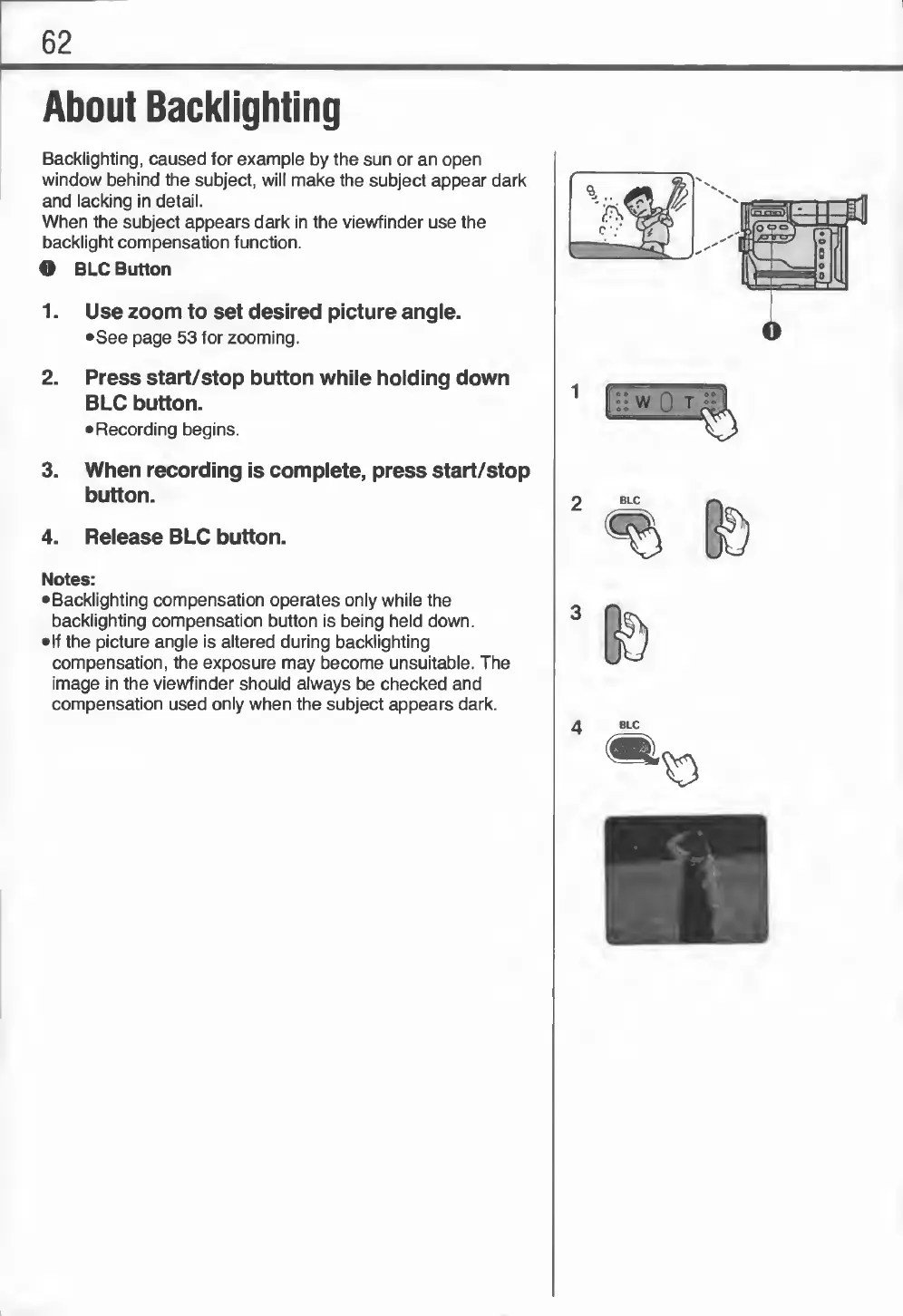
Backlighting,
caused
for
example
by
the
sun
or
an
open
window
behind
the
subject,
will
make
the
subject
appear
dark
and
lacking
in
detail.
When
the
subject
appears
dark
in
the
viewfinder
use
the
backlight
compensation
function.
O
BLC
Button
1.
U
se
zoom
to
set
desired
picture
angle.
•See
page
53
for
zooming.
2.
Press
start/stop
button
while
holding
down
BLC
button.
Recording
begins.
3.
When
recording
is
complete,
press
start/stop
button.
4.
Release
BLC
button.
Notes:
•Backlighting
compensation
operates
only
while
the
backlighting
compensation
button
is
being
held
down.
•If
the
picture
angle
is
altered
during
backlighting
compensation,
the
exposure
may
become
unsuitable.
The
image
in
the
viewfinder
should
always
be
checked
and
compensation
used
only
when
the
subject
appears
dark.

Related product manuals