EasyManua.ls Logo

Canon UC10 - Viewfinder Displays.12

Canon UC10
104 pages
Print Icon
To Next Page IconTo Next Page
To Previous Page IconTo Previous Page
Loading...
12
Viewfinder
Displays
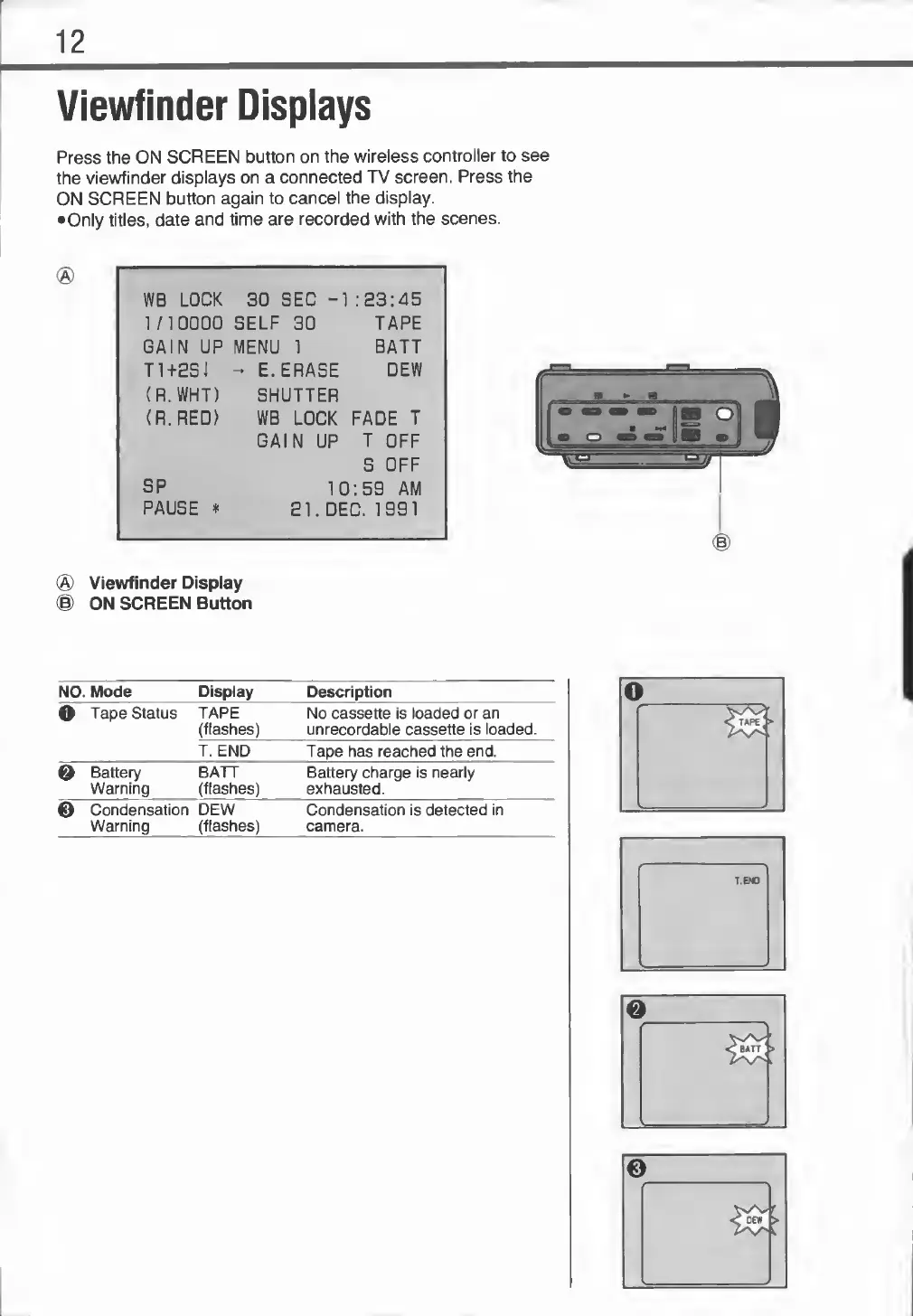
Press
the
ON
SCREEN
button
on
the
wireless
controller
to
see
the
viewfinder
displays
on
a
connected
TV
screen.
Press
the
ON
SCREEN
button
again
to
cancel
the
display.
•
Only
titles,
date
and
time
are
recorded
with
the
scenes.
WB
LOCK
30
SEC
-1
:
23:45
1/10000
SELF
30
TAPE
GAIN
UP
MENU
1
BATT
ti+esj
-
E.ERASE
DEW
(R.
WHT)
SHUTTER
(R.RED)
WB
LOCK
FADE
T
GAIN
UP
T
OFF
S
OFF
SP
10
:5S
AM
PAUSE
*
El.
DEC.
1991
®
Viewfinder
Display
®
ON
SCREEN
Button
NO.
Mode
Display
Description
o
Tape
Status
TAPE
(flashes)
No
cassette
is
loaded
or
an
unrecordable
cassette
is
loaded.
T.
END
Tape
has
reached
the
end.
0
Battery
Warning
BATT
(flashes)
Battery
charge
is
nearly
exhausted.
©
Condensation
Warning
DEW
(flashes)
Condensation
is
detected
in
camera.