EasyManua.ls Logo

Canon UC10 - Setting Date and Time.24

Canon UC10
104 pages
Print Icon
To Next Page IconTo Next Page
To Previous Page IconTo Previous Page
Loading...
24
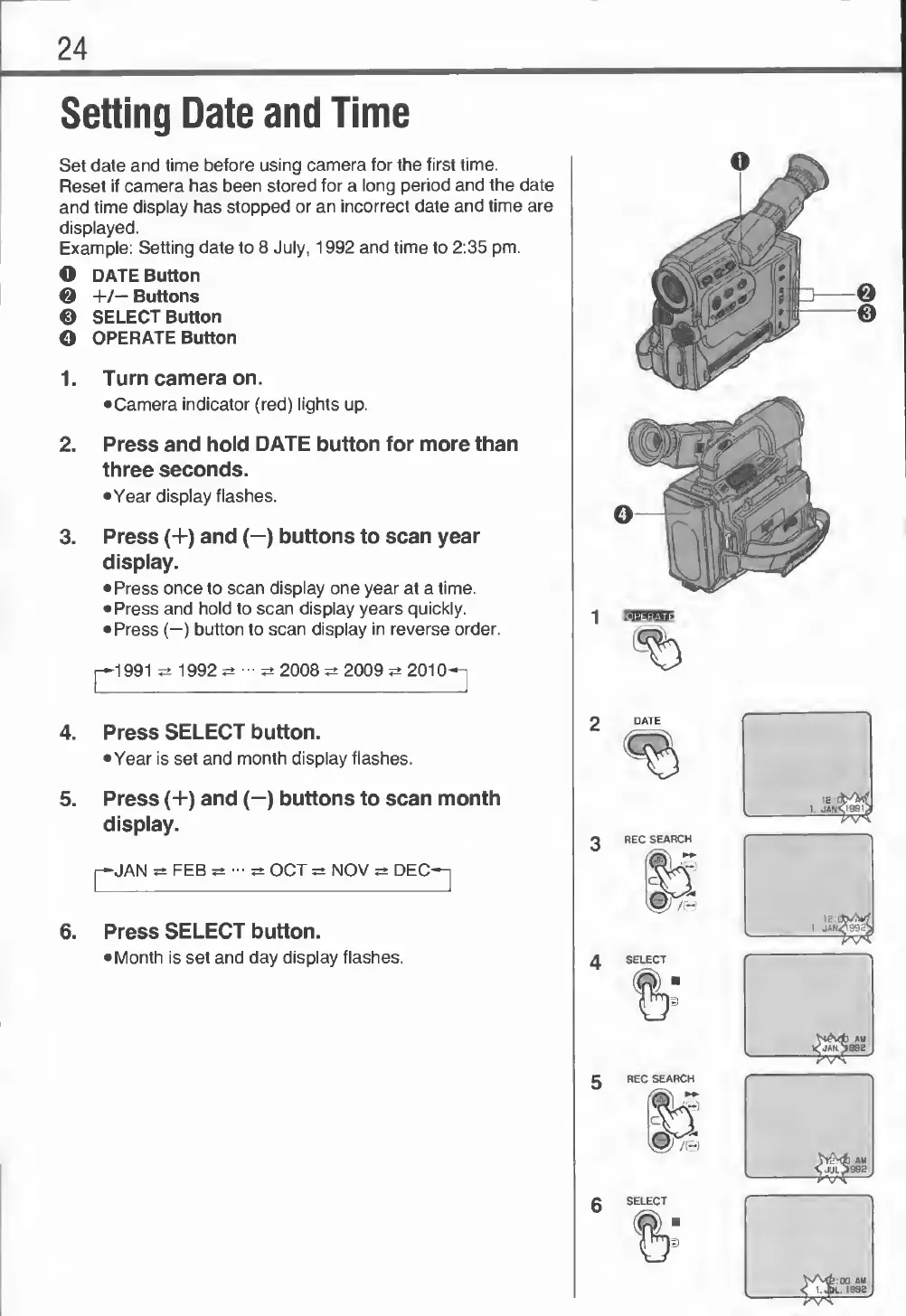
Setting
Date
and
Time
Set
date
and
time
before
using
camera
for
the
first
time.
Reset
if
camera
has
been
stored
for
a
long
period
and
the
date
and
time
display
has
stopped
or
an
incorrect
date
and
time
are
displayed.
Example:
Setting
date
to
8
July,
1992
and
time
to
2:35
pm.
O
DATE
Button
©
+/—
Buttons
©
SELECT
Button
©
OPERATE
Button
1.
Turn
camera
on.
Camera
indicator
(red)
lights
up.
2.
Press
and
hold
DATE
button
for
more
than
three
seconds.
•Year
display
flashes.
3.
Press
(+)
and
(—)
buttons
to
scan
year
display.
Press
once
to
scan
display
one
year
at
a
time.
Press
and
hold
to
scan
display
years
quickly.
Press
(—)
button
to
scan
display
in
reverse
order.
1992^-^2008
2009
2010-n
4.
Press
SELECT
button.
Year
is
set
and
month
display
flashes.
5.
Press
(+)
and
(—)
buttons
to
scan
month
display.
p-JAN
FEB
OCT
NOV
DEC-^
6.
P
ress
SELECT
button.
Month
is
set
and
day
display
flashes.

Related product manuals