EasyManua.ls Logo

Canon UC10 - Self-Timer Recording.67; Using an External Microphone.81; Using a Tripod.81

Canon UC10
104 pages
Print Icon
To Next Page IconTo Next Page
To Previous Page IconTo Previous Page
Loading...
Advanced
Operations
81
Using
an
External
Microphone
m
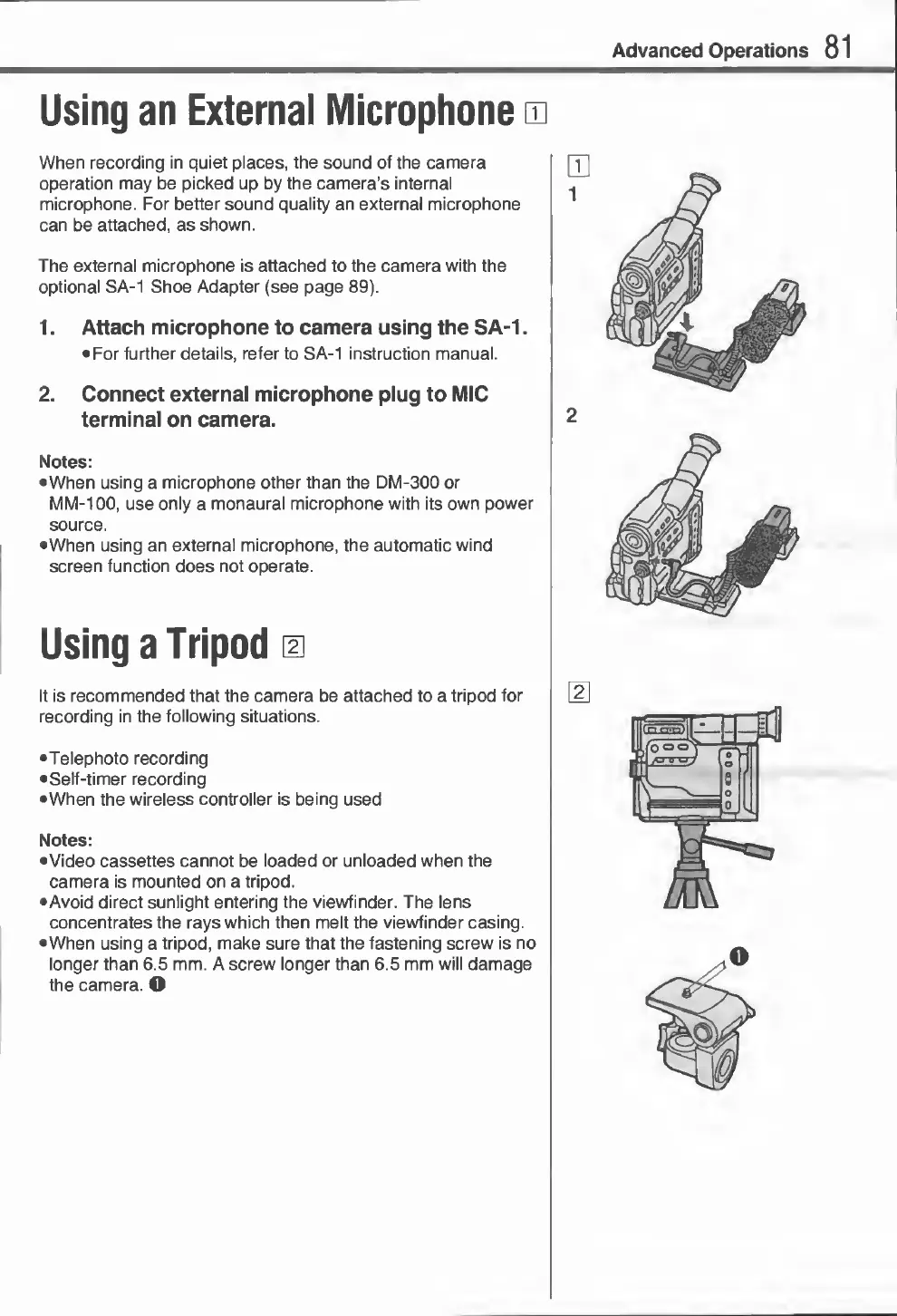
When
recording
in
quiet
places,
the
sound
of
the
camera
operation
may
be
picked
up
by
the
camera’s
internal
microphone.
For
better
sound
quality
an
external
microphone
can
be
attached,
as
shown.
The
external
microphone
is
attached
to
the
camera
with
the
optional
SA-1
Shoe
Adapter
(see
page
89).
1.
Attach
microphone
to
camera
using
the
SA-1.
For
further
details,
refer
to
SA-1
instruction
manual.
2.
Connect
external
microphone
plug
to
MIC
terminal
on
camera.
Notes:
When
using
a
microphone
other
than
the
DM-300
or
MM-100,
use
only
a
monaural
microphone
with
its
own
power
source.
When
using
an
external
microphone,
the
automatic
wind
screen
function
does
not
operate.
Using
a
Tripod
m
It
is
recommended
that
the
camera
be
attached
to
a
tripod
for
recording
in
the
following
situations.
•Telephoto
recording
Self-timer
recording
•When
the
wireless
controller
is
being
used
Notes:
•Video
cassettes
cannot
be
loaded
or
unloaded
when
the
camera
is
mounted
on
a
tripod.
•Avoid
direct
sunlight
entering
the
viewfinder.
The
lens
concentrates
the
rays
which
then
melt
the
viewfinder
casing.
When
using
a
tripod,
make
sure
that
the
fastening
screw
is
no
longer
than
6.5
mm.
A
screw
longer
than
6.5
mm
will
damage
the
camera.
O

Related product manuals