EasyManua.ls Logo

Canon UC10 - Gain

Canon UC10
104 pages
Print Icon
To Next Page IconTo Next Page
To Previous Page IconTo Previous Page
Loading...
Advanced
Operations
63
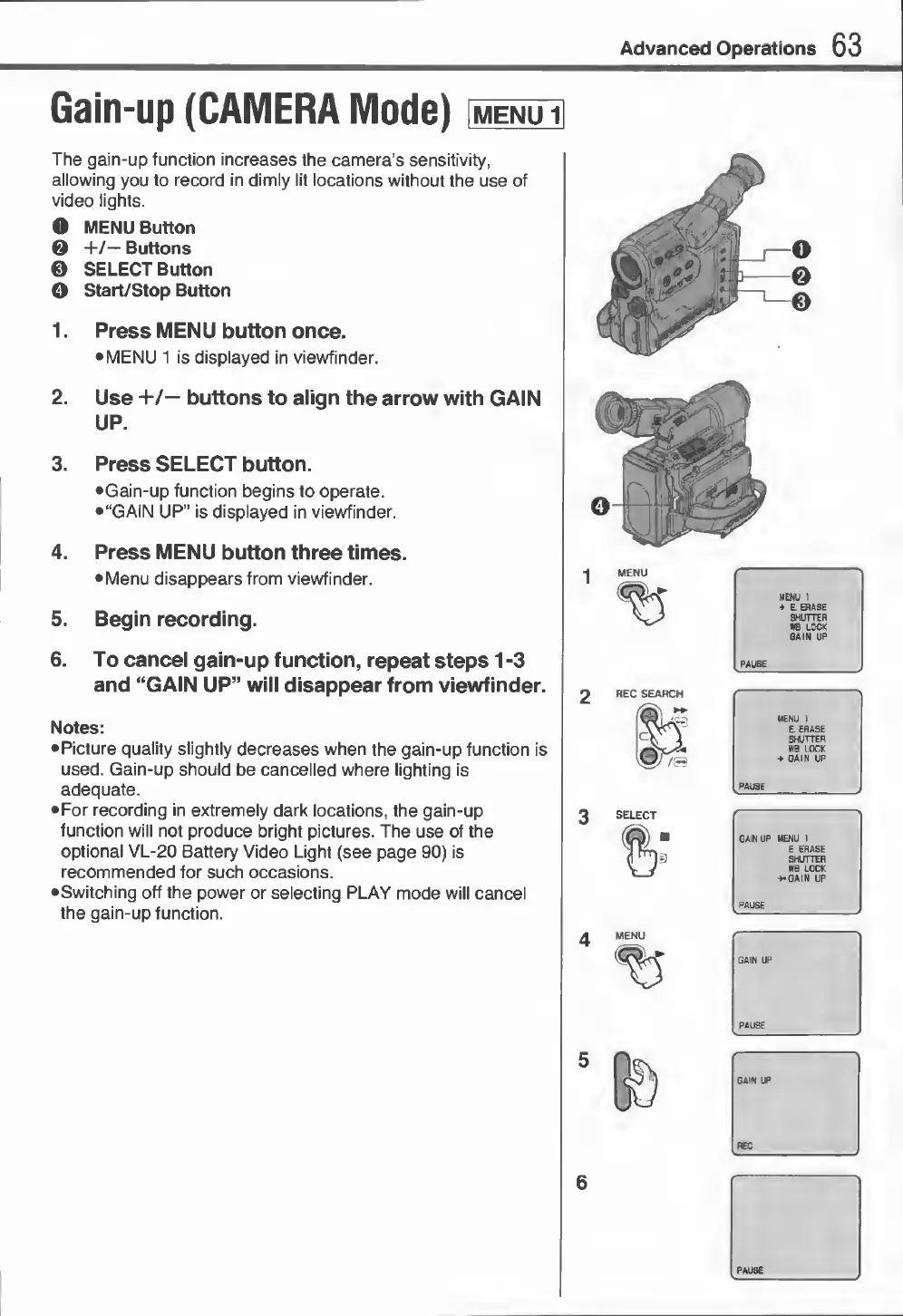
Gain-up
(CAMERA
Mode)
The
gain-up
function
increases
the
camera’s
sensitivity,
allowing
you
to
record
in
dimly
lit
locations
without
the
use
of
video
lights.
O
MENU
Button
0
+/—
Buttons
0
SELECT
Button
O
Start/Stop
Button
1.
Press
MENU
button
once.
MENU
1
is
displayed
in
viewfinder.
2.
Use
+/—
buttons
to
align
the
arrow
with
GAIN
UP.
3.
Press
SELECT
button.
Gain-up
function
begins
to
operate.
“GAIN
UP”
is
displayed
in
viewfinder.
4.
Press
MENU
button
three
times.
Menu
disappears
from
viewfinder.
5.
Begin
recording.
6.
To
cancel
gain-up
function,
repeat
steps
1
-3
and
“GAIN
UP”
will
disappear
from
viewfinder.
Notes:
Picture
quality
slightly
decreases
when
the
gain-up
function
is
used.
Gain-up
should
be
cancelled
where
lighting
is
adequate.
For
recording
in
extremely
dark
locations,
the
gain-up
function
will
not
produce
bright
pictures.
The
use
of
the
optional
VL-20
Battery
Video
Light
(see
page
90)
is
recommended
for
such
occasions.
•Switching
off
the
power
or
selecting
PLAY
mode
will
cancel
the
gain-up
function.

Related product manuals