EasyManua.ls Logo

Canon UC10 - Menu System

Canon UC10
104 pages
Print Icon
To Next Page IconTo Next Page
To Previous Page IconTo Previous Page
Loading...
54
Menu
System
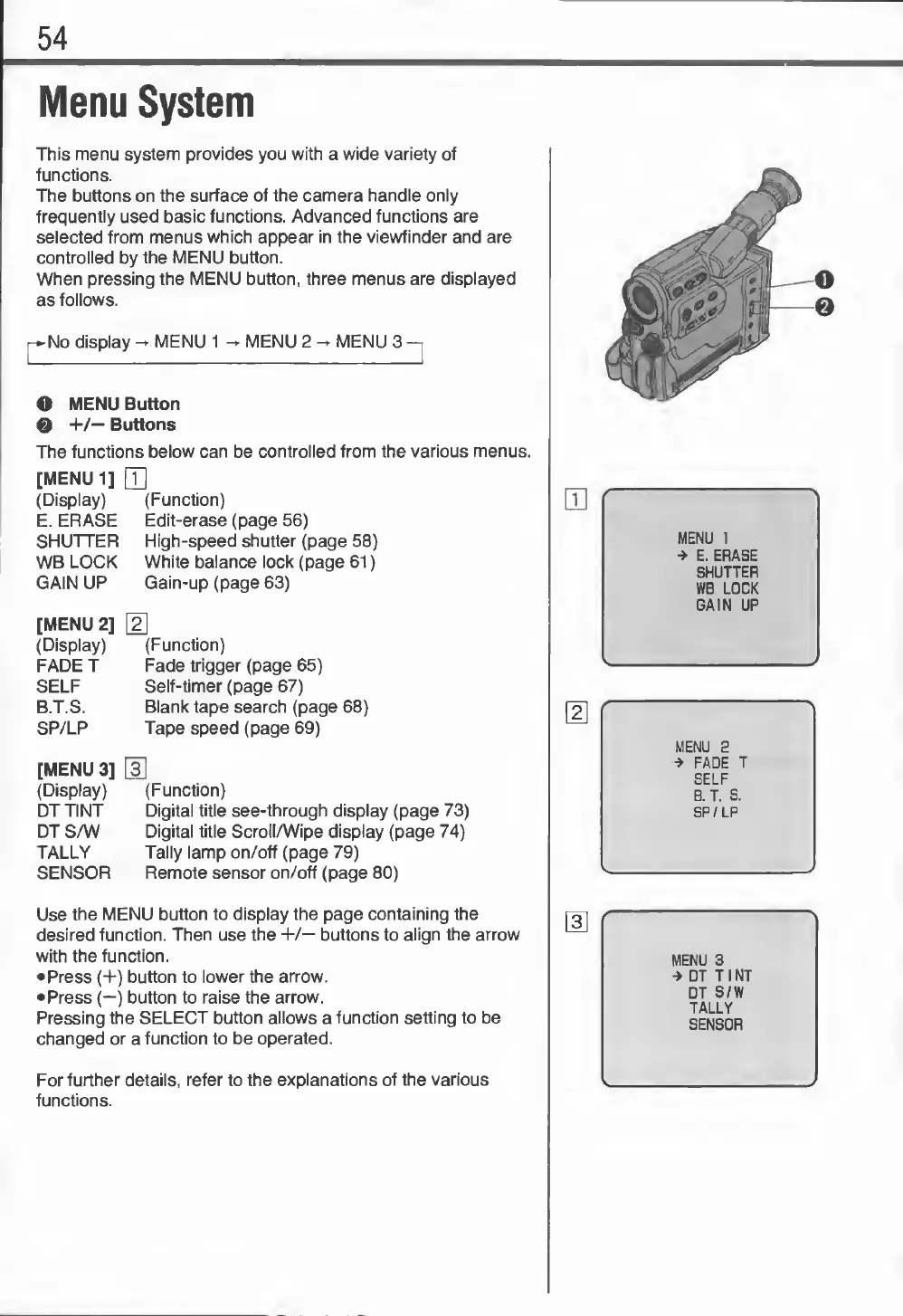
This
menu
system
provides
you
with
a
wide
variety
of
functions.
The
buttons
on
the
surface
of
the
camera
handle
only
frequently
used
basic
functions.
Advanced
functions
are
selected
from
menus
which
appear
in
the
viewfinder
and
are
controlled
by
the
MENU
button.
When
pressing
the
MENU
button,
three
menus
are
displayed
as
follows.
No
display
-
MENU
1
-
MENU
2
-
MENU
3
O
MENU
Button
0
+/—
Buttons
The
functions
below
can
be
controlled
from
the
various
menus.
[MENU
1]
Q]
(Display)
(Function)
E.
ERASE
Edit-erase
(page
56)
SHUTTER
High-speed
shutter
(page
58)
WB
LOCK
White
balance
lock
(page
61)
GAIN
UP
Gain-up
(page
63)
[MENU
2]
\2
(Display)
(Function)
FADE
T
Fade
trigger
(page
65)
SELF
Self-timer
(page
67)
B.T.S.
Blank
tape
search
(page
68)
SP/LP
Tape
speed
(page
69)
[MENU
3]
H]
(Display)
(Function)
DT
TINT
Digital
title
see-through
display
(page
73)
DT
S/W
Digital
title
Scroll/Wipe
display
(page
74)
TALLY
Tally
lamp
on/off
(page
79)
SENSOR
Remote
sensor
on/off
(page
80)
Use
the
MENU
button
to
display
the
page
containing
the
desired
function.
Then
use
the
+/—
buttons
to
align
the
arrow
with
the
function.
Press
(+)
button
to
lower
the
arrow.
Press
(—)
button
to
raise
the
arrow.
Pressing
the
SELECT
button
allows
a
function
setting
to
be
changed
or
a
function
to
be
operated.
For
further
details,
refer
to
the
explanations
of
the
various
functions.
MENU
1
*
E.
ERASE
SHUTTER
WB
LOCK
GAIN
UP
MENU
3
->
DT
T
I
NT
DT
S/W
TALLY
SENSOR
©o

Related product manuals