EasyManua.ls Logo

Canon UC10 - Page 57

Canon UC10
104 pages
Print Icon
To Next Page IconTo Next Page
To Previous Page IconTo Previous Page
Loading...
Advanced
Operations
55
Automatic
systems
during
menu
display
When
the
menu
button
is
pressed
and
a
menu
is
displayed
in
the
viewfinder,
the
automatic
systems
cease
operation.
When
the
menu
is
no
longer
displayed,
the
automatic
systems
resume
operation.
Initializing
the
menu
displays
The
following
procedure
allows
all
menu
functions
to
be
reset
to
their
original
settings.
Date,
time
and
stored
digital
titles,
which
are
not
items
displayed
on
the
menus,
will
not
be
affected
by
the
following
operation.
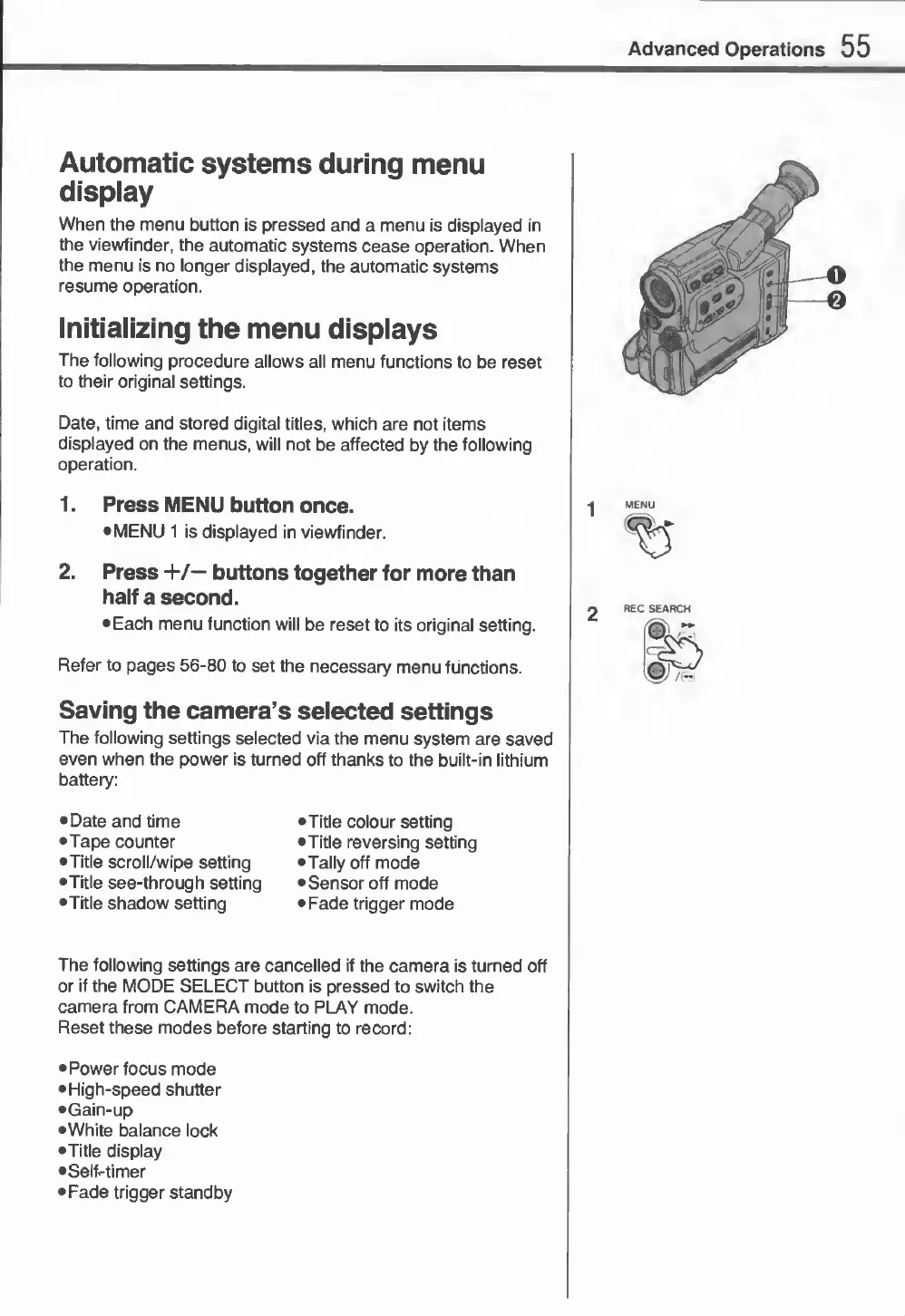
1.
Press
MENU
button
once.
•
MENU
1
is
displayed
in
viewfinder.
2.
Press
+/—
buttons
together
for
more
than
half
a
second.
•
Each
menu
function
will
be
reset
to
its
original
setting.
Refer
to
pages
56-80
to
set
the
necessary
menu
functions.
Saving
the
camera’s
selected
settings
The
following
settings
selected
via
the
menu
system
are
saved
even
when
the
power
is
turned
off
thanks
to
the
built-in
lithium
battery:
•
Date
and
time
•Tape
counter
•Title
scroll/wipe
setting
•Title
see-through
setting
•Title
shadow
setting
•
Title
colour
setting
•Title
reversing
setting
•Tally
off
mode
•
Sensor
off
mode
•
Fade
trigger
mode
The
following
settings
are
cancelled
if
the
camera
is
turned
off
or
if
the
MODE
SELECT
button
is
pressed
to
switch
the
camera
from
CAMERA
mode
to
PLAY
mode.
Reset
these
modes
before
starting
to
record:
•
Power
focus
mode
•
High-speed
shutter
•Gain-up
•White
balance
lock
•Title
display
•Self-timer
•Fade
trigger
standby