EasyManua.ls Logo

Canon UC10 - Page 13

Canon UC10
104 pages
Print Icon
To Next Page IconTo Next Page
To Previous Page IconTo Previous Page
Loading...
Before
Using
Your
Camera
11
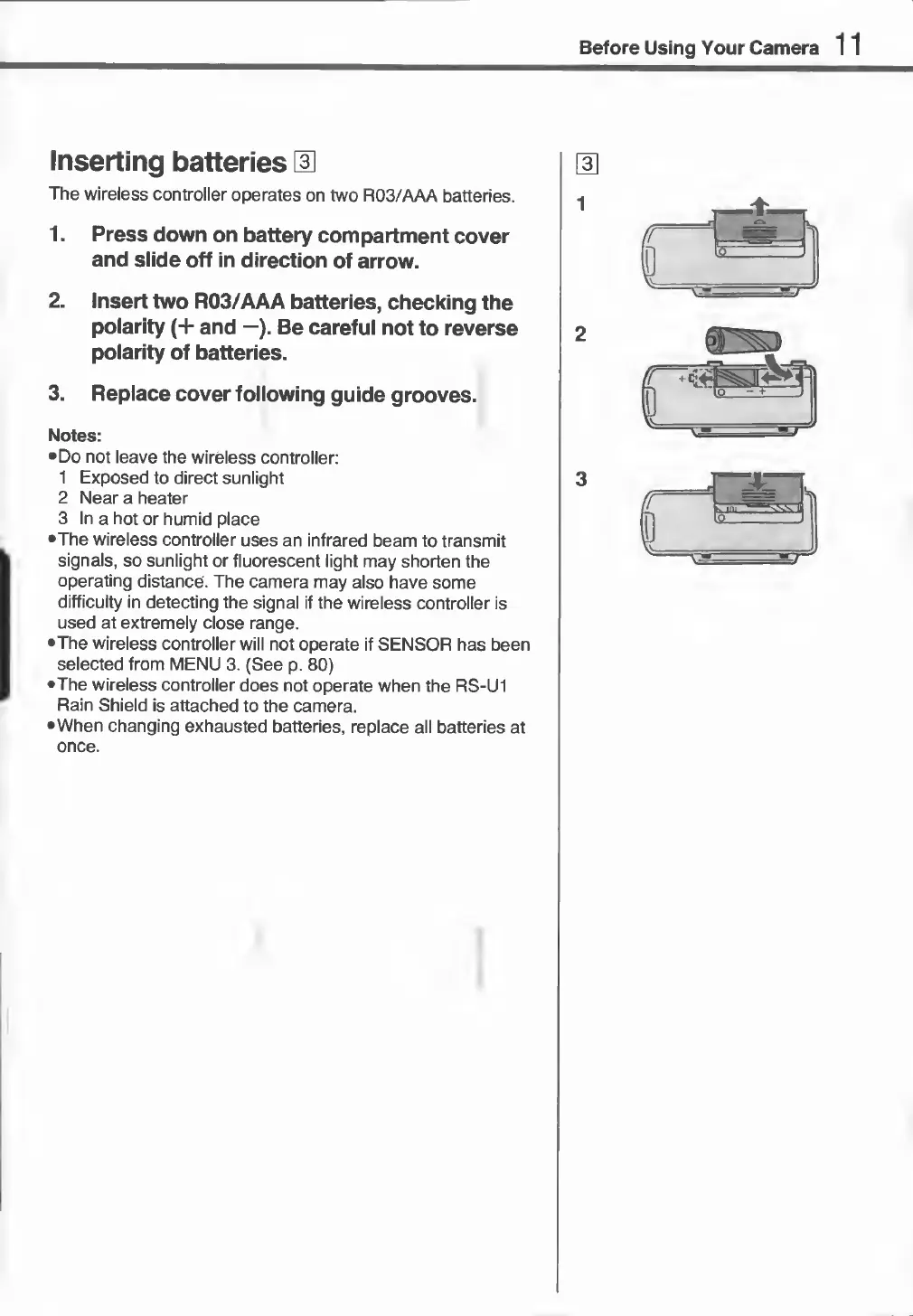
Inserting
batteries
H
The
wireless
controller
operates
on
two
R03/AAA
batteries.
1.
Press
down
on
battery
compartment
cover
and
slide
off
in
direction
of
arrow.
2.
Insert
two
R03/AAA
batteries,
checking
the
polarity
(+
and
—).
Be
careful
not
to
reverse
polarity
of
batteries.
3.
Replace
cover
following
guide
grooves.
Notes:
•
Do
not
leave
the
wireless
controller:
1
Exposed
to
direct
sunlight
2
Near
a
heater
3
In
a
hot
or
humid
place
•The
wireless
controller
uses
an
infrared
beam
to
transmit
signals,
so
sunlight
or
fluorescent
light
may
shorten
the
operating
distance.
The
camera
may
also
have
some
difficulty
in
detecting
the
signal
if
the
wireless
controller
is
used
at
extremely
close
range.
•The
wireless
controller
will
not
operate
if
SENSOR
has
been
selected
from
MENU
3.
(See
p.
80)
•The
wireless
controller
does
not
operate
when
the
RS-U1
Rain
Shield
is
attached
to
the
camera.
•When
changing
exhausted
batteries,
replace
all
batteries
at
once.