EasyManua.ls Logo

Canon UC10 - Page 32

Canon UC10
104 pages
Print Icon
To Next Page IconTo Next Page
To Previous Page IconTo Previous Page
Loading...
30
CAMERA
and
PLAY
Modes
The
camera
has
two
basic
modes
of
operation:
CAMERA
mode
for
recording
and
PLAY
mode
for
playback.
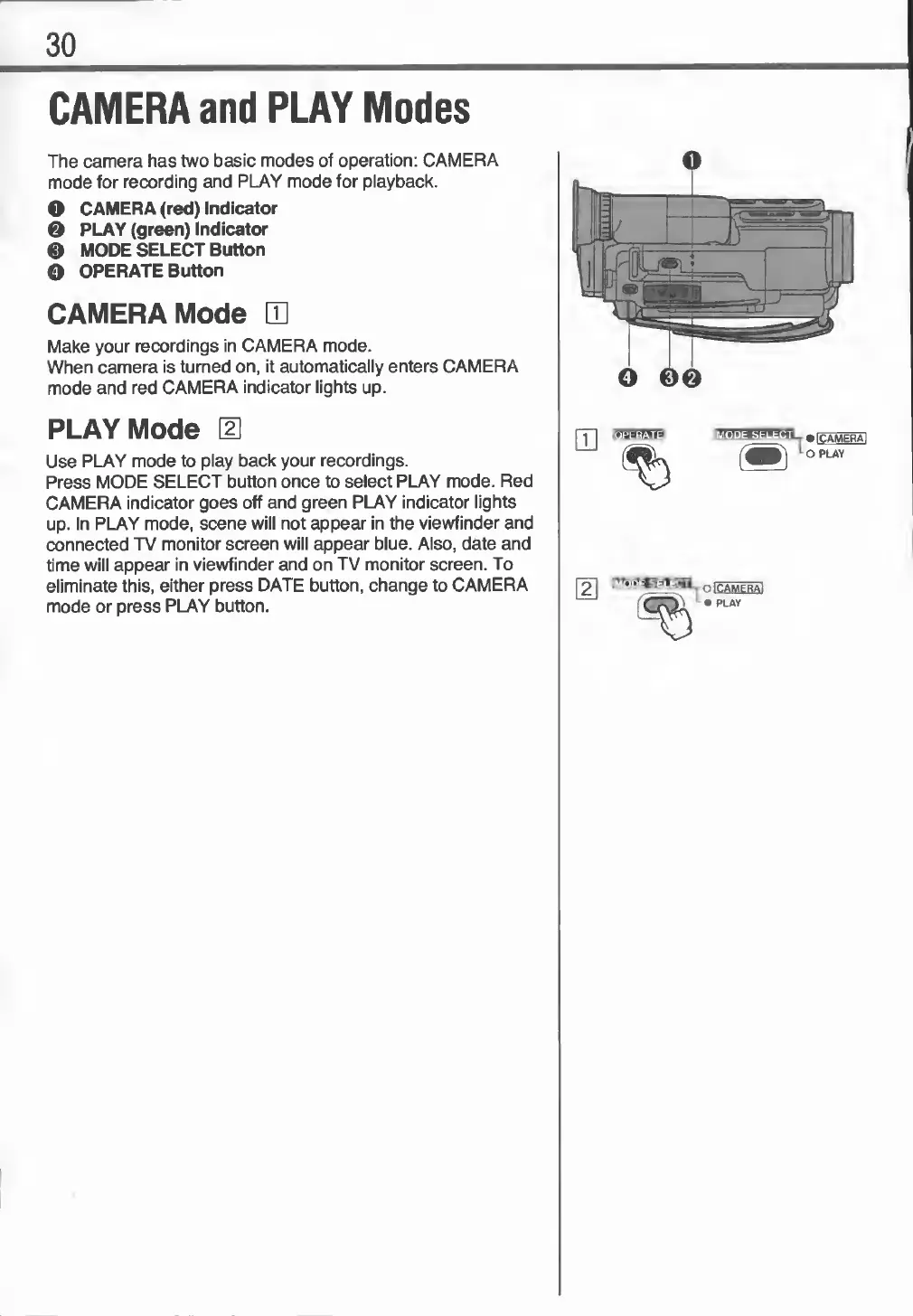
O
CAMERA
(red)
Indicator
0
PLAY
(green)
Indicator
0
MODE
SELECT
Button
O
OPERATE
Button
CAMERA
Mode
m
Make
your
recordings
in
CAMERA
mode.
When
camera
is
turned
on,
it
automatically
enters
CAMERA
mode
and
red
CAMERA
indicator
lights
up.
PLAY
Mode
[U
Use
PLAY
mode
to
play
back
your
recordings.
Press
MODE
SELECT
button
once
to
select
PLAY
mode.
Red
CAMERA
indicator
goes
off
and
green
PLAY
indicator
lights
up.
In
PLAY
mode,
scene
will
not
appear
in
the
viewfinder
and
connected
TV
monitor
screen
will
appear
blue.
Also,
date
and
time
will
appear
in
viewfinder
and
on
TV
monitor
screen.
To
eliminate
this,
either
press
DATE
button,
change
to
CAMERA
mode
or
press
PLAY
button.

Related product manuals