EasyManua.ls Logo

Canon UC10 - Page 19

Canon UC10
104 pages
Print Icon
To Next Page IconTo Next Page
To Previous Page IconTo Previous Page
Loading...
r
Before
Using
Your
Camera
Charging
Battery
Pack
The
following
accessories
can
be
used
to
charge
the
battery
pack.
•CA-100
Compact
Power
Adapter
(see
page
20)
•CB-110
Car
Battery
Adapter
(Option)
(see
page
20)
MC-100
Multi-battery
Charger
(Option)
(see
page
88)
Using
the
CA-100
HI
(For
information
on
other
accessories,
refer
to
the
relevant
instruction
manuals.)
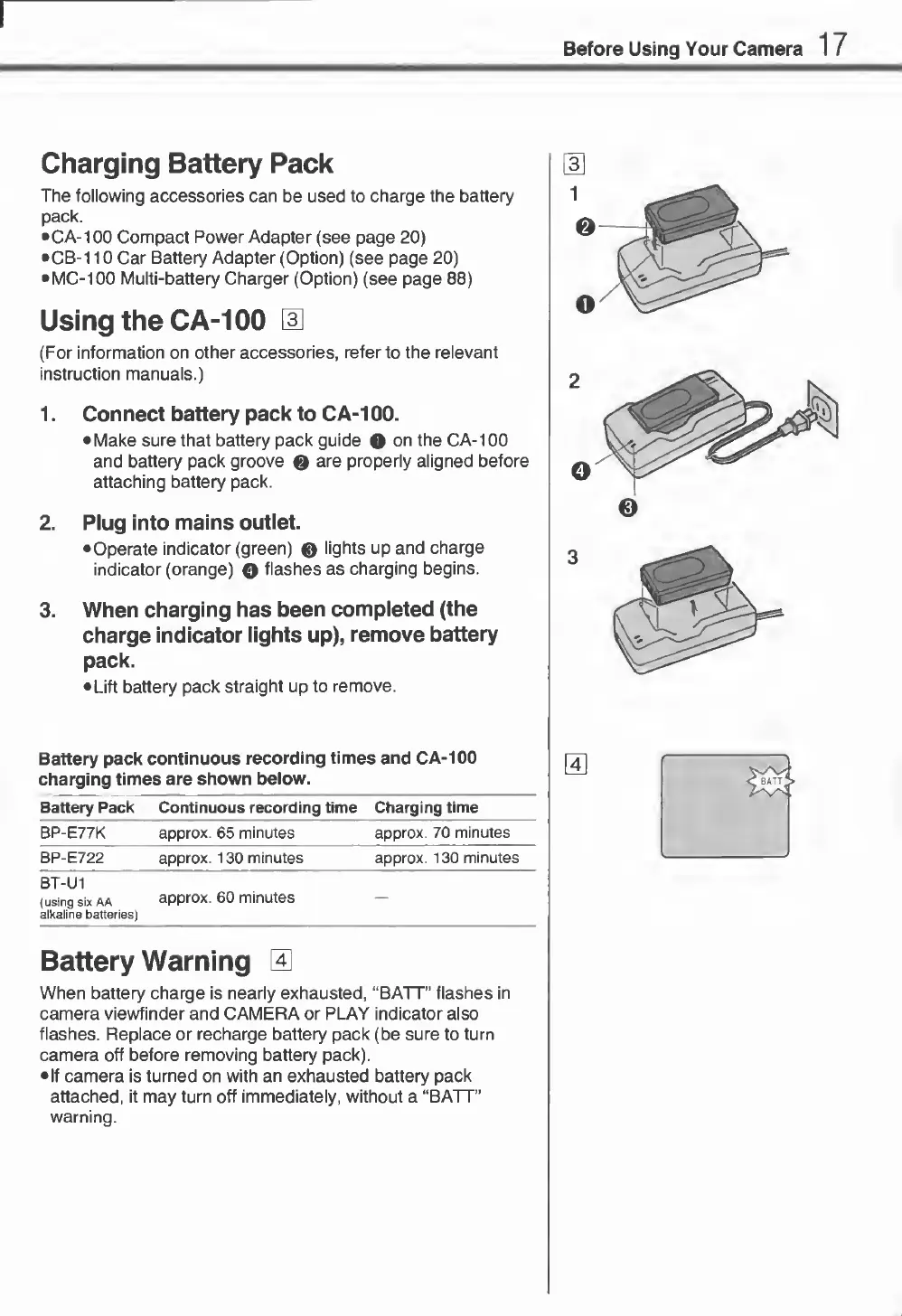
1.
Connect
battery
pack
to
CA-100.
Make
sure
that
battery
pack
guide
O
on
the
CA-100
and
battery
pack
groove
0
are
properly
aligned
before
attaching
battery
pack.
2.
Plug
into
mains
outlet.
•Operate
indicator
(green)
0
lights
up
and
charge
indicator
(orange)
Q
flashes
as
charging
begins.
3.
When
charging
has
been
completed
(the
charge
indicator
lights
up),
remove
battery
pack.
Lift
battery
pack
straight
up
to
remove.
Battery
pack
continuous
recording
times
and
CA-100
charging
times
are
shown
below.
Battery
Pack
Continuous
recording
time
Charging
time
BP-E77K
approx.
65
minutes
approx.
70
minutes
BP-E722
approx.
130
minutes
approx.
130
minutes
BT-U1
(using
six
AA
alkaline
batteries)
approx.
60
minutes
Battery
Warning
0
When
battery
charge
is
nearly
exhausted,
“BATT”
flashes
in
camera
viewfinder
and
CAMERA
or
PLAY
indicator
also
flashes.
Replace
or
recharge
battery
pack
(be
sure
to
turn
camera
off
before
removing
battery
pack).
If
camera
is
turned
on
with
an
exhausted
battery
pack
attached,
it
may
turn
off
immediately,
without
a
“BATT”
warning.

Related product manuals