EasyManua.ls Logo

Canon UC10 - Page 30

Canon UC10
104 pages
Print Icon
To Next Page IconTo Next Page
To Previous Page IconTo Previous Page
Loading...
28
Video
Cassette
Erasure
Prevention
Switch
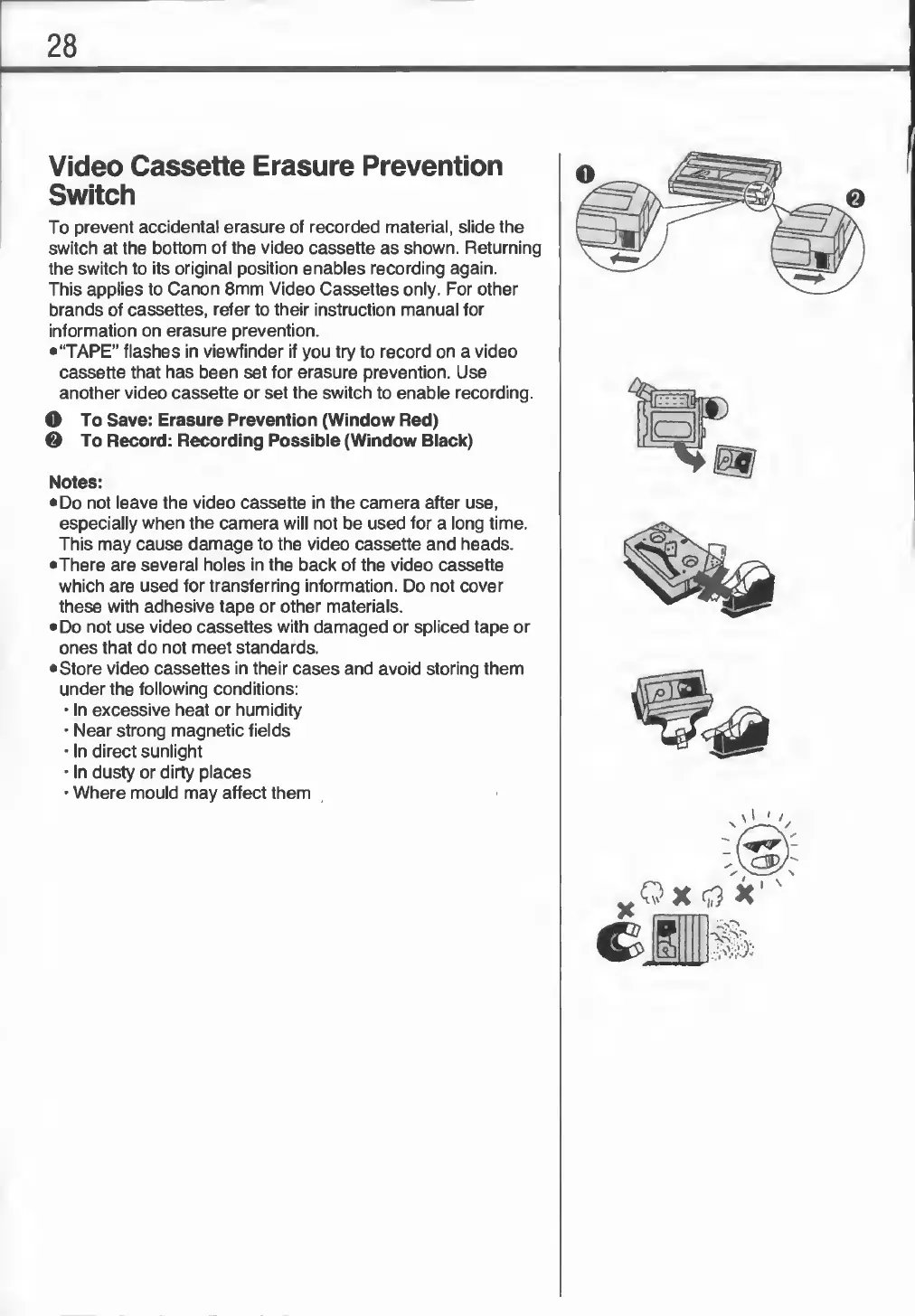
To
prevent
accidental
erasure
of
recorded
material,
slide
the
switch
at
the
bottom
of
the
video
cassette
as
shown.
Returning
the
switch
to
its
original
position
enables
recording
again.
This
applies
to
Canon
8mm
Video
Cassettes
only.
For
other
brands
of
cassettes,
refer
to
their
instruction
manual
for
information
on
erasure
prevention.
•“TAPE”
flashes
in
viewfinder
if
you
try
to
record
on
a
video
cassette
that
has
been
set
for
erasure
prevention.
Use
another
video
cassette
or
set
the
switch
to
enable
recording.
O
To
Save:
Erasure
Prevention
(Window
Red)
0
To
Record:
Recording
Possible
(Window
Black)
Notes:
•Do
not
leave
the
video
cassette
in
the
camera
after
use,
especially
when
the
camera
will
not
be
used
for
a
long
time.
This
may
cause
damage
to
the
video
cassette
and
heads.
•There
are
several
holes
in
the
back
of
the
video
cassette
which
are
used
for
transferring
information.
Do
not
cover
these
with
adhesive
tape
or
other
materials.
•
Do
not
use
video
cassettes
with
damaged
or
spliced
tape
or
ones
that
do
not
meet
standards.
•
Store
video
cassettes
in
their
cases
and
avoid
storing
them
under
the
following
conditions:
•
In
excessive
heat
or
humidity
•
Near
strong
magnetic
fields
•
In
direct
sunlight
•
In
dusty
or
dirty
places
•
Where
mould
may
affect
them