EasyManua.ls Logo

Canon UC10 - Page 35

Canon UC10
104 pages
Print Icon
To Next Page IconTo Next Page
To Previous Page IconTo Previous Page
Loading...
Basic
Operations
33
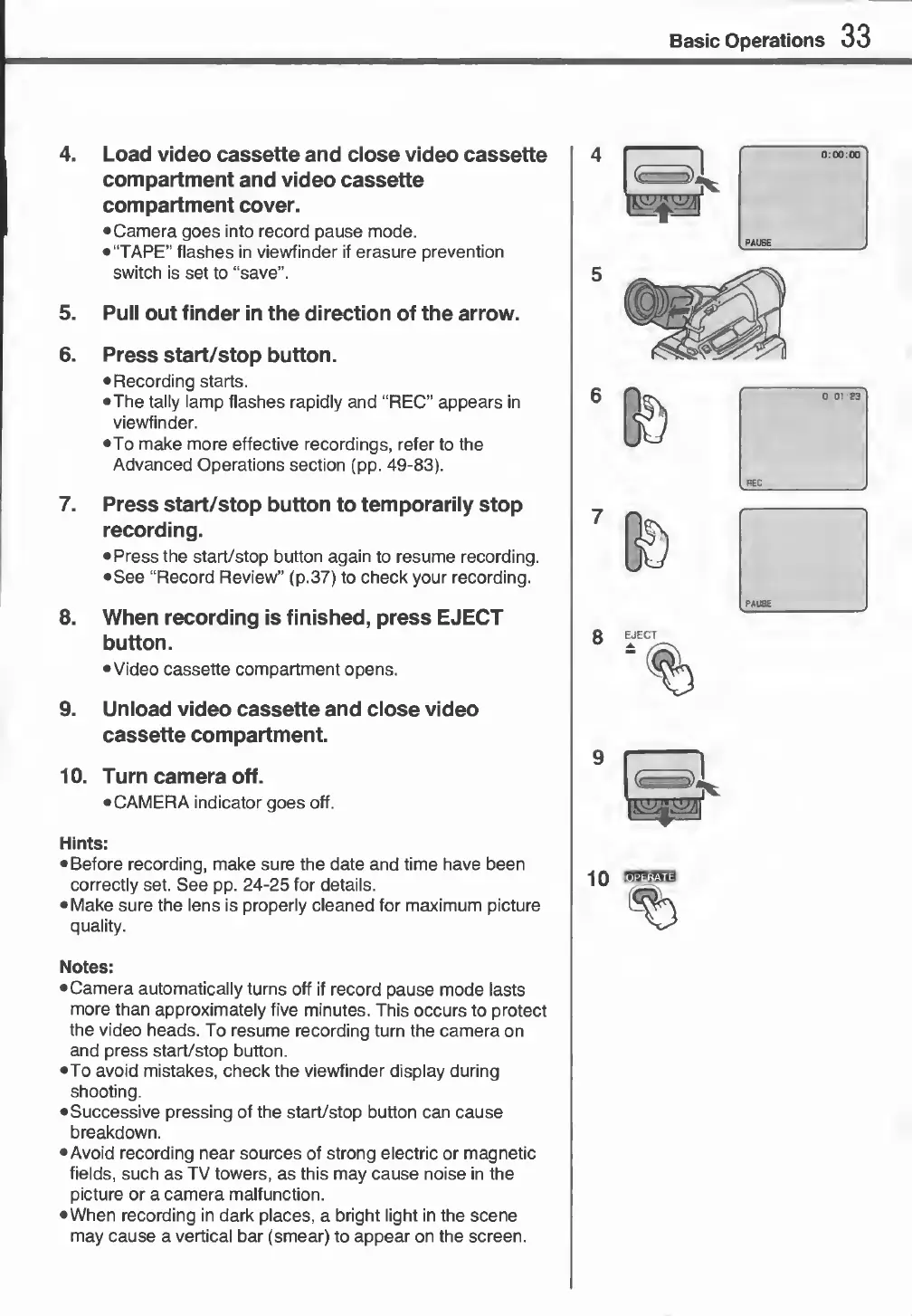
4.
Load
video
cassette
and
close
video
cassette
compartment
and
video
cassette
compartment
cover.
Camera
goes
into
record
pause
mode.
•“TAPE”
flashes
in
viewfinder
if
erasure
prevention
switch
is
set
to
“save”.
5.
Pull
out
finder
in
the
direction
of
the
arrow.
6.
Press
start/stop
button.
Recording
starts.
•The
tally
lamp
flashes
rapidly
and
“REC”
appears
in
viewfinder.
•To
make
more
effective
recordings,
refer
to
the
Advanced
Operations
section
(pp.
49-83).
7.
Press
start/stop
button
to
temporarily
stop
recording.
Press
the
start/stop
button
again
to
resume
recording.
See
“Record
Review”
(p.37)
to
check
your
recording.
8.
When
recording
is
finished,
press
EJECT
button.
Video
cassette
compartment
opens.
9.
Unload
video
cassette
and
close
video
cassette
compartment.
10.
Turn
camera
off.
CAMERA
indicator
goes
off.
Hints:
•Before
recording,
make
sure
the
date
and
time
have
been
correctly
set.
See
pp.
24-25
for
details.
Make
sure
the
lens
is
properly
cleaned
for
maximum
picture
quality.
Notes:
Camera
automatically
turns
off
if
record
pause
mode
lasts
more
than
approximately
five
minutes.
This
occurs
to
protect
the
video
heads.
To
resume
recording
turn
the
camera
on
and
press
start/stop
button.
To
avoid
mistakes,
check
the
viewfinder
display
during
shooting.
Successive
pressing
of
the
start/stop
button
can
cause
breakdown.
Avoid
recording
near
sources
of
strong
electric
or
magnetic
fields,
such
as
TV
towers,
as
this
may
cause
noise
in
the
picture
or
a
camera
malfunction.
When
recording
in
dark
places,
a
bright
light
in
the
scene
may
cause
a
vertical
bar
(smear)
to
appear
on
the
screen.

Related product manuals