EasyManua.ls Logo

Canon UC10 - Page 37

Canon UC10
104 pages
Print Icon
To Next Page IconTo Next Page
To Previous Page IconTo Previous Page
Loading...
Basic
Operations
35
Tape
Counter
E
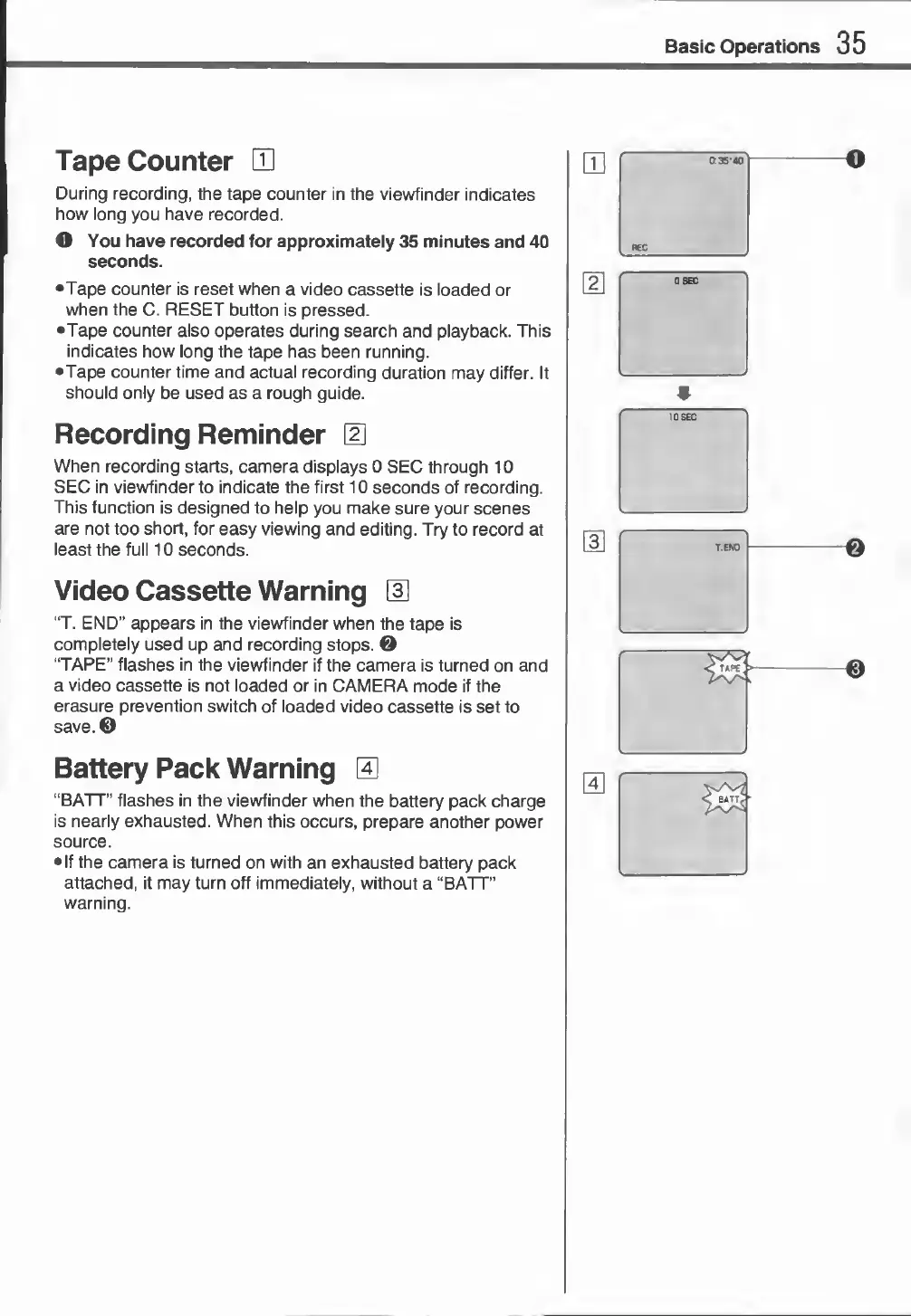
During
recording,
the
tape
counter
in
the
viewfinder
indicates
how
long
you
have
recorded.
O
You
have
recorded
for
approximately
35
minutes
and
40
seconds.
•Tape
counter
is
reset
when
a
video
cassette
is
loaded
or
when
the
C.
RESET
button
is
pressed.
•Tape
counter
also
operates
during
search
and
playback.
This
indicates
how
long
the
tape
has
been
running.
Tape
counter
time
and
actual
recording
duration
may
differ.
It
should
only
be
used
as
a
rough
guide.
Recording
Reminder
E
When
recording
starts,
camera
displays
0
SEC
through
10
SEC
in
viewfinder
to
indicate
the
first
10
seconds
of
recording.
This
function
is
designed
to
help
you
make
sure
your
scenes
are
not
too
short,
for
easy
viewing
and
editing.
Try
to
record
at
least
the
full
10
seconds.
Video
Cassette
Warning
E
“T.
END”
appears
in
the
viewfinder
when
the
tape
is
completely
used
up
and
recording
stops.
0
“TAPE”
flashes
in
the
viewfinder
if
the
camera
is
turned
on
and
a
video
cassette
is
not
loaded
or
in
CAMERA
mode
if
the
erasure
prevention
switch
of
loaded
video
cassette
is
set
to
save.
©
Battery
Pack
Warning
E
“BATT”
flashes
in
the
viewfinder
when
the
battery
pack
charge
is
nearly
exhausted.
When
this
occurs,
prepare
another
power
source.
•If
the
camera
is
turned
on
with
an
exhausted
battery
pack
attached,
it
may
turn
off
immediately,
without
a
“BATT”
warning.

Related product manuals