EasyManua.ls Logo

Canon UC10 - Page 61

Canon UC10
104 pages
Print Icon
To Next Page IconTo Next Page
To Previous Page IconTo Previous Page
Loading...
Advanced
Operations
59
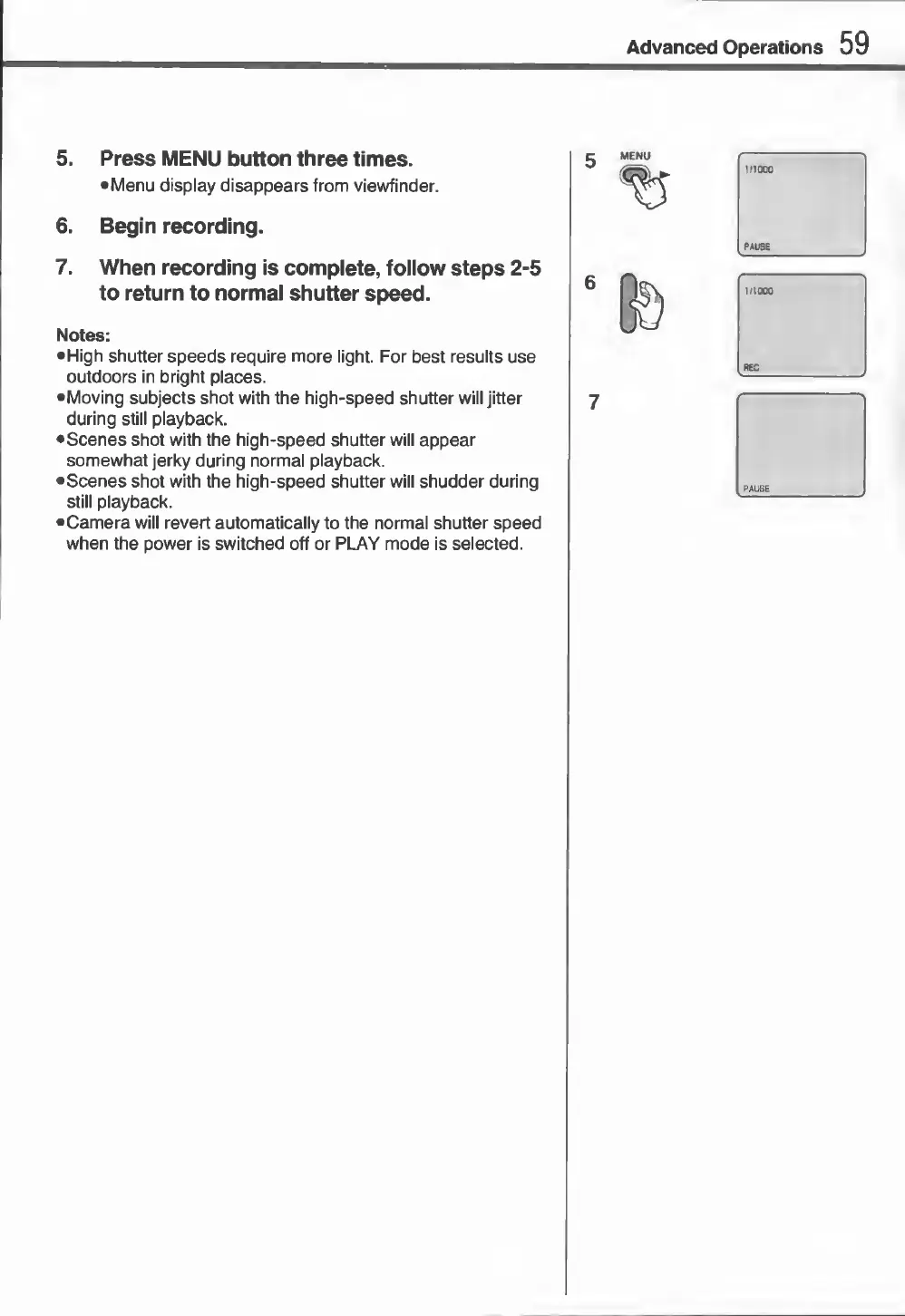
5.
Press
MENU
button
three
times.
•Menu
display
disappears
from
viewfinder.
6.
Begin
recording.
7.
When
recording
is
complete,
follow
steps
2-5
to
return
to
normal
shutter
speed.
Notes:
•
High
shutter
speeds
require
more
light.
For
best
results
use
outdoors
in
bright
places.
•
Moving
subjects
shot
with
the
high-speed
shutter
will
jitter
during
still
playback.
•
Scenes
shot
with
the
high-speed
shutter
will
appear
somewhat
jerky
during
normal
playback.
•
Scenes
shot
with
the
high-speed
shutter
will
shudder
during
still
playback.
•Camera
will
revert
automatically
to
the
normal
shutter
speed
when
the
power
is
switched
off
or
PLAY
mode
is
selected.
7
inooo
PAUSE
1
f
1000
REG
PAUSE